0
+
Google Reviews
0
+
4.5 (2467 Ratings)
The ServiceNow Cloud Provisioning & Governance course is designed for professionals who want to manage, automate, and govern cloud resources using the ServiceNow platform. The training covers cloud provisioning, policy management, governance controls, cost optimization, compliance monitoring, resource lifecycle management, and cloud automation workflows. Through hands-on exercises and real-world scenarios, learners gain practical experience in managing multi-cloud environments efficiently and securely. As organizations continue to expand their cloud infrastructure, this course is ideal for ServiceNow professionals, cloud administrators, IT operations teams, governance specialists, and cloud engineers looking to strengthen their cloud management and automation skills.
Duration of Training : 40 Hours
Batch type : Weekdays/Weekends
Mode of Training : Classroom/Online/Corporate Training
Detailed Syllabus • Hands-on Labs • Assignments • Support-Focused • Implementation
Curriculum Designed by Experts
(40-Hour Fast Track Program)
Project-Based | Job-Oriented
This program is designed for ServiceNow Administrators, IT Infrastructure Engineers, Cloud Administrators, and Freshers who want to learn Cloud Provisioning, Governance, CMDB,
Service Catalog, and Cloud Lifecycle Management using ServiceNow without requiring extensive coding or multiple cloud tools.
By the end of this training, participants will be able to:
✅ Create Cloud Service Catalogs
✅ Automate VM Request Workflows
✅ Implement Governance Policies
✅ Manage Cloud Resource Lifecycle
✅ Integrate CMDB with Cloud Resources
✅ Create Approval Workflows
✅ Manage Cost & Compliance Tracking
✅ Handle Real-Time Cloud Provisioning Scenarios
ServiceNow
• ServiceNow Admin
• CMDB
• Service Catalog
• Flow Designer
• Integration Hub (Basic)
• Discovery (Overview)
Cloud Exposure
• AWS EC2 (Demo)
• Azure VM (Demo)
No Coding Required
• Flow Designer
• Service Catalog Workflows
• Low-Code Automation
Topics
• ServiceNow Architecture
• What is Cloud Management?
• Cloud Provisioning Concepts
• Governance Fundamentals
• ServiceNow Cloud Management Overview
• ITSM vs ITOM vs Cloud Management
Lab
• Explore ServiceNow Instance
Assignment
• Understand Cloud Provisioning Lifecycle
Job Scenario
• Organization moving from manual VM requests to automated provisioning
Topics
• Users & Roles
• Groups
• Forms & Lists
• Tables
• ACL Basics
• Notifications
• Update Sets
Lab
• Create users and groups
Assignment
• Build cloud admin role hierarchy
Job Scenario
• Configure access for Cloud Operations Team
Topics
• CMDB Architecture
• Configuration Items
• Relationships
• Cloud Resource Mapping
• Service Mapping Concepts
Lab
• Create CI Records
• Build Relationships
Assignment
• Design Cloud Resource CMDB
Job Scenario
• Track cloud assets across departments
Topics
• Catalog Items
• Record Producers
• Variables
• Catalog Workflows
• Request Fulfillment
Lab
Create:
• VM Request Form
• Storage Request Form
• Cloud Access Request Form
Assignment
Create Self-Service Cloud Request Portal
Job Scenario
Developers requesting virtual machines.
Topics
• Cloud Provisioning Lifecycle
• Request Approval Flow
• Resource Allocation
• Resource Retirement
Flow Designer
• Approval Workflow
• Notification Workflow
• Auto Assignment
Lab
Build:
• VM Provisioning Workflow
• Cloud Storage Workflow
Assignment
Automate VM Request Approval
Job Scenario
Automating cloud provisioning requests.
Topics
• Governance Policies
• Resource Ownership
• Naming Standards
• Tagging Standards
• Compliance Controls
Lab
Create Governance Rules
Assignment
Develop Governance Checklist
Job Scenario
Prevent unauthorized cloud deployments.
Topics
• Flow Designer Basics
• Triggers
• Conditions
• Approvals
• Notifications
• Scheduled Actions
Lab
Build:
• Auto Approval Flow
• Auto Closure Flow
Assignment
Create End-to-End Provisioning Process
Job Scenario
Automating cloud request fulfillment.
Topics
• Cloud Cost Concepts
• Resource Utilization
• Chargeback Concepts
• Resource Retirement
Lab
Build Resource Retirement Workflow
Assignment
Identify Idle Resource Management Process
Job Scenario
Removing unused cloud resources.
Topics
• ISO 27001 Overview
• Audit Requirements
• Cloud Compliance
• Resource Documentation
Lab
Compliance Dashboard
Assignment
Prepare Cloud Audit Checklist
Job Scenario
Preparing for internal audit.
Topics
• Reports
• Dashboards
• KPIs
• SLA Tracking
Lab
Create:
• VM Request Dashboard
• Governance Dashboard
Assignment
Management Reporting Dashboard
Job Scenario
Provide visibility to management.
Project 1: Cloud VM Request Portal
Features
• Self-Service VM Request
• Approval Workflow
• Notification Workflow
• CMDB Update
Project 2: Cloud Governance Framework
Features
• Naming Standards
• Approval Policies
• Resource Ownership
• Audit Tracking
Project 3: Cloud Resource Lifecycle Management
Features
• Provision
• Modify
• Extend
• Decommission
Assignment 1
Create Cloud Admin Role Structure
Assignment 2
Build Cloud CMDB
Assignment 3
Create VM Catalog Item
Assignment 4
Create Storage Request Workflow
Assignment 5
Build Approval Matrix
Assignment 6
Create Governance Policy Document
Assignment 7
Build Compliance Dashboard
Assignment 8
Develop Resource Retirement Process
Scenario 1
A developer requests a VM for testing.
Task: Create request and approval workflow.
Scenario 2
A project is completed.
Task: Retire associated cloud resources.
Scenario 3
Management requests cloud usage visibility.
Task: Create dashboard and reports.
Scenario 4
Security team requires approval before VM creation.
Task: Implement governance workflow.
Scenario 5
Cloud assets are not tracked.
Task: Update CMDB automatically.
Scenario 6
Multiple departments require cloud resources.
Task: Create role-based provisioning process.
Scenario 7
Unused VMs increase cloud costs.
Task: Design decommission workflow.
Scenario 8
Auditors request resource ownership information.
Task: Generate governance reports.
• ServiceNow CMDB
• Service Catalog
• Flow Designer
• Cloud Provisioning Lifecycle
• Governance Framework
• Resource Lifecycle Management
• Cloud Cost Management Basics
• ITSM Integration
• Approval Workflows
• Compliance Management
1. ServiceNow Certified System Administrator (CSA)
2. ServiceNow ITSM Fundamentals
3. ServiceNow ITOM Fundamentals
4. AWS Cloud Practitioner (Optional)
5. Azure Fundamentals (AZ-900) (Optional)
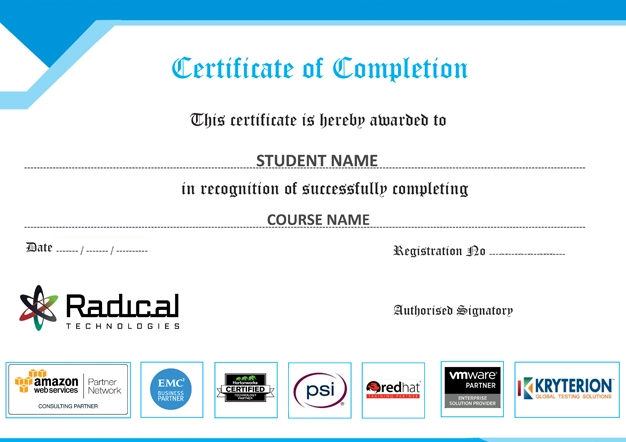
Course completion certificate and Global Certifications are part of our all Master Program
REVIT ARCHITECTURE / REVIT MEP Course Training empowers you with cutting-edge skills in BIM modeling, 3D design, and efficient project coordination. Master the art of creating detailed architectural plans, MEP systems, and collaborative workflows. Enroll today to enhance your expertise, boost your productivity, and advance your career in the ever-growing design and construction industry!
REVIT ARCHITECTURE / REVIT MEP Course Training paves the way for careers in architecture, MEP design, and BIM coordination. Secure roles like BIM expert, draftsman, or project manager in leading firms. Gain expertise in design, analysis, and project execution. Enroll now to thrive in the booming construction industry and unlock endless career possibilities!
REVIT ARCHITECTURE / REVIT MEP Course Training integrates cloud adoption to revolutionize design workflows. With cloud-based BIM, experience seamless collaboration, secure data sharing, and real-time updates. Learn to manage projects remotely, improve productivity, and streamline operations. Enroll now to gain expertise in cloud technology and excel in the dynamic construction and design industry!
Unlock the potential of scalability and flexibility with REVIT ARCHITECTURE / REVIT MEP course training. Learn to design with precision, streamline workflows, and handle complex projects efficiently. Master Revit’s powerful BIM tools, enhance career prospects, and stay ahead in the dynamic AEC industry!
Excel in cost management with REVIT ARCHITECTURE / REVIT MEP course training. Master budgeting, reduce resource waste, and streamline processes using Revit’s advanced BIM tools. Gain hands-on expertise to manage project costs effectively, boost efficiency, and build a competitive edge in your AEC career!
Ensure security and compliance with REVIT ARCHITECTURE / REVIT MEP course training. Learn to manage sensitive project data, adhere to industry standards, and implement best practices in BIM workflows. Gain essential skills to deliver reliable, compliant designs in today’s regulated AEC environment!
Radical Technologies is the leading IT certification institute in Pune, offering a wide range of globally recognized certifications across various domains. With expert trainers and comprehensive course materials, it ensures that students gain in-depth knowledge and hands-on experience to excel in their careers. The institute’s certification programs are tailored to meet industry standards, helping professionals enhance their skillsets and boost their career prospects. From cloud technologies to data science, Radical Technologies covers it all, empowering individuals to stay ahead in the ever-evolving tech landscape. Achieve your professional goals with certifications that matter.
At Radical Technologies, we are committed to your success beyond the classroom. Our 100% Job Assistance program ensures that you are not only equipped with industry-relevant skills but also guided through the job placement process. With personalized resume building, interview preparation, and access to our extensive network of hiring partners, we help you take the next step confidently into your IT career. Join us and let your journey to a successful future begin with the right support.
At Radical Technologies, we ensure you’re ready to shine in any interview. Our comprehensive Interview Preparation program includes mock interviews, expert feedback, and tailored coaching sessions to build your confidence. Learn how to effectively communicate your skills, handle technical questions, and make a lasting impression on potential employers. With our guidance, you’ll walk into your interviews prepared and poised for success.
At Radical Technologies, we believe that a strong professional profile is key to standing out in the competitive IT industry. Our Profile Building services are designed to highlight your unique skills and experiences, crafting a resume and LinkedIn profile that resonate with employers. From tailored advice on showcasing your strengths to tips on optimizing your online presence, we provide the tools you need to make a lasting impression. Let us help you build a profile that opens doors to your dream career.
Infrastructure Provisioning
Implementing automated infrastructure provisioning and configuration management using Ansible. This may include setting up servers, networking devices, and other infrastructure components using playbooks and roles.
Applications Deployment
Automating the deployment and orchestration of applications across development, testing, and production environments. This could involve deploying web servers, databases. middleware, and other application components using Ansible
Continuous Integration
Integrating Ansible into CI/CD pipelines to automate software. build, test, and deployment processes. This may include automating the creation of build artifacts, running tests, and deploying applications to various environments.
The Revit MEP Course in Bengaluru at Radical Technologies was well-structured and highly practical. The hands-on approach helped me gain real-world skills.
Enrolling in the Revit MEP Certification in Bengaluru at Radical Technologies was a game-changer for my career. The instructors are experienced and approachable.
I took the Revit MEP Online Classes in Bengaluru, and the learning experience was seamless. The live sessions and recorded content made it easy to revisit concepts.
Radical Technologies is undoubtedly the best Revit MEP Institute in Bengaluru. Their training methodology is unmatched, and they provide excellent placement support.
The Revit MEP Online Course in Bengaluru offered by Radical Technologies allowed me to learn at my own pace without compromising quality.
If you're looking for Revit MEP Classes in Bengaluru, Radical Technologies is the right choice. Their detailed curriculum and project-based training are very effective.
The Revit MEP Corporate Training in Bengaluru conducted by Radical Technologies helped our team upskill quickly and efficiently. We highly recommend them.
I joined the Revit MEP Online Training in Bengaluru, and it was worth every penny. The trainers clarified all my doubts and provided excellent resources.
Radical Technologies offers the best Revit MEP Training in Bengaluru. Their real-time project work gave me the confidence to handle complex designs.
The Revit MEP Certification in Bengaluru from Radical Technologies added tremendous value to my resume and helped me secure a better job.
The instructors at Radical Technologies make learning easy. The Revit MEP Course in Bengaluru was comprehensive and well-paced.
I was impressed by the quality of the Revit MEP Online Certification in Bengaluru. The content was industry-relevant and up-to-date.
Radical Technologies’ Revit MEP Online Course in Bengaluru is perfect for working professionals. The flexible schedule allowed me to balance work and study.
The Revit MEP Classes in Bengaluru at Radical Technologies are highly interactive. The trainers are supportive and knowledgeable.
I had a great learning experience with the Revit MEP Online Classes in Bengaluru. The trainers ensured we understood the concepts thoroughly.
Radical Technologies is the best Revit MEP Institute in Bengaluru for anyone looking to start a career in building design and modeling.
The Revit MEP Corporate Training in Bengaluru delivered by Radical Technologies exceeded our expectations. The team became much more efficient in using BIM tools.
I joined the Revit MEP Online Training in Bengaluru to upgrade my skills, and it was an excellent decision. The trainers were very patient and knowledgeable.
Thanks to the Revit MEP Course in Bengaluru at Radical Technologies, I was able to complete a live project confidently during my training period.
The Revit MEP Certification in Bengaluru from Radical Technologies opened new career opportunities for me. The placement support was very helpful.
I opted for the Revit MEP Online Course in Bengaluru, and I loved the flexibility it offered. The content delivery was smooth and detailed.
Radical Technologies provides top-notch Revit MEP Training in Bengaluru. The practical sessions gave me the confidence to handle industry challenges.
The Revit MEP Online Certification in Bengaluru I completed at Radical Technologies gave me a competitive edge in my job search.
Radical Technologies offers the best Revit MEP Classes in Bengaluru with an updated syllabus and expert trainers. Highly recommended!
I took the Revit MEP Online Classes in Bengaluru, and the experience was amazing. The trainers are industry professionals who share real-world insights.
Revit MEP (Mechanical, Electrical, and Plumbing) is a Building Information Modeling (BIM) software developed by Autodesk. It is used to design, model, and coordinate mechanical, electrical, and plumbing systems in a building. Revit MEP allows engineers to create detailed 3D models, perform system analysis, and generate accurate documentation for construction projects.
Revit MEP provides a unified platform where mechanical, electrical, and plumbing teams can work on the same model. It integrates with cloud-based tools like Autodesk BIM 360, enabling real-time collaboration, design coordination, and conflict resolution among all project stakeholders.
Key features of Revit MEP include parametric components, clash detection, automated documentation, energy analysis tools, and integrated workflows. These features streamline the design process, enhance accuracy, and reduce errors.
Yes, Revit MEP includes energy analysis tools that allow designers to evaluate energy efficiency and optimize building systems. It supports green building certifications like LEED by enabling simulations for heating, cooling, lighting, and water usage.
Revit MEP is widely used in industries such as construction, architecture, HVAC engineering, electrical design, plumbing, and fire protection. It is also valuable for facility management and sustainability-focused projects.
Revit MEP uses built-in clash detection tools to identify conflicts between different systems (e.g., ducts, pipes, and electrical conduits) within the 3D model. This helps resolve issues during the design phase, reducing costly rework during construction.
Revit Architecture is focused on architectural design, including walls, roofs, and floor plans. Revit MEP, on the other hand, specializes in mechanical, electrical, and plumbing system design, analysis, and coordination. Both tools can work together to create a complete building model.
Yes, Revit MEP integrates seamlessly with other Autodesk products such as AutoCAD, Navisworks, and BIM 360. This integration allows for better workflow management, model collaboration, and project visualization.
Yes, Revit MEP is suitable for projects of all sizes. Its scalability allows it to be used for designing small residential buildings as well as large commercial and industrial complexes
Families in Revit MEP are pre-defined or custom parametric components used to represent system elements such as ducts, pipes, electrical fixtures, and equipment. These families can be modified to meet specific project requirements and reused across projects.
Revit MEP generates schedules, material takeoffs, and construction drawings directly from the 3D model. This automation ensures documentation is accurate, consistent, and updated in real-time as the design evolves.
Yes, Revit MEP is an excellent tool for retrofitting projects. Engineers can use the software to create models of existing systems, analyze their performance, and design upgrades or replacements to improve efficiency.
Revit MEP requires a powerful computer with a multi-core processor, a dedicated graphics card, and at least 16GB of RAM. For optimal performance, Autodesk recommends running the software on Windows 10 with a 64-bit operating system.
Yes, Radical Technologies offers flexible scheduling options for the Redhat Linux Course in Bangalore, including weekday and weekend classes to accommodate different schedules.
Revit MEP generates accurate material takeoffs and schedules, which can be used to estimate project costs. By linking the BIM model to cost estimation software, users can track budgets and make adjustments during the design phase to stay within financial constrain
Ambegaon Budruk | Aundh | Baner | Bavdhan Khurd | Bavdhan Budruk | Balewadi | Shivajinagar | Bibvewadi | Bhugaon | Bhukum | Dhankawadi | Dhanori | Dhayari | Erandwane | Fursungi | Ghorpadi | Hadapsar | Hingne Khurd | Karve Nagar | Kalas | Katraj | Khadki | Kharadi | Kondhwa | Koregaon Park | Kothrud | Lohagaon | Manjri | Markal | Mohammed Wadi | Mundhwa | Nanded | Parvati (Parvati Hill) | Panmala | Pashan | Pirangut | Shivane | Sus | Undri | Vishrantwadi | Vitthalwadi | Vadgaon Khurd | Vadgaon Budruk | Vadgaon Sheri | Wagholi | Wanwadi | Warje | Yerwada | Akurdi | Bhosari | Chakan | Charholi Budruk | Chikhli | Chimbali | Chinchwad | Dapodi | Dehu Road | Dighi | Dudulgaon | Hinjawadi | Kalewadi | Kasarwadi | Maan | Moshi | Phugewadi | Pimple Gurav | Pimple Nilakh | Pimple Saudagar | Pimpri | Ravet | Rahatani | Sangvi | Talawade | Tathawade | Thergaon | Wakad
I had an amazing experience with this service. The team was incredibly supportive and attentive to my needs. The quality of the work exceeded my expectations. I would highly recommend this to anyone looking for reliable and professional service."
Revit MEP (Mechanical, Electrical, and Plumbing) is a robust Building Information Modeling (BIM) software developed by Autodesk. It is specifically designed for engineers, designers, and contractors to streamline the design, documentation, and collaboration processes for building systems. Revit MEP is a cornerstone tool for those looking to create intelligent 3D models that integrate mechanical, electrical, and plumbing systems seamlessly within a building’s architectural framework.
Integrated Design Environment
Revit MEP offers an integrated workspace where mechanical, electrical, and plumbing systems can be designed collaboratively within a single model. This integration ensures that all disciplines are aligned and potential clashes are identified early in the design phase.
Parametric Components
The software enables the use of parametric components, or “families,” which are versatile elements that can be customized. These components allow users to efficiently adapt designs to meet specific project requirements, saving time and effort.
Clash Detection and Coordination
Revit MEP provides advanced clash detection capabilities. By identifying and resolving conflicts between different building systems during the design phase, the software reduces costly rework during construction.
Automated Documentation
With Revit MEP, generating accurate and detailed documentation is automated. Users can create schedules, drawings, and material takeoffs directly from the 3D model, ensuring consistency and accuracy.
Energy Analysis Tools
The software includes tools for performing energy analysis, helping designers create sustainable and energy-efficient systems. Revit MEP supports calculations for heating, cooling, and lighting, which aids in compliance with green building standards.
Collaborative Workflows
Revit MEP supports collaborative workflows through cloud-based integration with Autodesk BIM 360. Teams can share models, review designs, and track changes in real-time, enhancing project efficiency.
Enhanced Productivity
By automating repetitive tasks and reducing manual errors, Revit MEP allows professionals to focus on innovation and quality. The software improves project delivery timelines and lowers overall costs.
Improved Visualization
With its 3D modeling capabilities, Revit MEP provides a detailed view of building systems, making it easier to visualize the final output. This helps stakeholders better understand the design and make informed decisions.
Sustainability Integration
The ability to simulate energy performance and optimize system designs helps in creating eco-friendly buildings. Revit MEP aligns with global sustainability standards, including LEED and BREEAM.
Error Reduction
Through real-time collaboration and advanced coordination tools, Revit MEP minimizes errors and omissions, which can lead to expensive rework during construction.
Flexibility and Scalability
Whether you’re designing a small residential project or a large commercial complex, Revit MEP scales to meet the needs of diverse projects. Its adaptability makes it a preferred choice across industries.
Revit MEP, a specialized Building Information Modeling (BIM) software from Autodesk, is widely used in designing, analyzing, and documenting mechanical, electrical, and plumbing systems in buildings. Its versatile features and capabilities make it a preferred choice for professionals across multiple industries. Below are the key applications of Revit MEP:
1. HVAC System Design
Revit MEP enables detailed design, analysis, and visualization of Heating, Ventilation, and Air Conditioning (HVAC) systems. Engineers can create accurate ductwork layouts, airflow paths, and equipment placements. The software also helps perform load calculations, ensuring optimal system efficiency and compliance with energy standards.
2. Electrical Systems Design
Revit MEP is extensively used for designing electrical layouts, including wiring diagrams, circuit boards, and panel schedules. It allows engineers to plan and simulate power distribution systems, lighting designs, and emergency systems while ensuring compliance with regional electrical codes and safety standards.
3. Plumbing System Design
Plumbing engineers utilize Revit MEP to design and analyze water distribution and drainage systems. The software provides tools to model complex piping networks, calculate flow rates, and ensure proper placement of fixtures like sinks, faucets, and valves. This results in efficient water usage and system reliability.
4. Fire Protection System Design
Designing fire protection systems is a critical application of Revit MEP. Engineers can layout sprinkler systems, design pipe routing, and place fire suppression equipment accurately. Its clash detection feature ensures that fire protection systems do not interfere with other building components.
5. Energy Analysis and Sustainable Design
Revit MEP supports energy simulation and analysis, making it a valuable tool for designing energy-efficient systems. Engineers can evaluate heating and cooling loads, simulate lighting efficiency, and optimize building systems to align with green building certifications like LEED or BREEAM.
6. Clash Detection and Coordination
One of Revit MEP’s standout features is its ability to perform clash detection between mechanical, electrical, and plumbing systems. This ensures that all systems are seamlessly integrated into the building design, reducing errors and avoiding costly rework during construction.
7. Documentation and Scheduling
Revit MEP automates the creation of detailed documentation, such as schedules, material takeoffs, and 2D drawings, directly from the 3D model. This ensures accuracy and consistency while saving time during project planning and execution.
8. Collaboration and Workflow Optimization
Revit MEP supports collaborative workflows, enabling multiple stakeholders—such as architects, structural engineers, and contractors—to work on a unified model. This streamlines communication, ensures coordination, and enhances overall project efficiency.
9. Custom Component Design
The software allows engineers to create custom parametric components or “families,” tailored to specific project needs. This feature is particularly useful for projects that require unique system designs or specialized equipment.
10. Facility Management Integration
Revit MEP models can be integrated into facility management systems for post-construction operations. The detailed data embedded in the BIM model aids in maintenance planning, asset tracking, and lifecycle management of building systems.

Radical Technologies is the leading institute in Bengaluru for comprehensive Revit MEP Training, offering industry-focused courses to help students and professionals excel in the field of Building Information Modeling (BIM). With a proven track record of delivering top-notch training, we are committed to providing unparalleled learning experiences through expert-led sessions and hands-on projects.
Our Revit MEP Course in Bengaluru is designed to equip learners with practical skills and in-depth knowledge of mechanical, electrical, and plumbing systems. We take pride in being the preferred choice for individuals seeking to advance their careers through our Revit MEP Certification in Bengaluru and placement-focused training programs.

Experienced Trainers: Our instructors are industry experts with years of hands-on experience in Revit MEP and BIM projects.
Real-World Projects: We emphasize project-based learning, ensuring our students gain practical expertise.
Placement Support: Our dedicated placement team connects you with top companies, helping you kickstart or advance your career.
Flexible Learning Options: Whether you prefer classroom sessions or online learning, we have options tailored to your needs.
At Radical Technologies, we are more than just a Revit MEP Institute in Bengaluru; we are your partners in professional growth. Join us today and take the first step towards mastering Revit MEP and excelling in the competitive AEC (Architecture, Engineering, and Construction) industry.
For more information on our Revit MEP Training in Bengaluru, contact us today!
(Our Team will call you to discuss the Fees)