Radical Technologies
REDHAT LINUX | UNIX
★★★★★
(2,095 ratings)  50,000+ Student

INDUSTRY LINUX

Covers each topics with Real Time Examples . Covers More than 250+ Real Time Scenarios which is divided into L1 ( Basic ) + L2 ( Intermediate) and L3 ( Advanced ) . Trainer from Real Time Industry .This is completely hands-on training , which covers 90% Practical And 10% Theory .250 Hours of Industry Linux Learning . We give Combo Pack of RHEL 6 , RHEL 7 ,RHEL 8 & RHEL 9 to make sure all the candidate will get at least 5+ Year experience knowledge in Red hat Linux after attending this course. Covers SA1 + SA2 + SA3 topics in Details from the very basic to advanced level . Complete RHCSA and RHCE Exam Preparations. Appear for Red hat Global Certification Exam At any time After the course – No need to wait to get schedule from Red hat . At your convenient time , you can book and appear for exam using our Individual Exam Delivery System called KOALAKOALA.

RT
Radical Technologies
50,000+ English 200 hours Weekdays / Weekends Classroom / Online / Corporate
Online / Classroom

INDUSTRY LINUX

IT Training Programme

Duration 200 hours
Batch Type Weekdays / Weekends
Mode of Training Classroom / Online / Corporate
Locations Pune, Bangalore, Kochi
Language English
Certification Globally Recognized
Call Now

100% placement assistance

Enquire Now

Get course fees, batch dates & a callback

We never share your details.

What you'll learn

Understand core concepts and architecture from the ground up
Get hands-on with the tools used by working professionals
Build real-world projects you can add to your portfolio
Learn industry best practices and coding standards
Practice with real datasets and real-world scenarios
Prepare for certification and technical interviews
Work on collaborative, team-based exercises
Apply performance tuning and optimization techniques
Understand how the technology fits into a larger ecosystem
Complete assignments reviewed by mentors

Programme Overview

17 sections covering the complete curriculum — a single, progressive learning arc.

200 hours
Training Duration
17
Core Modules
662
Total Lessons
4.9
Average Rating
50K+
Students Trained
01

Foundations & Core Concepts

Get hands-on with the fundamentals and architecture — the building blocks for everything that follows.

Fundamentals Architecture Setup
02

Hands-On Practical Training

Work through real exercises and assignments designed to mirror what you will do on the job.

Practicals Assignments Labs
03

Real-World Projects

Apply what you have learned to end-to-end projects that go straight into your portfolio.

Projects Portfolio Case Studies
04

Advanced Techniques

Go beyond the basics with advanced concepts, integrations and production-grade practices.

Advanced Integration Best Practices
05

Ecosystem Integration

Understand how this technology connects with the broader tools and platforms used in the industry.

Ecosystem Tools Platforms
06

Performance & Interview Prep

Master optimization techniques and prepare for the technical interview questions employers actually ask.

Optimization Interview Prep Certification

Who is this programme for?

Whether you're already writing code, working with data, or supporting applications today — this programme is built to take you into a REDHAT LINUX | UNIX role.

Software Developers

Engineers who want to add this skill set to their toolkit

Analysts & Consultants

Professionals moving into a more technical, hands-on role

IT Professionals

System admins and support engineers upskilling into a new domain

Fresh Graduates

CS/IT graduates aiming for a job-ready technical role

Course Curriculum

17 sections  •  662 lessons  •  200 hours

01 Topics Coverd
Linux syllabus ( SA1 SA2 SA3 Rhel 6/7/8/9)
Virtualization Type1 & Type2
CCNA Foundation network
SAN/NAS..RAID/LVMstorage
Backup… solution
Security…all types of firewall
Scripting..  Bash scripting
Automation… Ansible
Servers..SSH/DHCP/DNS/Apache/Nginx/Apache
Tomcat/MySQL/NTP/FTP/NFS/Samba/SMTP/Poxy
Migration strategy
Server Hardening
Docker & Kubernetes Basics
AWS comparison with Linux
100+ live on scenario
250 hrs. Hands on training
Resume preparation
Mock test interview preparation
02 Combo pack of RHEL 7, 8 & 9
This Course is based on RedHat @Enterprise Linux 9

Red Hat® Enterprise Linux® 9 includes three Modules :

RHCSA –
Red Hat System Administration I (RH124)
Red Hat System Administration II (RH134)

RHCE –

Red Hat System Administration III: Linux Automation with Ansible (RH294)
03 Red Hat System Administration I (RH124)
Red Hat System Administration I provides a foundation for students wishing to become full-time Linux system administrators by introducing key command line concepts and other enterprise-level tools. These concepts are further developed in the follow-on course, Red Hat System Administration II (RH134).

Prerequisites :

There are no formal prerequisites for this course; however, previous operating system administration experience will be very beneficial.

Get started with Red Hat Enterprise Linux

Describe and define open source, Linux distributions, and Red Hat Enterprise Linux.

Access the command line

Log into a Linux system and run simple commands using the shell.

Manage files from the command line

Copy, move, create, delete, and organize files while working from the bash shell.

Get help in Red Hat Enterprise Linux

Resolve problems by using local help systems.

Create, view, and edit text files

Manage text files from command output or in a text editor.

Manage local users and groups

Create, manage, and delete local users and groups, as well as administer local password policies.

Control access to files

Set Linux file system permissions on files and interpret the security effects of different permission settings.

Monitor and manage Linux processes

Evaluate and control processes running on a Red Hat Enterprise Linux system.

Control services and daemons

Control and monitor network services and system daemons using systemd.

Configure and secure SSH

Configure secure command line service on remote systems, using OpenSSH.

Analyze and store logs

Locate and accurately interpret logs of system events for troubleshooting purposes.

Manage networking

Configure network interfaces and settings on Red Hat Enterprise Linux servers.

Archive and transfer files

Archive and copy files from one system to another.

Install and update software

Download, install, update, and manage software packages from Red Hat and yum package repositories.

Access Linux files systems

Access, inspect, and use existing file systems on storage attached to a Linux server.

Analyze servers and get support

Investigate and resolve issues in the web-based management interface, getting support from Red Hat to help solve problems.

Comprehensive review

Review the content covered in this course by completing hands-on exercises.

Impact on the organization :

This course is intended to develop the skills needed for basic administration and configuration of Red Hat Enterprise Linux. This course introduces key command line concepts and enterprise-level tools, laying the foundation for the rapid deployment of Red Hat Enterprise Linux. The curriculum also introduces the basic administration skills needed for resolving configuration issues and integrating Red Hat Enterprise Linux systems with other existing environments.
This offering lays the foundation for secure user and group administration, and develops skills that allow administrators to use available storage solutions more efficiently and securely. This course is the first of a two-part series that turns a computer professional who knows nothing about Linux into a fully capable Linux administrator.
Red Hat has created this course in a way intended to benefit our customers, but each company and infrastructure is unique, and actual results or benefits may vary.

Impact of this training :

As a result of attending this course, you should be able to perform essential Linux administration tasks, including installation, establishing network connectivity, managing physical storage, and basic security administration.
You should be able to demonstrate these skills:
Access the command line
Manage files from command line
Create, view, and edit text files
Manage local users and groups
Monitor and manage Linux processes
Control services and daemons
Control access to files with file system permissions
Analyze and store log files
Configure and secure the OpenSSH service
Install and update software packages
Access Linux file systems
Manage Linux networking

Recommended next exam or course :

Red Hat System Administration II (RH134)
or
Red Hat System Administration II with RHCSA exam (RH135)
Course description 
The first of two courses covering the core system administration tasks needed to manage Red Hat Enterprise Linux serversRed Hat System Administration I (RH124) equips you with Linux® administration “survival skills” by focusing on foundational Linux concepts and core tasks. You will learn how to apply command-line concepts and enterprise-level tools, starting you on your journey toward becoming a full-time Linux system administrator. This path continues with the follow-on course, Red Hat System Administration II (RH134).
This course is based on Red Hat® Enterprise Linux 8.

Course content summary :

Introduction to the command line
Managing physical storage
Install and configure software components and services
Establish network connections and control firewall restrictions
Monitor and manage running processes
Manage and secure files and file systems
Administer users and groups
Review the system log files and journal for issues
Troubleshoot problems and analyze systems with Red Hat Insights
Remotely manage systems with SSH and the Web Console

Prerequisites for this course :

Basic technical user skills with computer applications on some operating systems are expected.
04 System Administration II (RH134)
This module goes deeper into enterprise Linux administration including file systems and partitioning, logical volumes, SELinux, firewalling, and troubleshooting. Attending both Red Hat System Administration I and Red Hat System Administration II can help you in your preparation for the Red Hat Certified System Administrator exam (EX200).

Outline for this course :

Improve command line productivity
Run commands more efficiently by using advanced features of the bash shell, shell scripts, and various utilities provided by Red Hat Enterprise Linux.
Schedule future tasks
Schedule commands to run in the future, either one time or on a repeating schedule.
Tune system performance
Improve system performance by setting tuning parameters and adjusting scheduling priority of processes.
Control access to files with ACLs
Interpret and set access control lists (ACLs) on files to handle situations requiring complex user and group access permissions.
Manage SELinux security
Protect and manage the security of a server by using SELinux.
Maintain basic storage
Create and manage storage devices, partitions, file systems, and swap spaces from the command line.
Manage logical volumes
Create and manage logical volumes containing file systems and swap spaces from the command line.
Implement advanced storage features
Manage storage using the Stratis local storage management system and use VDO volumes to optimize storage space in use.
Access network-attached storage
Use the NFS protocol to administer network-attached storage.
Control the boot process
Manage the boot process to control services offered and to troubleshoot and repair problems.
Manage network security
Control network connections to services using the system firewall and SELinux rules.
Install Red Hat Enterprise Linux
Install Red Hat Enterprise Linux on servers and virtual machines.

Course description :

Focuses on the key tasks needed to become a full-time Linux administrator

Red Hat System Administration II (RH134) builds upon and lends context to the foundational knowledge established in Red Hat System Administration I (RH124). This follow-on course demonstrates more detailed use cases for Red Hat® Enterprise Linux®, preparing you for the Red Hat Certified System Administrator exam (EX200).
This course is based on Red Hat Enterprise Linux 8.

Course content summary :

Install Red Hat Enterprise Linux using scalable methods
Access security files, file systems, and networks
Execute shell scripting and automation techniques
Manage storage devices, logical volumes, and file systems
Manage security and system access
Control the boot process and system services

Audience for this course :

This course is geared toward Windows system administrators, network administrators, and other system administrators who are interested in supplementing current skills or backstopping other team members, in addition to Linux system administrators who are responsible for these tasks:
Configuring, installing, upgrading, and maintaining Linux systems using established standards and procedures
Providing operational support
Managing systems for monitoring system performance and availability
Writing and deploying scripts for task automation and system administration

Prerequisite(s) for this course :

Successful completion of Red Hat System Administration I (RH124) is recommended. Experienced Linux administrators seeking to accelerate their path toward becoming a Red Hat Certified System Administrator should start with the RHCSA Rapid Track course (RH199).
05 Red Hat System Administration III : Linux Automation with Ansible (RH294)

Course description :

Learn how to automate Linux system administration tasks with Ansible

Red Hat System Administration III: Linux Automation with Ansible (RH294) teaches the skills needed to manage large numbers of systems and applications efficiently and consistently. You will learn the techniques needed to use Ansible® to automate provisioning, configuration, application deployment, and orchestration.
This course is based on Red Hat® Enterprise Linux® 8 and Red Hat Ansible Engine 2.8.

Course Content Summary :

Install Ansible / Red Hat Ansible Engine on control nodes.
Create and update inventories of managed hosts and manage connections to them.
Automate administration tasks with Ansible Playbooks and ad hoc commands.
Write effective playbooks at scale.
Protect sensitive data used by Ansible with Ansible Vault.
Reuse code and simplify playbook development with Ansible roles.

Outline for this course :

Introduce Ansible
Describe
Deploy Ansible
Configure Ansible to manage hosts and run ad hoc Ansible commands.
Implement playbooks
Write a simple Ansible Playbook and run it to automate tasks on multiple managed hosts.
Manage variables and facts
Write playbooks that use variables to simplify management of the playbook and facts to reference information about managed hosts.
Implement task control
Manage task control, handlers, and task errors in Ansible Playbooks.
Deploy files to managed hosts
Deploy, manage, and adjust files on hosts managed by Ansible.
Manage large projects
Write playbooks that are optimized for larger, more complex projects.
Simplify playbooks with roles
Use Ansible roles to develop playbooks more quickly and to reuse Ansible code.
Troubleshoot Ansible
Troubleshoot playbooks and managed hosts.
Automate Linux administration tasks
Automate common Linux system administration tasks with Ansible.

Impact on the organization

IT automation is key to managing large numbers of systems and applications efficiently and consistently at scale. This course develops the skills needed to efficiently operate and more easily scale the organization’s dynamic IT infrastructure, accelerate application time to value, and rapidly adapt and implement needed innovation through DevOps practices.
Red Hat has created this course in a way intended to benefit our customers, but each company and infrastructure is unique, and actual results or benefits may vary.

Impact on the individual

As a result of attending this course, you should be able to use Ansible for the purpose of automation, configuration, and management. You should be able to demonstrate these skills:
Install and configure Ansible or Red Hat Ansible Engine on a control node.
Create and manage inventories of managed hosts, as well as prepare them for Ansible automation.
Run individual ad hoc automation tasks from the command line.
Write Ansible Playbooks to consistently automate multiple tasks and apply them to managed hosts.
Parameterize playbooks using variables and facts, and protect sensitive data with Ansible Vault.
Write and reuse existing Ansible roles to simplify playbook creation and reuse code.
Automate common Red Hat Enterprise Linux system administration tasks using Ansible.

Recommended next exam or course

Red Hat Certified Engineer (RHCE) exam on Red Hat Enterprise Linux 8 (EX294)
Advanced Automation: Ansible Best Practices (DO447)
Our Specialty :
100% Passing Records of RHEL 7
Training By 16+ Years experienced Real Time Trainer
300+ Practical Sessions
100+ Scenarios and Assignments
World class training methods
Training  until the candidate get placed
Certification and Placement Support
All training in reasonable cost
10000+ Satisfied candidates
5000+ Placement Records
Corporate and Online Training in reasonable Cost
Complete End-to-End Project with Each Course
Data Center with Cisco UCS Servers
World Class Lab Facility which facilitates I3 /I5 /I7 Servers
Resume And Interview preparation with 100% Hands-on Practical sessions
Doubt clearing sessions any time after the course
Happy to help you any time after the coursev
06 Virtualization Type1 & Type2

Type 1 Hypervisor (Bare-Metal Hypervisor):

1. Introduction to virtualization technology
2. Overview of Type 1 hypervisors
3. Installation and configuration of Type 1 hypervisors (e.g., VMware ESXi, Microsoft Hyper-V Server)
4. Managing virtual machines (VMs) using Type 1 hypervisors
5. Resource allocation and management (CPU, memory, storage) in Type 1 hypervisors
6. Networking configuration for VMs in Type 1 hypervisor environments
7. High availability and fault tolerance features
8. Security considerations and best practices in Type 1 hypervisor deployments
9. Performance monitoring and optimization techniques
10. Backup and disaster recovery strategies for virtualized environments
11. Integration with cloud platforms and management tools
12. Advanced topics such as virtualization clustering, distributed resource scheduling, and virtual machine migration

Type 2 Hypervisor (Hosted Hypervisor):

1. Overview of Type 2 hypervisors
2. Installation and configuration of Type 2 hypervisors (e.g., VMware Workstation, Oracle VirtualBox)
3. Creating and managing virtual machines (VMs) within Type 2 hypervisor environments
4. Resource allocation and management (CPU, memory, storage) for VMs in Type 2 hypervisors
5. Networking configuration for VMs in Type 2 hypervisor environments
6. Snapshotting and cloning VMs
7. Integration with host operating systems and applications
8. Performance considerations and optimization techniques for Type 2 hypervisors
9. Security features and best practices in Type 2 hypervisor deployments
10. Backup and recovery strategies for VMs in Type 2 hypervisor environments
11. Application virtualization and containerization concepts
12. Use cases and scenarios for Type 2 hypervisors in desktop and development environments
07 CCNA Foundation network

1. Introduction to Networking:

• Overview of computer networks
• Importance and benefits of networking
• Evolution of networking technologies

2. Network Models and Protocols:

• OSI (Open Systems Interconnection) model
• TCP/IP (Transmission Control Protocol/Internet Protocol) model
• Comparison between OSI and TCP/IP models
• Overview of common networking protocols (e.g., TCP, UDP, IP, ICMP)

3. Network Devices:

• Introduction to network devices (e.g., routers, switches, hubs, bridges)
• Functions and roles of network devices in a network infrastructure
• Overview of network interfaces (e.g., NIC, Ethernet port)

4. Physical Layer:

• Introduction to the physical layer of the OSI model
• Concepts of data transmission (e.g., modulation, demodulation)
• Transmission media (e.g., copper, fiber-optic, wireless)
• Ethernet standards and cabling (e.g., twisted pair, fiber-optic)

5. Data Link Layer:

• Introduction to the data link layer of the OSI model
• MAC (Media Access Control) addresses
• LAN technologies (e.g., Ethernet, Wi-Fi)
• Switching concepts (e.g., MAC address learning, forwarding, filtering)

6. Network Layer:

• Introduction to the network layer of the OSI model
• IP addressing (IPv4 and IPv6)
• Subnetting and CIDR (Classless Inter-Domain Routing)
• Routing concepts (e.g., routing tables, routing algorithms)

7. Transport Layer:

• Introduction to the transport layer of the OSI model
• TCP and UDP protocols
• TCP/IP ports and sockets
• Error detection and correction mechanisms

8. Application Layer:

• Introduction to the application layer of the OSI model
• Common network applications and protocols (e.g., HTTP, DNS, FTP, SMTP)
• Client-server architecture and communication

9. Network Security Basics:

• Overview of network security threats and vulnerabilities
• Basic security concepts (e.g., authentication, encryption, firewalls)
• Security best practices for network infrastructure

10. Network Management and Troubleshooting:

• Basics of network management (e.g., SNMP, monitoring tools)
• Common network issues and troubleshooting techniques
• Introduction to network documentation and diagrams

11. Introduction to Wireless Networking:

• Overview of wireless networking technologies (e.g., Wi-Fi, Bluetooth)
• Wireless standards and protocols
• Basics of wireless security and authentication
08 SAN/NAS/RAID/LVM storage

1. Introduction to Storage Technologies:

• Overview of storage concepts and terminology
• Importance of storage in IT infrastructure
• Evolution of storage technologies

2. Storage Architecture:

• Introduction to direct-attached storage (DAS), SAN, and NAS architectures
• Comparison of SAN vs. NAS
• Benefits and use cases of SAN and NAS solutions

3. Storage Protocols and Standards:

• Fibre Channel (FC) protocol
• iSCSI (Internet Small Computer System Interface) protocol
• NFS (Network File System) protocol
• SMB (Server Message Block) protocol
• SCSI (Small Computer System Interface) standards

4. SAN Fundamentals:

• Components of a SAN (e.g., host bus adapters, switches, storage arrays)
• SAN zoning and masking
• Fibre Channel over Ethernet (FCoE) and iSCSI SANs

5. NAS Fundamentals:

• Components of a NAS (e.g., NAS appliances, NAS servers)
• NFS and SMB/CIFS protocols
• File-level vs. block-level storage access

6. RAID Technology:

• Introduction to RAID levels (e.g., RAID 0, RAID 1, RAID 5, RAID 6)
• RAID configurations and implementations
• RAID performance and fault tolerance

7. LVM Concepts:

• Introduction to Logical Volume Manager (LVM)
• Logical volume management concepts (e.g., physical volumes, volume groups, logical volumes)
• LVM commands and utilities

8. Storage Provisioning:

• Storage provisioning concepts (e.g., thin provisioning, thick provisioning)
• Storage allocation and management
• LUN (Logical Unit Number) provisioning in SAN environments

9. Storage Management and Administration:

• Storage management tasks and responsibilities
• Storage management tools and software (e.g., SAN management software, NAS management interfaces)
• Performance monitoring and optimization

10. Data Protection and Disaster Recovery:

• Backup and recovery strategies for SAN and NAS environments
• Disaster recovery planning and implementation
• High availability and failover solutions

11. Storage Security:

• Storage security threats and vulnerabilities
• Security best practices for SAN and NAS environments
• Data encryption and access control mechanisms

12. Emerging Storage Technologies:

• Introduction to cloud storage and object storage
• Software-defined storage (SDS) concepts and implementations
• Hyper-converged infrastructure (HCI) and storage virtualization
09 Backup solution Fundamentals

1. Introduction to Data Backup:

• Importance of data backup
• Risks and consequences of data loss
• Overview of backup strategies and methodologies

2. Backup Fundamentals:

• Definition of backup, recovery, and archiving
• Backup types: full, incremental, differential
• Backup storage media (e.g., tape, disk, cloud)
• Backup targets (e.g., local storage, network storage, cloud storage)

3. Backup Technologies:

• Overview of backup software solutions
• Role of backup agents and clients
• Backup scheduling and job management
• Backup compression and deduplication

4. Backup Storage Architectures:

• Direct-attached storage (DAS) for backups
• Network-attached storage (NAS) for backups
• Storage area network (SAN) for backups
• Cloud storage for backups

5. Backup Methods and Strategies:

• Image-based backups vs. file-based backups
• Virtual machine (VM) backups
• Database backups (e.g., SQL Server, Oracle)
• Application-aware backups

6. Backup Policies and Retention:

• Development of backup policies and procedures
• Data retention policies and legal compliance
• Backup rotation schemes (e.g., Grandfather-Father-Son, Tower of Hanoi)
• Backup cataloging and indexing

7. Recovery Strategies:

• Recovery time objectives (RTO) and recovery point objectives (RPO)
• Bare-metal recovery (BMR) and system state recovery
• File-level recovery and granular recovery
• Disaster recovery planning and testing

8. Backup Security:

• Data encryption for backups
• Access control and authentication
• Backup integrity verification
• Backup monitoring and auditing

9. Backup Monitoring and Reporting:

• Monitoring backup jobs and performance
• Alerting and notifications
• Backup reporting and analysis
• Backup job history and logs

10. Backup Testing and Validation:

• Importance of backup testing
• Types of backup tests (e.g., full restore, partial restore, synthetic backup)
• Backup validation techniques (e.g., checksum verification, data validation)

11. Backup Best Practices:

• Best practices for designing backup solutions
• Backup automation and orchestration
• Documentation and documentation management
• Backup solution evaluation and selection criteria

12. Emerging Backup Technologies:

• Cloud-based backup and disaster recovery
• Backup as a service (BaaS) and disaster recovery as a service (DRaaS)
• Continuous data protection (CDP) and snapshot-based backups
10 Security all types of firewall

1. Introduction to Network Security:

• Overview of network security concepts
• Importance of firewalls in network security
• Role of firewalls in protecting against cyber threats

2. Types of Firewalls:

• Packet-filtering firewalls
• Stateful inspection firewalls
• Proxy firewalls (application-level gateways)
• Next-generation firewalls (NGFW)
• Unified Threat Management (UTM) firewalls

3. Firewall Architecture:

• Components of a firewall system
• Firewall deployment architectures (e.g., perimeter, internal, cloud-based)
• Single firewall vs. multi-layered firewall architectures

4. Firewall Technologies:

• Access control lists (ACLs)
• Network address translation (NAT)
• Port forwarding and port triggering
• Virtual private networks (VPNs) and tunneling protocols
• Intrusion detection and prevention systems (IDPS)

5. Firewall Rule Configuration:

• Creating and managing firewall rules
• Rule-based vs. policy-based firewall configurations
• Rule prioritization and ordering
• Rule logging and auditing

6. Stateful Inspection and Deep Packet Inspection:

• Stateful vs. stateless packet inspection
• Stateful connection tracking and session management
• Deep packet inspection (DPI) for advanced threat detection

7. Application Layer Filtering:

• Application layer protocols and services (e.g., HTTP, FTP, SMTP)
• Application-aware firewall filtering
• Content filtering and URL filtering

8. Firewall Management and Administration:

• Firewall management interfaces (e.g., CLI, GUI, API)
• User authentication and authorization
• Role-based access control (RBAC)
• Firewall logging and monitoring

9. Firewall High Availability and Load Balancing:

• High availability (HA) clustering and failover
• Load balancing for distributing traffic across multiple firewall instances
• Active-passive vs. active-active HA configurations

10. Firewall Best Practices:

• Security policy development and enforcement
• Regular firewall rule review and audit
• Firewall hardening and configuration best practices
• Integration with other security technologies (e.g., SIEM, IPS)

11. Firewall Troubleshooting and Incident Response:

• Common firewall issues and troubleshooting techniques
• Incident response procedures for firewall-related security events
• Firewall log analysis and correlation

12. Emerging Firewall Technologies:

• Cloud-based firewalls and security as a service (SECaaS)
• Next-generation firewall features (e.g., application control, threat intelligence)
• Software-defined networking (SDN) and firewall orchestration
11 Scripting :- Bash scripting

1. Introduction to Bash Scripting:

• Overview of shell scripting and its importance
• Introduction to the Bash shell and its features
• Setting up a development environment for Bash scripting

2. Getting Started with Bash:

• Understanding the Bash prompt and command-line interface
• Basic shell commands for navigation, file manipulation, and directory operations
• Running simple commands and scripts in the Bash shell

3. Variables and Data Types:

• Understanding variables and data types in Bash
• Declaring and initializing variables
• Working with strings, numbers, and other data types

4. Input and Output:

• Reading input from the user using the read command
• Displaying output to the terminal using the echo command
• Redirecting input and output with redirection operators (>, >>, <)

5. Control Structures:

• Conditional execution with if…else statements
• Using comparison operators and logical operators in conditional statements
• Looping constructs: for loops, while loops, and until loops

6. Functions and Modularization:

• Defining and calling functions in Bash scripts
• Passing arguments to functions and accessing function parameters
• Organizing code into reusable functions for better maintainability

7. Scripting Best Practices:

• Writing clear and readable code with proper indentation and formatting
• Using comments to document code and explain its purpose
• Error handling and debugging techniques for troubleshooting scripts

8. Working with Files and Directories:

• File operations: creating, deleting, copying, moving, and renaming files
• Directory operations: creating, deleting, navigating directories
• Working with file permissions and ownership

9. Advanced Topics (Optional):

• Pattern matching and regular expressions with grep, sed, and awk
• Shell scripting utilities and commands (find, sort, cut, tr, etc.)
• Using arrays and associative arrays in Bash scripts

10. Practical Projects and Exercises:

• Hands-on exercises and projects to reinforce learning
• Building simple automation scripts for common tasks
• Solving real-world problems with Bash scripting

11. Final Project:

• A final project to apply the skills learned throughout the course
• Designing and implementing a complete Bash script to solve a specific problem or automate a task

12. Review and Assessment:

• Reviewing key concepts and techniques covered in the course
• Assessing students’ understanding through quizzes, assignments, and a final exam
 
12 Automation Ansible

1. Introduction to Ansible:

• Overview of Ansible and its features
• Understanding infrastructure as code (IaC) and configuration management
• Installation and setup of Ansible on different operating systems

2. Ansible Architecture and Components:

• Understanding Ansible architecture: control node, managed nodes, and inventories
• Overview of Ansible components: Ansible Playbooks, Ansible Modules, and Ansible Roles

3. Ansible Playbooks:

• Writing YAML-based Ansible Playbooks to define automation tasks and configurations
• Organizing Playbooks into tasks, handlers, variables, and templates
• Using Ansible built-in modules for common tasks such as package management, file manipulation, and service management

4. Inventory Management:

• Managing inventory files to define groups of hosts and variables
• Dynamic inventory and its integration with cloud providers and other systems
• Using patterns and filters to select hosts dynamically in Playbooks

5. Variables and Templating:

• Working with variables to parameterize Playbooks and make them reusable
• Using Jinja2 templating engine to generate dynamic content in configuration files and templates
• Organizing variables in variable files and group variables

6. Roles and Role-Based Playbooks:

• Organizing Playbooks using Ansible Roles for better modularity and reusability
• Defining Roles structure and directory layout
• Writing Role-based Playbooks to encapsulate complex configurations and tasks

7. Task Control and Flow Control:

• Controlling task execution flow using conditionals, loops, and tags
• Using handlers to trigger tasks only when needed
• Error handling and exception management in Ansible Playbooks

8. Ansible Vault and Security:

• Securing sensitive data such as passwords, keys, and certificates using Ansible Vault
• Encrypting and decrypting Vault-encrypted files
• Best practices for managing secrets and credentials in Ansible

9. Ansible Modules and Plugins:

• Exploring Ansible built-in modules for different tasks (e.g., file, command, service)
• Writing custom modules and plugins to extend Ansible functionality
• Managing modules and plugins distribution and installation

10. Ansible Tower and Automation Workflow:

• Introduction to Ansible Tower: features, benefits, and architecture
• Creating and managing job templates and workflows in Ansible Tower
• Role-based access control (RBAC) and user management in Ansible Tower

11. Testing and Continuous Integration:

• Automating testing of Ansible Playbooks using Ansible-lint, yamllint, and other testing tools
• Integrating Ansible with CI/CD pipelines for continuous integration and deployment
• Building automated testing and deployment pipelines for infrastructure as code (IaC)

12. Real-World Use Cases and Best Practices:

• Case studies and examples of using Ansible for automating infrastructure provisioning, configuration, and management
• Best practices for designing scalable, maintainable, and reliable automation workflows with Ansible
• Troubleshooting common issues and debugging Ansible Playbooks

13. Hands-On Labs and Projects:

  • • Hands-on labs and exercises to practice writing Ansible Playbooks and roles
  • • Building automation scripts for common tasks such as system configuration, software deployment, and service orchestration
  • • Working on real-world projects to apply Ansible automation skills in practical scenarios

14. Certification Preparation (Optional):

• Preparation for Ansible certification exams such as Red Hat Certified Engineer (RHCE) in Ansible Automation or Ansible Certified Engineer (ACE)
• Reviewing exam objectives, practicing sample questions, and discussing exam strategies

15. Q&A Sessions and Community Support:

• Q&A sessions with instructors to clarify doubts and answer questions
• Access to online forums, communities, and resources for additional support and collaboration
13 Servers – SSH/DHCP/DNS/Apache/ Nginx / Apache Tomcat/MySQL/NTP/FTP/NFS/Samba/SMTP/Poxy

1. Introduction to Networking:

• Overview of computer networks and the Internet
• Introduction to TCP/IP protocol suite
• Understanding IP addressing, subnetting, and CIDR notation

2. SSH (Secure Shell):

• Introduction to SSH protocol and its importance in secure remote access
• Installation and configuration of SSH server and client on Linux and Windows systems
• Using SSH for secure remote login, file transfer (SCP/SFTP), and remote command execution
• SSH key management, authentication methods, and best practices for securing SSH access

3. DHCP (Dynamic Host Configuration Protocol):

• Understanding DHCP fundamentals and its role in IP address allocation
• Installation and configuration of DHCP server on Linux (e.g., ISC DHCP server)
• Configuring DHCP scopes, leases, options, and reservations
• DHCP relay agent configuration for DHCP forwarding across multiple subnets

4. DNS (Domain Name System):

• Introduction to DNS and its role in translating domain names to IP addresses
• Installation and configuration of DNS server (BIND) on Linux
• Configuring DNS zones, resource records (A, CNAME, MX, PTR), and zone transfers
• DNSSEC (Domain Name System Security Extensions) and DNS caching resolver configuration

5. Apache HTTP Server:

• Introduction to Apache HTTP Server and its role as a web server
• Installation and configuration of Apache on Linux and Windows systems
• Configuring virtual hosts, directories, and access control using .htaccess files
• SSL/TLS encryption with Apache: generating SSL certificates, configuring HTTPS

6. Nginx:

• Introduction to Nginx and its features as a high-performance web server and reverse proxy
• Installation and configuration of Nginx on Linux and Windows systems
• Configuring server blocks (virtual hosts), location directives, and access control
• Load balancing and reverse proxying with Nginx: configuring upstream servers, proxy_pass directive

7. Web Server Security:

• Common web server security threats and vulnerabilities
• Hardening Apache and Nginx servers: security best practices, server hardening techniques
• Web application firewall (WAF) configuration and implementation (e.g., ModSecurity)

8. Monitoring and Logging:

• Monitoring web server performance and health using monitoring tools (e.g., Nagios, Zabbix)
• Logging and log file analysis: configuring logging in Apache and Nginx, analyzing access and error logs

9. Backup and Disaster Recovery:

• Implementing backup strategies for web server data and configuration files
• Disaster recovery planning and procedures for restoring web server services in case of failure

10. High Availability and Scalability:

• Designing high availability (HA) and scalable web server architectures
• Implementing redundancy, failover, and load balancing solutions for web servers

11. Deployment and Automation:

• Deployment automation with tools like Ansible, Puppet, or Chef
• Scripting and automation of common tasks and configurations for web servers

12. Case Studies and Real-World Projects:

• Case studies and examples of deploying, configuring, and managing web servers in real-world scenarios
• Hands-on projects to apply the knowledge and skills learned throughout the course

13. Q&A Sessions and Community Support:

• Q&A sessions with instructors to clarify doubts and answer questions
• Access to online forums, communities, and resources for additional support and collaboration

1. Introduction to Web/Application Servers and Databases:

• Overview of web servers, application servers, and databases
• Introduction to Apache Tomcat as a servlet container and application server
• Introduction to MySQL as a relational database management system (RDBMS)

2. Apache Tomcat:

• Installation and configuration of Apache Tomcat on Linux and Windows systems
• Managing Tomcat server.xml, web.xml, and context.xml configuration files
• Deploying web applications (WAR files) to Tomcat and configuring contexts
• Monitoring and managing Tomcat server using Tomcat Manager web application

3. MySQL:

• Installation and configuration of MySQL server on Linux and Windows systems
• Configuring MySQL server settings, including database directories, logging, and security options
• Creating and managing databases, tables, indexes, and views in MySQL
• SQL basics: querying data, inserting, updating, and deleting records, using joins and subqueries

4. NTP (Network Time Protocol):

• Understanding the importance of accurate time synchronization in computer networks
• Installation and configuration of NTP server and client on Linux systems
• Configuring NTP clients to synchronize time with NTP servers
• Monitoring and troubleshooting NTP synchronization issues

5. FTP (File Transfer Protocol):

• Introduction to FTP as a protocol for transferring files over a network
• Installation and configuration of FTP server (e.g., vsftpd) on Linux systems
• Configuring FTP users, permissions, and access controls
• Connecting to FTP server using FTP clients and transferring files

6. NFS (Network File System):

• Overview of NFS as a distributed file system protocol for sharing files across networked systems
• Installation and configuration of NFS server and client on Linux systems
• Exporting and mounting NFS shares, configuring NFS access controls
• Managing NFS exports, monitoring NFS performance and usage

7. Samba:

• Introduction to Samba as an open-source implementation of SMB/CIFS protocol for interoperability with Windows systems
• Installation and configuration of Samba server on Linux systems
• Configuring Samba shares, users, and permissions
• Accessing Samba shares from Windows and Linux clients

8. SMTP (Simple Mail Transfer Protocol):

• Overview of SMTP as a protocol for sending email messages over the Internet
• Installation and configuration of SMTP server (e.g., Postfix, Sendmail) on Linux systems
• Configuring SMTP server settings, including mail relay, virtual domains, and authentication
• Testing SMTP server configuration and troubleshooting common email delivery issues

9. Proxy Servers:

• Introduction to proxy servers and their role in network security, content filtering, and caching
• Installation and configuration of proxy server (e.g., Squid) on Linux systems
• Configuring proxy server settings, including access control, caching policies, and SSL interception
• Monitoring proxy server traffic and performance, analyzing access logs

10. Security and Best Practices:

• Security best practices for configuring and securing Apache Tomcat, MySQL, NTP, FTP, NFS, Samba, SMTP, and proxy servers
• Implementing firewalls, access controls, encryption, and other security measures
• Hardening server configurations and applying software updates and patches

11. Monitoring, Logging, and Troubleshooting:

• Monitoring server performance, resource usage, and network traffic
• Configuring logging for server services and applications, analyzing logs for troubleshooting
• Troubleshooting common issues and errors in Apache Tomcat, MySQL, NTP, FTP, NFS, Samba, SMTP, and proxy servers

12. High Availability and Disaster Recovery:

• Designing and implementing high availability (HA) solutions for Apache Tomcat, MySQL, and other services
• Implementing backup and disaster recovery strategies for critical data and services
• Testing failover procedures and disaster recovery plans

13. Hands-On Labs and Projects:

  • • Hands-on exercises and projects to practice installing, configuring, and managing Apache Tomcat, MySQL, NTP, FTP, NFS, Samba, SMTP, and proxy servers
  • • Building real-world infrastructure setups and deploying applications on Apache Tomcat and MySQL databases

14. Q&A Sessions and Community Support:

• Q&A sessions with instructors to clarify doubts and answer questions
• Access to online forums, communities, and resources for additional support and collaboration
14 Data Center & Cloud Migration strategy

1. Assessment and Inventory:

• Conduct a comprehensive assessment of existing on-premises infrastructure, including servers, storage, networking equipment, and applications.
• Inventory all hardware, software, and services currently in use, along with their dependencies and interdependencies.

2. Business Goals and Objectives:

• Define the business goals and objectives driving the migration to the cloud, such as cost savings, scalability, agility, and improved performance.
• Align the migration strategy with broader business initiatives and objectives.

3. Migration Approach:

• Determine the migration approach based on the organization’s requirements and constraints:
• Lift and shift: Migrating existing workloads to the cloud without significant modifications.
• Replatforming: Making minimal modifications to applications and infrastructure to optimize for the cloud environment.
• Refactoring: Restructuring or rewriting applications to leverage cloud-native services and architectures.
• Choose the appropriate migration tools and methodologies to support the selected approach.

4. Cloud Platform Selection:

• Evaluate different cloud service providers (e.g., AWS, Azure, Google Cloud) based on factors such as pricing, features, performance, security, and compliance.
• Choose the cloud platform(s) that best align with the organization’s requirements and migration goals.

5. Security and Compliance:

• Assess security requirements and compliance considerations for migrating data and workloads to the cloud.
• Implement security controls, encryption, identity and access management (IAM), and compliance measures to protect data and ensure regulatory compliance.

6. Data Migration:

• Develop a data migration strategy to transfer data from on-premises systems to the cloud:
• Determine the best approach for migrating data (e.g., online vs. offline migration, batch vs. real-time).
• Ensure data integrity, consistency, and minimal downtime during the migration process.
• Test data migration procedures and validate data integrity after migration.

7. Application Migration:

• Plan the migration of applications and workloads to the cloud:
• Identify dependencies and compatibility requirements for each application.
• Assess whether applications need to be rearchitected or optimized for the cloud environment.
• Develop migration scripts or automation tools to streamline the migration process.
• Conduct thorough testing of applications in the cloud environment to ensure functionality and performance.

8. Networking and Connectivity:

• Design network architecture and connectivity between on-premises infrastructure and the cloud:
• Establish VPN connections, direct connections (e.g., AWS Direct Connect, Azure ExpressRoute), or hybrid networking solutions.
• Configure routing, subnets, and security groups to enable secure communication between on-premises and cloud resources.

9. Monitoring and Management:

• Implement monitoring and management tools to oversee the migration process and monitor the performance of cloud resources:
• Use cloud-native monitoring services (e.g., AWS CloudWatch, Azure Monitor) to track resource utilization, performance metrics, and health status.
• Set up alerts and notifications to detect and respond to issues in real-time.
• Establish governance policies and practices to manage cloud resources effectively and optimize costs.

10. Training and Change Management:

• Provide training and education for IT staff and end-users to familiarize them with the cloud environment and new workflows.
• Implement change management processes to manage organizational changes and ensure smooth adoption of cloud services.

11. Testing and Validation:

• Develop a testing and validation plan to verify the functionality, performance, and security of migrated workloads:
• Conduct functional testing to ensure that applications behave as expected in the cloud environment.
• Perform load testing and scalability testing to assess performance under different conditions.
• Conduct security testing and vulnerability assessments to identify and address security risks.

12. Pilot and Rollout:

• Execute a pilot migration of select workloads or applications to validate the migration process and gather feedback:
• Start with non-critical workloads and gradually expand the scope of migration.
• Plan and execute the full rollout of migration based on lessons learned from the pilot phase.

13. Optimization and Continuous Improvement:

• Continuously monitor and optimize cloud resources to improve performance, reduce costs, and enhance security:
• Analyze resource utilization and identify opportunities for optimization (e.g., rightsizing instances, implementing auto-scaling).
• Regularly review and update security controls and compliance measures to address evolving threats and regulatory requirements.
• Solicit feedback from stakeholders and end-users to identify areas for improvement and implement enhancements iteratively.

14. Post-Migration Support:

• Provide ongoing support and maintenance for migrated workloads and cloud infrastructure:
• Establish support processes and escalation procedures for addressing issues and resolving incidents.
• Provide training and documentation for end-users to troubleshoot common issues and utilize cloud services effectively.

15. Documentation and Knowledge Sharing:

• Document the migration process, architecture, configurations, and best practices for future reference:
• Create comprehensive documentation covering all aspects of the migration, including lessons learned, challenges faced, and solutions implemented.
• Share knowledge and best practices with internal teams and stakeholders to facilitate knowledge transfer and enable self-sufficiency in managing cloud resources.
15 Server Hardening

1. Update and Patch Management:

• Regularly update and patch the Linux operating system and installed software to address security vulnerabilities and bugs.
• Utilize package managers (e.g., apt, yum) to install updates and security patches from official repositories.
• Set up automated update mechanisms to ensure timely installation of patches.

2. User and Access Management:

• Implement the principle of least privilege (PoLP) by granting users only the minimum level of access required to perform their job duties.
• Disable or remove unnecessary user accounts and groups.
• Enforce strong password policies, including password complexity requirements, password expiration, and account lockout policies.
• Utilize SSH key-based authentication instead of password authentication for enhanced security.

3. Firewall Configuration:

• Configure and enable firewall rules using tools like iptables or firewalld to restrict network traffic to and from the server.
• Allow only necessary ports and protocols for inbound and outbound connections.
• Implement network segmentation to isolate critical services and applications from less-trusted networks.

4. File System Security:

• Use file system encryption (e.g., LUKS, dm-crypt) to protect sensitive data at rest.
• Set appropriate file permissions and ownerships for directories and files to restrict access to authorized users and groups.
• Enable filesystem access controls such as SELinux or AppArmor to enforce mandatory access controls (MAC) and protect against privilege escalation attacks.

5. Service Hardening:

• Disable or uninstall unnecessary services and daemons to minimize the attack surface.
• Configure services to run with non-privileged user accounts whenever possible.
• Restrict access to administrative interfaces and sensitive services (e.g., SSH, Apache, MySQL) using access controls and IP whitelisting.

6. Logging and Monitoring:

• Enable system logging and configure log rotation to ensure that logs are retained and rotated regularly.
• Monitor system logs, audit trails, and security events for signs of unauthorized access or suspicious activity.
• Implement intrusion detection and prevention systems (IDS/IPS) to detect and block malicious activities in real-time.

7. Kernel Hardening:

• Configure kernel parameters and sysctl settings to enhance security and harden the Linux kernel.
• Enable kernel security features such as ASLR (Address Space Layout Randomization), DEP (Data Execution Prevention), and kernel module signing.
• Disable unnecessary kernel features and insecure protocols (e.g., ICMP redirects, IPv6 autoconfiguration) to reduce attack vectors.

8. Backup and Disaster Recovery:

• Implement regular backups of critical data and system configurations to ensure data integrity and availability in case of data loss or system failure.
• Store backups securely off-site or in an isolated network segment to prevent unauthorized access and protect against ransomware attacks.
• Test backup and recovery procedures periodically to verify data recoverability and minimize downtime in the event of a disaster.

9. Security Compliance and Auditing:

• Adhere to industry best practices and security standards (e.g., CIS benchmarks, NIST guidelines) for server hardening and configuration management.
• Conduct regular security audits and vulnerability assessments to identify and remediate security weaknesses and compliance violations.
• Maintain documentation of security configurations, audit findings, and remediation actions for compliance purposes and security governance.

10. Continual Improvement:

• Stay informed about emerging security threats, vulnerabilities, and best practices through security advisories, mailing lists, and industry forums.
• Continuously review and update security policies, procedures, and controls to address evolving security risks and regulatory requirements.
• Conduct periodic security assessments and penetration testing to evaluate the effectiveness of security controls and identify areas for improvement
16 Docker & Kubernetes Basics

Docker Basics:

1. What is Docker?:

• Docker is an open-source platform that enables developers to build, package, distribute, and run applications in lightweight, portable containers.
• Containers encapsulate the application and its dependencies into a single unit, providing consistency and isolation across different environments.

2. Key Concepts:

• Docker Image: A read-only template containing the application code, runtime, libraries, and other dependencies needed to run the application.
• Docker Container: An instance of a Docker image that runs as a lightweight, isolated process on the host machine.
• Dockerfile: A text file that contains instructions for building a Docker image, specifying the base image, dependencies, and configuration.
• Docker Engine: The runtime environment that manages Docker containers and provides tools for building, running, and managing containerized applications.

3. Basic Commands:

• docker run: Creates and starts a new container based on a specified Docker image.
• docker build: Builds a Docker image from a Dockerfile.
• docker pull: Downloads a Docker image from a registry (e.g., Docker Hub).
• docker push: Pushes a Docker image to a registry.

4. Container Lifecycle:

• Create: Create a new container from an image.
• Start: Start a stopped or paused container.
• Stop: Stop a running container.
• Restart: Restart a container.
• Remove: Remove a container.

Kubernetes Basics:

1. What is Kubernetes?:

• Kubernetes is an open-source container orchestration platform that automates the deployment, scaling, and management of containerized applications.
• Kubernetes provides a framework for deploying, scaling, and managing applications across clusters of hosts.

2. Key Concepts:

• Pod: The smallest deployable unit in Kubernetes, representing one or more containers that share resources and network namespaces.
• Deployment: A Kubernetes resource that manages a set of identical pods, ensuring high availability and scalability.
• Service: A Kubernetes resource that provides network access to a set of pods, enabling load balancing and service discovery.
• Namespace: A logical partition within a Kubernetes cluster that provides a scope for names and resource isolation.
• Cluster: A collection of nodes (physical or virtual machines) that run containerized applications managed by Kubernetes.

3. Basic Commands:

• kubectl create: Create a new Kubernetes resource (e.g., pod, deployment, service).
• kubectl apply: Apply configuration changes to a Kubernetes resource.
• kubectl get: Retrieve information about Kubernetes resources.
• kubectl describe: Display detailed information about a Kubernetes resource.
• kubectl delete: Delete a Kubernetes resource.

4. Deployment Workflow:

• Define the desired state of the application using Kubernetes manifests (YAML or JSON files).
• Apply the manifests using kubectl apply to create or update the application deployment.
• Monitor the deployment using kubectl get and kubectl describe commands.
• Scale the deployment up or down using kubectl scale.
• Perform rolling updates or rollback using kubectl rollout.

5. Service Discovery and Load Balancing:

• Kubernetes services provide a stable endpoint for accessing a set of pods, enabling service discovery and load balancing across the cluster.
• Services can be exposed internally within the cluster or externally to the internet using different service types (ClusterIP, NodePort, LoadBalancer, Ingress).

6. Scaling and Self-Healing:

• Kubernetes supports horizontal scaling of applications by adding or removing pod replicas based on resource utilization and user-defined metrics.
• Kubernetes provides self-healing capabilities, automatically restarting containers and rescheduling pods in case of failures or crashes.
17 AWS comparison with Linux

1. Introduction to AWS and Linux:

• Overview of AWS as a cloud computing platform and Linux as an open-source operating system kernel.
• Understanding the roles of AWS and Linux in modern IT infrastructure.

2. Architecture and Components:

• Exploring the architecture and components of AWS, including compute, storage, networking, databases, and management tools.
• Understanding the architecture and components of Linux, including the kernel, shell, file system, processes, and services.

3. Deployment and Management:

• Comparing deployment options for AWS (EC2 instances, serverless, containers) and Linux (physical servers, virtual machines, containers).
• Exploring management tools and techniques for AWS (AWS Management Console, AWS CLI, SDKs) and Linux (command-line interface, shell scripting, configuration management tools).

4. Scalability and Elasticity:

• Understanding how AWS provides scalability and elasticity through services like Auto Scaling, Elastic Load Balancing, and AWS Lambda.
• Exploring scalability options for Linux-based systems, including vertical scaling (adding resources) and horizontal scaling (adding servers).

5. High Availability and Fault Tolerance:

• Exploring AWS features for achieving high availability and fault tolerance, such as Availability Zones, Regions, and fault-tolerant services.
• Understanding best practices for configuring Linux-based systems for high availability, including clustering, load balancing, and failover mechanisms.

6. Security and Compliance:

• Comparing security features and compliance offerings in AWS (Identity and Access Management, encryption, compliance certifications) and Linux (permissions, firewalls, encryption).
• Exploring best practices for securing AWS and Linux environments, including patch management, network security, and monitoring.

7. Cost Management:

• Understanding AWS pricing models (pay-as-you-go, reserved instances, spot instances) and cost management tools (AWS Cost Explorer, Budgets, Trusted Advisor).
• Exploring cost management strategies for Linux-based systems, including optimizing resource usage, monitoring costs, and budgeting.

8. Integration and Interoperability:

• Exploring how AWS services integrate with Linux-based systems and vice versa, including API integration, data synchronization, and hybrid cloud architectures.
• Understanding common integration patterns and use cases for AWS and Linux environments.

9. Migration and Hybrid Deployments:

• Exploring strategies and tools for migrating workloads and applications between AWS and on-premises Linux environments.
• Understanding best practices for implementing hybrid deployments and managing interoperability challenges.

10. Use Cases and Case Studies:

• Analyzing real-world use cases and case studies where AWS and Linux are used together to solve business problems and achieve organizational goals.
• Understanding common patterns and architectures for deploying applications in AWS and Linux environments.

11. Hands-On Labs and Exercises:

  • • Providing hands-on labs and exercises to reinforce learning and practical skills in deploying, managing, and optimizing AWS and Linux environments.
  • • Allowing students to experiment with AWS services, Linux commands, and configuration tasks in a controlled environment.

12. Q&A Sessions and Discussion:

• Facilitating Q&A sessions and discussions to address questions, clarify concepts, and share experiences related to AWS and Linux.

Tools & Technologies

Every tool listed here is installed, configured and used in a hands-on lab session.

Core Tools

Hands-On Labs

Practical Environment

Industry-Standard Tools

Real-World Setup

Guided Exercises

Skill Building

Sample Datasets

Practice Material

Practice & Projects

Mini Projects

Applied Practice

Assignments

Mentor Reviewed

Doubt Sessions

Live Support

Career Readiness

Resume Building

Career Support

Mock Interviews

Interview Prep

Certification Prep

Global Recognition

Deployment & Delivery

Production Practices

Real-World Ready

Best Practices

Industry Standards

662+
Hands-On Lessons
17
Core Modules
200 hours
Training Duration
100%
Practical Training

You don't just learn INDUSTRY LINUX. You ship it.

Three major projects, each mirroring how production teams actually work — from guided foundations to a portfolio-ready capstone.

PROJECT // 01

Guided Foundation Project

Requirement Analysis

Guided Implementation

Mentor Review

Iteration

Foundation Beginner

Apply the fundamentals in a structured, mentor-reviewed project

Take the core concepts from the first half of the curriculum and apply them to a realistic scenario, with guidance and feedback from your mentor at every step.

Structured project brief
Step-by-step implementation
Mentor feedback and review
Documented outcome
Stack Core Concepts Best Practices
PROJECT // 02

Applied Practice Project

Scenario Design

Independent Build

Testing & Validation

Peer Review

Applied Intermediate

Build a more independent project mirroring real production scenarios

Work through a project that combines multiple concepts from the curriculum, closer to how work is actually structured on the job — less hand-holding, more ownership.

End-to-end implementation
Testing and validation
Documentation
Peer/mentor review
Stack Applied Skills Testing
PROJECT // 03

Capstone Project

Planning

End-to-End Build

Review & Refinement

Presentation

Capstone Advanced

Take a project from requirements to a polished, portfolio-ready deliverable

Your final project — plan, build, test and present a complete solution using everything covered in the curriculum, reviewed by mentors before you graduate.

Complete working solution
Presentation-ready documentation
Mentor sign-off
Portfolio-ready deliverable
Stack Full Curriculum Portfolio

All 3 projects go directly into your portfolio & resume — reviewed by mentors before you graduate.

See Sample Project Reports

Upcoming Batches

No upcoming batches scheduled right now. Enquire to get notified.

Why Radical Technologies

Live Online Training
  • Highly practical oriented training
  • Installation support on your system
  • 24/7 Email and Phone support
  • 100% Placement Assistance
  • Global Certification Preparation
  • Trainer-Student Interactive Portal
  • Assignments and Projects by Mentors
Live Classroom Training
  • Weekend / Weekdays / Morning / Evening batches
  • 80:20 Practical and Theory ratio
  • Real-life Case Studies
  • Easy make-up for missed sessions
  • PSI | Kryterion | Redhat Test Centers
  • Lifetime Video Classroom Access (coming soon)
  • Resume Prep and Mock Interviews
Self-Paced Training
  • Learn 300+ courses at your own time
  • 50,000+ Satisfied Learners
  • Course Completion Certificate
  • Practical Labs available
  • Mentor Support available
  • Doubt Clearing Session available
  • 10% Discounted Global Certification

Like the Curriculum? Let's Get Started

Join 50,000+ students already enrolled at Radical Technologies

Enroll Now

Global Certification

Radical Technologies is the leading IT certification institute in Pune, offering globally recognized certifications across various domains. With expert trainers and comprehensive materials, we ensure students gain in-depth knowledge and hands-on experience to excel in their careers. Our certification programs are tailored to meet industry standards — from cloud technologies to data science — empowering individuals to stay ahead in the ever-evolving tech landscape.
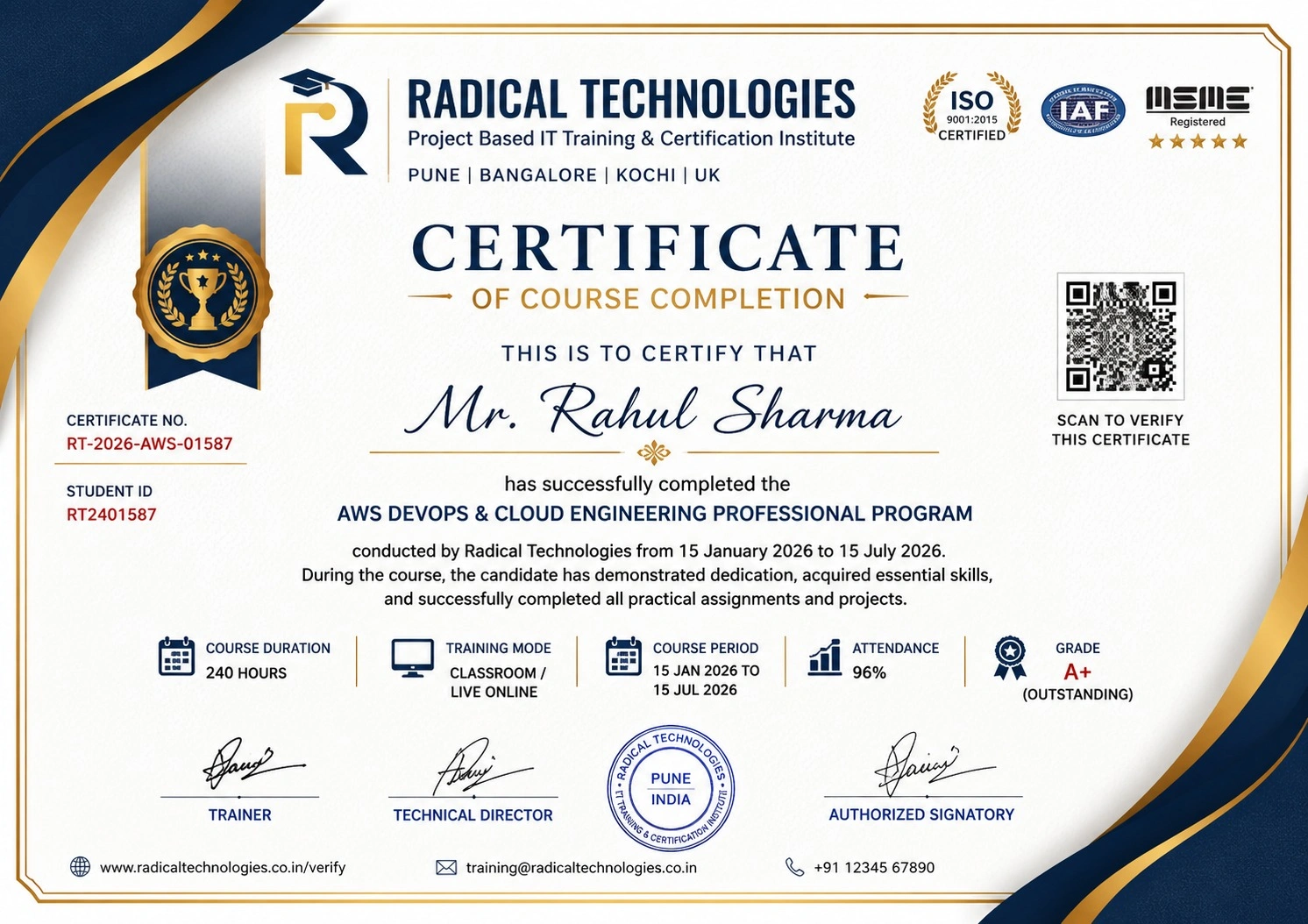
Certificate of Completion

Career Services

At Radical Technologies, we are committed to your success beyond the classroom. Our 100% Job Assistance program ensures that you are not only equipped with industry-relevant skills but also guided through the job placement process. With personalised resume building, interview preparation, and access to our extensive network of hiring partners, we help you take the next step confidently into your IT career.

Career Support

Course Completed? Need next steps?
Need Interview Supports?
Need Job Assistance?
Came from any other Institute?

Join our Brush-up Session & get support until you find a job!

Get Started

Radical Learning Eco-System

Exam Simulator

Cloud SandBox

Hands-on Cloud Lab

Developer Coding Ground

Student Reviews

4.9★
Average learner rating
50K+
Students trained
30+
Hiring companies alumni work at
100%
Placement assistance
4.9
★★★★★

Course Rating

★★★★★
92%
★★★★☆
7%
★★★☆☆
1%
★★☆☆☆
0%
★☆☆☆☆
0%
The Industrial Linux Training in Bengaluru was an enriching experience. The instructors were professional, and the course covered everything from basic Linux concepts to real-time applications, making it ideal for those looking to enter the industrial field.
S Satisfied Student
Radical Technologies is the best Industrial Linux Institute in Bengaluru for anyone looking to deepen their knowledge of Linux for industrial environments. The training is both comprehensive and practical, making it suitable for all levels.
S Satisfied Student
Taking Industrial Linux Classes in Bengaluru was a rewarding experience. The training helped me transition from theoretical knowledge to practical skills, which I am now using in my industrial automation career.
S Satisfied Student
The Industrial Linux Certification in Bengaluru from Radical Technologies gave me an edge over other candidates in the job market. The course content was well-structured, and the instructors were extremely helpful.
S Satisfied Student
Radical Technologies' Industrial Linux Course in Bengaluru provided me with a solid foundation in Linux for industrial systems. The trainers were experts in the field, and the course content was detailed and easy to follow.
S Satisfied Student
The Industrial Linux Online Certification in Bengaluru has opened new career opportunities for me. The course was practical and provided me with skills that I can immediately apply in my role.
S Satisfied Student
I completed the Industrial Linux Online Training in Bengaluru and was impressed by the hands-on projects and real-world applications. The training was thorough and equipped me with the skills I need for my job in automation.
S Satisfied Student
The Industrial Linux Online Course in Bengaluru from Radical Technologies was detailed and well-organized. The online platform provided a great learning experience, and the instructors were always available to help.
S Satisfied Student
Taking the Industrial Linux Online Classes in Bengaluru allowed me to learn at my own pace while receiving expert guidance. I appreciated the flexibility the online course offered without compromising on quality.
S Satisfied Student
The Industrial Linux Corporate Training in Bengaluru helped our team learn how to implement Linux-based solutions for our projects. The trainers tailored the course to our needs, which made the learning experience very effective.
S Satisfied Student
Enrolling in Industrial Linux Training in Bengaluru was a game-changer for my career. I gained practical skills that have helped me apply Linux in automation and control systems efficiently.
S Satisfied Student
The Industrial Linux Institute in Bengaluru provided an excellent platform to learn about Linux in industrial environments. The trainers were highly knowledgeable, and the sessions were engaging and informative.
S Satisfied Student
I took the Industrial Linux Classes in Bengaluru to advance my skills in industrial automation. The training was very comprehensive, and the institute’s focus on practical applications was very helpful.
S Satisfied Student
Thanks to the Industrial Linux Certification in Bengaluru, I now have a deeper understanding of Linux in industrial applications. The real-time projects provided hands-on experience, which helped me a lot.
S Satisfied Student
I had a fantastic experience in the Industrial Linux Course in Bengaluru. The course content was well-structured, and the trainers were very supportive, ensuring we understood all the key concepts thoroughly.
S Satisfied Student
The Industrial Linux Online Certification in Bengaluru from Radical Technologies gave me a competitive edge in my career. The certification is recognized, and the training was rigorous yet rewarding.
S Satisfied Student
The Industrial Linux Online Training in Bengaluru was a great learning experience. The trainer’s explanations were clear and concise, making complex topics easier to understand. I feel more confident in using Linux for industrial applications now.
S Satisfied Student
The Industrial Linux Online Course in Bengaluru helped me develop practical skills in Linux that are directly applicable to my job. I was impressed by the quality of the content and the clarity of the instructions.
S Satisfied Student
Taking the Industrial Linux Online Classes in Bengaluru was a great decision. The online format made it easy to learn at my own pace while still benefiting from expert guidance and practical sessions.
S Satisfied Student
I highly recommend the Industrial Linux Corporate Training in Bengaluru for organizations looking to upskill their teams. The training was tailored to meet our industry-specific needs, and it was extremely helpful.
S Satisfied Student
The Industrial Linux Training in Bengaluru helped me secure a job in the automation industry. The training materials were top-notch, and I gained a lot of confidence while working on live projects.
S Satisfied Student
Radical Technologies is undoubtedly the best Industrial Linux Institute in Bengaluru. Their expert trainers provide in-depth knowledge and guide you through every aspect of the operating system, making it easy to understand.
S Satisfied Student
Enrolling in the Industrial Linux Classes in Bengaluru was one of the best decisions I made for my career. The course is well-structured, and the hands-on training gives you real-world skills for industrial applications.
S Satisfied Student
I completed the Industrial Linux Certification in Bengaluru and gained a deeper understanding of how Linux operates in industrial environments. The course is comprehensive, and the faculty are excellent in clarifying doubts.
S Satisfied Student
The Industrial Linux Course in Bengaluru at Radical Technologies exceeded my expectations. The practical approach and expert trainers helped me understand complex concepts easily. Highly recommended for anyone looking to build a career in industrial systems.
S Satisfied Student

Frequently Asked Questions

15 questions about the INDUSTRY LINUX course.

01 What is Industrial Linux?
Industrial Linux is a specialized version of the Linux operating system designed for use in industrial applications. It offers enhanced stability, security, and real-time capabilities, making it ideal for sectors like automation, manufacturing, energy management, and transportation. Its open-source nature and ability to support industrial communication protocols ensure seamless integration with various devices and systems.
02 What are the benefits of using Industrial Linux in industrial applications?
The key benefits of using Industrial Linux include high stability, real-time processing, enhanced security, scalability, and customization. It is cost-effective due to its open-source nature and offers long-term support, ensuring consistent updates and patches. Additionally, its ability to integrate with various industrial protocols makes it an ideal choice for mission-critical systems.
03 How does Industrial Linux support real-time processing?
Industrial Linux supports real-time processing through extensions like the PREEMPT-RT patch, which enables the kernel to handle time-sensitive tasks with minimal latency. This feature is essential for applications in automation, robotics, and control systems where fast, predictable responses are necessary to ensure the proper functioning of machinery and processes.
04 Can Industrial Linux be customized for specific industrial needs?
Yes, Industrial Linux can be highly customized to suit the specific needs of different industrial applications. Since it is open-source, users can modify the kernel, add or remove software packages, and configure the system to integrate seamlessly with existing hardware and software environments, ensuring optimal performance for any industrial setting.
05 What types of industries benefit the most from Industrial Linux?
Industries such as manufacturing, energy management, telecommunications, transportation, robotics, healthcare, and automation benefit significantly from Industrial Linux. Its stability, security, and real-time processing capabilities make it ideal for mission-critical systems in these sectors.
06 How does Industrial Linux ensure security in industrial systems?
Industrial Linux offers a variety of security features, including SELinux (Security-Enhanced Linux), role-based access control, encrypted file systems, and secure boot mechanisms. These features protect industrial systems from cyber threats, ensure data integrity, and secure sensitive information in environments with high security requirements.
07 What are some common applications of Industrial Linux in manufacturing?
In manufacturing, Industrial Linux is used for controlling automated machines, robotics, production lines, and sensors. It integrates with existing systems for monitoring and controlling equipment, enabling smart manufacturing and predictive maintenance systems to enhance efficiency, reduce downtime, and optimize production processes.
08 How does Industrial Linux support the Internet of Things (IoT) in industrial environments?
Industrial Linux is well-suited for IoT applications due to its lightweight nature, real-time capabilities, and scalability. It supports IoT devices by handling data locally at the edge, reducing the reliance on cloud computing and ensuring faster data processing and decision-making. This is particularly useful in industries like manufacturing and energy management.
09 What is the role of Industrial Linux in smart grid and energy management systems?
In energy management systems, such as smart grids, Industrial Linux provides the platform for monitoring and controlling energy distribution and consumption. Its real-time capabilities allow for instant adjustments in grid operations, improving efficiency, reducing energy waste, and ensuring stable power supply across large-scale networks.
10 What are the key differences between Industrial Linux and traditional Linux distributions?
Industrial Linux differs from traditional Linux distributions in its emphasis on real-time processing, enhanced security, long-term support, and the ability to handle industrial protocols. It is optimized for mission-critical applications, offering features that are necessary for industrial environments, such as the ability to operate continuously without failure.
11 How does Industrial Linux improve decision-making in industrial systems?
Industrial Linux enables real-time data processing, which is essential for decision-making in industrial systems. By processing data locally on the edge, it reduces latency and allows for quicker responses to changes in the environment. This results in more efficient operations and timely decisions, especially in automation, energy management, and manufacturing.
12 Can Industrial Linux be used in robotics applications?
Yes, Industrial Linux is widely used in robotics applications due to its ability to handle real-time processing and support for various industrial communication protocols. It powers robotic arms, autonomous vehicles, and drones, enabling precise control, monitoring, and integration with other automation systems in manufacturing, logistics, and healthcare.
13 What are some popular Industrial Linux distributions?
Popular Industrial Linux distributions include Ubuntu Core, designed for IoT and embedded systems; Red Hat Enterprise Linux (RHEL) for mission-critical applications; Yocto Project for creating customized Linux distributions; and Wind River Linux, known for its real-time capabilities and robustness in industrial environments.
14 What challenges might arise when deploying Industrial Linux in industrial environments?
Challenges in deploying Industrial Linux can include hardware compatibility issues, the need for specialized real-time configurations, and integration with legacy systems. Additionally, ensuring that staff are adequately trained to manage and maintain the Linux environment can also be a consideration, especially when transitioning from proprietary operating systems.
15 What is the future of Industrial Linux in the industrial sector?
The future of Industrial Linux looks promising, as industries increasingly embrace digital transformation, automation, and IoT technologies. With its open-source nature, flexibility, and real-time capabilities, Industrial Linux will continue to play a pivotal role in enhancing operational efficiency, security, and scalability in sectors like manufacturing, energy, transportation, and more.

INDUSTRY LINUX Interview Questions

10 questions commonly asked in INDUSTRY LINUX interviews.

  1. 01 What are the primary industrial communication protocols supported by Industrial Linux, and how does it facilitate integration with existing industrial devices and systems?
  2. 02 In what ways can Industrial Linux be customized for specific industrial applications like energy management or smart manufacturing?
  3. 03 How does Industrial Linux ensure system security in critical industrial environments, and what security features are commonly used in such deployments?
  4. 04 Can you explain how Industrial Linux supports real-time processing, and why this is essential for applications in automation and control systems?
  5. 05 What are the key differences between Industrial Linux and standard Linux distributions when it comes to performance and reliability in industrial applications?
  6. 06 What are the key performance metrics you would consider when evaluating an Industrial Linux distribution for deployment in a mission-critical industrial setting?
  7. 07 What role does Industrial Linux play in the development and deployment of predictive maintenance systems, and how does it enhance machine uptime?
  8. 08 Can you describe a real-world scenario where Industrial Linux was implemented in a transportation or logistics system, and what specific challenges were addressed?
  9. 09 How does the open-source nature of Industrial Linux contribute to its adoption in sectors like manufacturing, robotics, and telecommunications?
  10. 10 What are the benefits of using Industrial Linux for IoT and edge computing in industrial environments, and how does it improve decision-making processes?

Industry Linux Course Certification with Training in Pune

Radical Technologies is the leading institute in Bangalore for Industrial Linux Course Training. With a commitment to excellence, we specialize in providing comprehensive and hands-on training in Industrial Linux, helping individuals and organizations stay ahead in the rapidly evolving industrial technology landscape. Our Industrial Linux Course in Bengaluru is designed to equip students with the knowledge and skills required to manage and implement Linux in industrial environments effectively.

At Radical Technologies, we offer a variety of training options to suit different needs. Our Industrial Linux Certification in Bengaluru is recognized by industry professionals and provides students with a credible certification to boost their career prospects. For those looking for flexible learning options, we provide Industrial Linux Online Classes in Bengaluru, offering the same in-depth training as our in-person sessions but with the convenience of studying from anywhere.

Our Industrial Linux Classes in Bengaluru cover everything from the fundamentals of Linux to advanced topics such as real-time processing, system integration, and security, all tailored to meet the specific demands of the industrial sector. We also offer specialized Industrial Linux Corporate Training in Bengaluru for companies looking to upskill their workforce and ensure the seamless implementation of Linux-based solutions in their operations.

In addition to our traditional training programs, we offer Industrial Linux Online Course in Bengaluru, Industrial Linux Online Training in Bengaluru, and Industrial Linux Online Certification in Bengaluru for those who prefer a more flexible, online learning experience. Our expert trainers provide top-notch instruction through interactive online sessions that mirror our in-person classes, ensuring students receive the same high-quality education regardless of location.

Whether you’re an individual looking to enhance your skills or a company aiming to train your team, Radical Technologies is your go-to Industrial Linux Institute in Bengaluru, offering unmatched expertise, practical experience, and career-oriented training in Industrial Linux.

Our Alumni Work At
Accenture
Amazon
Avisys Services
Birlasoft
Capgemini
Catchpoint
Cognizant
Darwish Cybertech
DataVision
GiBots
Google
Groots Software
HCL Technologies
IBM
Info Gain
Infosys
ITCube Solutions
KPIT
L&T Infotech
Microsoft
Mphasis
mPhatek
Oracle
Quantbit Technologies
Saina Cloud
TCS
Tech Mahindra
Wipro
YASH Technologies
Zensar Technologies
Accenture
Amazon
Avisys Services
Birlasoft
Capgemini
Catchpoint
Cognizant
Darwish Cybertech
DataVision
GiBots
Google
Groots Software
HCL Technologies
IBM
Info Gain
Infosys
ITCube Solutions
KPIT
L&T Infotech
Microsoft
Mphasis
mPhatek
Oracle
Quantbit Technologies
Saina Cloud
TCS
Tech Mahindra
Wipro
YASH Technologies
Zensar Technologies

Get a Call Back from Our Career Assistance Team

Request Callback