
POWER AUTOMATE DESKTOP
Power Automate Desktop Training Syllabus that covers beginner to advanced topics, including real-time projects and assignments. This is ideal for automation testers, business users, RPA developers, or anyone looking to automate repetitive desktop and web tasks using Microsoft Power Automate Desktop (PAD).
POWER AUTOMATE DESKTOP
IT Training Programme
Enquire Now
Get course fees, batch dates & a callback
What you'll learn
Programme Overview
16 sections covering the complete curriculum — a single, progressive learning arc.
Foundations & Core Concepts
Get hands-on with the fundamentals and architecture — the building blocks for everything that follows.
Hands-On Practical Training
Work through real exercises and assignments designed to mirror what you will do on the job.
Real-World Projects
Apply what you have learned to end-to-end projects that go straight into your portfolio.
Advanced Techniques
Go beyond the basics with advanced concepts, integrations and production-grade practices.
Ecosystem Integration
Understand how this technology connects with the broader tools and platforms used in the industry.
Performance & Interview Prep
Master optimization techniques and prepare for the technical interview questions employers actually ask.
Who is this programme for?
Whether you're already writing code, working with data, or supporting applications today — this programme is built to take you into a RPA – ROBOTIC PROCESS AUTOMATION role.
Software Developers
Engineers who want to add this skill set to their toolkit
Analysts & Consultants
Professionals moving into a more technical, hands-on role
IT Professionals
System admins and support engineers upskilling into a new domain
Fresh Graduates
CS/IT graduates aiming for a job-ready technical role
Course Curriculum
16 sections • 56 lessons • 40 hours
Jump to Section
Total Duration
40 hours
100% Practical · Unlimited Doubt Sessions
01 💻 Power Automate Desktop Training Syllabus
Duration: 30–40 Hours
Mode: Hands-On + Theory + Use Cases + Assignments + Projects
Tools: Power Automate Desktop, Excel, Outlook, File Explorer, Web Browsers
Target Audience: Beginners, Business Analysts, Testers, RPA Professionals
02 Module 1: Introduction to RPA & Power Automate Desktop
Assignment: Install PAD and create your first “Hello World” desktop automation
03 Module 2: Power Automate Desktop Setup
Lab: Set up folders for project organization and test run simple actions
04 Module 3: Working with Variables and Data Types
Assignment: Create a flow to input name, age, and calculate birth year
05 Module 4: Flow Control Mechanisms
Lab: Automate salary tax deduction logic using flow controls
06 Module 5: File & Folder Automation
Project Task: Monitor a folder and move specific files to categorized folders
07 Module 6: Excel Automation
Assignment: Create an invoice generator using Excel data
08 Module 7: Web Automation
Project: Automate job scraping from a website and store into Excel
09 Module 8: Desktop Application Automation
Assignment: Automate Notepad or Calculator operations
10 Module 9: Email Automation
Lab: Automate daily report email with Excel attachment
11 Module 10: PDF and Document Automation
Assignment: Extract invoice numbers and totals from a batch of PDFs
12 Module 11: Working with APIs and Web Services
Lab: Use a public API to get weather info and store in Excel
13 Module 12: Database Automation
Project Task: Automate a data migration between Excel and SQL
14 Module 13: Advanced Topics
15 Module 14: Real-Time Projects
✅ Project 1: Employee Onboarding Automation
✅ Project 2: Invoice Processing Automation
16 📦 Deliverables:
Tools & Technologies
Every tool listed here is installed, configured and used in a hands-on lab session.
Hands-On Labs
Practical Environment
Industry-Standard Tools
Real-World Setup
Guided Exercises
Skill Building
Sample Datasets
Practice Material
Mini Projects
Applied Practice
Assignments
Mentor Reviewed
Doubt Sessions
Live Support
Resume Building
Career Support
Mock Interviews
Interview Prep
Certification Prep
Global Recognition
Production Practices
Real-World Ready
Best Practices
Industry Standards
You don't just learn POWER AUTOMATE DESKTOP. You ship it.
Three major projects, each mirroring how production teams actually work — from guided foundations to a portfolio-ready capstone.
Guided Foundation Project
→Requirement Analysis
→Guided Implementation
→Mentor Review
→Iteration
Apply the fundamentals in a structured, mentor-reviewed project
Take the core concepts from the first half of the curriculum and apply them to a realistic scenario, with guidance and feedback from your mentor at every step.
Applied Practice Project
→Scenario Design
→Independent Build
→Testing & Validation
→Peer Review
Build a more independent project mirroring real production scenarios
Work through a project that combines multiple concepts from the curriculum, closer to how work is actually structured on the job — less hand-holding, more ownership.
Capstone Project
→Planning
→End-to-End Build
→Review & Refinement
→Presentation
Take a project from requirements to a polished, portfolio-ready deliverable
Your final project — plan, build, test and present a complete solution using everything covered in the curriculum, reviewed by mentors before you graduate.
All 3 projects go directly into your portfolio & resume — reviewed by mentors before you graduate.
See Sample Project ReportsUpcoming Batches
| Start Date | Time | Day | Mode | Enroll |
|---|---|---|---|---|
| 04/11/2026 | 04:00 PM – 05:00 PM | Weekday | Online | Enroll Now |
Why Radical Technologies
- Highly practical oriented training
- Installation support on your system
- 24/7 Email and Phone support
- 100% Placement Assistance
- Global Certification Preparation
- Trainer-Student Interactive Portal
- Assignments and Projects by Mentors
- Weekend / Weekdays / Morning / Evening batches
- 80:20 Practical and Theory ratio
- Real-life Case Studies
- Easy make-up for missed sessions
- PSI | Kryterion | Redhat Test Centers
- Lifetime Video Classroom Access (coming soon)
- Resume Prep and Mock Interviews
- Learn 300+ courses at your own time
- 50,000+ Satisfied Learners
- Course Completion Certificate
- Practical Labs available
- Mentor Support available
- Doubt Clearing Session available
- 10% Discounted Global Certification
Like the Curriculum? Let's Get Started
Join 50,000+ students already enrolled at Radical Technologies
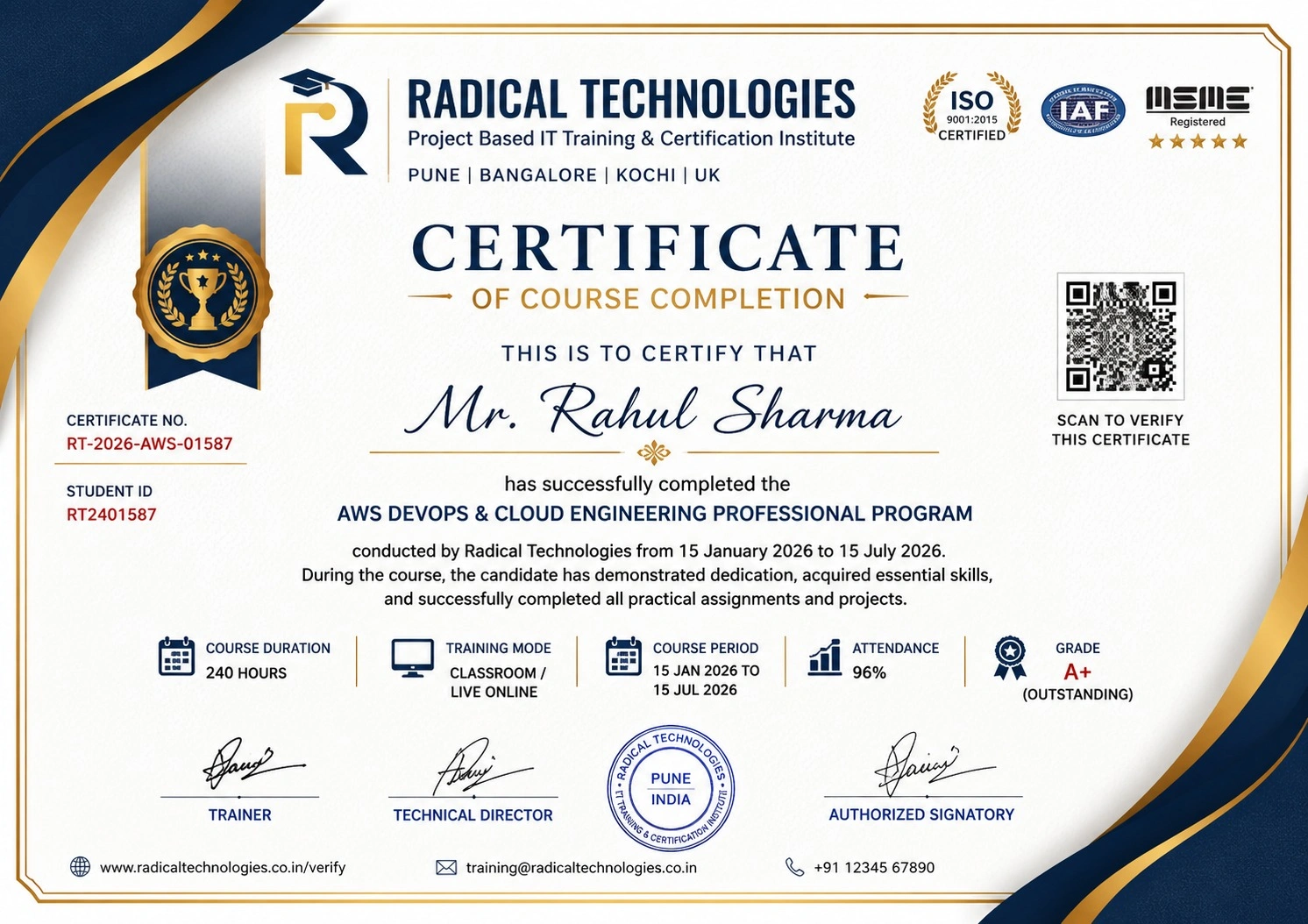
Global Certification
Radical Technologies is the leading IT certification institute in Pune, offering globally recognized certifications across various domains. With expert trainers and comprehensive materials, we ensure students gain in-depth knowledge and hands-on experience to excel in their careers. Our certification programs are tailored to meet industry standards — from cloud technologies to data science — empowering individuals to stay ahead in the ever-evolving tech landscape.
Career Services
At Radical Technologies, we are committed to your success beyond the classroom. Our 100% Job Assistance program ensures that you are not only equipped with industry-relevant skills but also guided through the job placement process. With personalised resume building, interview preparation, and access to our extensive network of hiring partners, we help you take the next step confidently into your IT career.
Career Support
Join our Brush-up Session & get support until you find a job!
Get StartedRadical Learning Eco-System
Exam Simulator
Cloud SandBox
Hands-on Cloud Lab
Developer Coding Ground
Student Reviews
Course Rating
The Power Automate Course in Bengaluru at Radical Technologies is exceptional! The hands-on experience and real-world examples provided a deep understanding of automation workflows.
I highly recommend Radical Technologies for anyone looking for Power Automate Certification in Bengaluru. The trainers are experienced, and the course content is up-to-date with industry standards.
Enrolling in the Power Automate Classes in Bengaluru was the best decision for my career. The interactive sessions and practical labs made learning easy and enjoyable.
The Power Automate Institute in Bengaluru offers comprehensive training that covers everything from basic to advanced automation techniques. I feel confident in applying these skills at work.
Radical Technologies offers the best Power Automate Training in Bengaluru. The trainers are industry experts, and the curriculum is tailored to meet corporate needs.
I took the Power Automate Online Classes in Bengaluru while working full-time, and the flexibility allowed me to balance both efficiently. The live sessions were highly interactive.
The Power Automate Online Course in Bengaluru provided me with a solid foundation in automation. The certification has boosted my resume and job prospects.
Thanks to the Power Automate Online Training in Bengaluru, I have automated several processes at my workplace, significantly improving efficiency and reducing manual tasks.
The Power Automate Online Certification in Bengaluru helped me gain recognition within my organization. The hands-on projects were particularly beneficial in understanding complex workflows.
Radical Technologies’ Power Automate Corporate Training in Bengaluru was tailored to our company’s needs, providing customized solutions and practical insights.
The trainers at Radical Technologies are incredibly knowledgeable and supportive. The Power Automate Course in Bengaluru helped me transition into a new role focused on process automation.
I completed the Power Automate Certification in Bengaluru, and it was a game-changer for my career. The institute provides excellent resources and post-training support.
Attending the Power Automate Classes in Bengaluru improved my technical skills and understanding of automation, making me more efficient in my current job.
Radical Technologies is the best Power Automate Institute in Bengaluru for learning automation. The structured approach and real-time projects helped me gain practical knowledge.
The Power Automate Training in Bengaluru offered by Radical Technologies exceeded my expectations. The trainers are highly skilled, and the curriculum is very relevant to industry needs.
The Power Automate Online Classes in Bengaluru were well-organized, with clear explanations and practical exercises that made complex concepts easy to grasp.
I completed the Power Automate Online Course in Bengaluru and found it to be very thorough and detailed. It gave me the confidence to implement automation in my organization.
The Power Automate Online Training in Bengaluru provided me with the skills needed to automate daily tasks and enhance productivity in my team.
Radical Technologies’ Power Automate Online Certification in Bengaluru has added significant value to my professional profile, helping me secure a better job.
Our company opted for Power Automate Corporate Training in Bengaluru, and the customized program delivered by Radical Technologies was incredibly effective.
The Power Automate Course in Bengaluru at Radical Technologies is ideal for both beginners and experienced professionals. The course covers all essential topics with real-world applications.
The Power Automate Certification in Bengaluru helped me understand how to integrate automation with other Microsoft tools, greatly enhancing my productivity.
I was impressed with the Power Automate Classes in Bengaluru at Radical Technologies. The trainers explained complex concepts in a simple and understandable way.
The Power Automate Institute in Bengaluru offers a perfect blend of theory and practical sessions, making it easy to apply the knowledge in real-life scenarios.
Radical Technologies’ Power Automate Training in Bengaluru prepared me for the certification exam and provided the practical skills needed to excel in my career.




Frequently Asked Questions
15 questions about the POWER AUTOMATE DESKTOP course.
01 What is Microsoft Power Automate?
02 How does Power Automate work?
03 What are the different types of flows in Power Automate?
Cloud Flows: Automate tasks across cloud-based services.
Desktop Flows: Automate tasks on local machines using Robotic Process Automation (RPA).
Business Process Flows: Guide users through complex, multi-step business processes.
04 What are triggers in Power Automate?
05 What are actions in Power Automate?
06 What are connectors in Power Automate?
07 Can Power Automate be used with on-premises systems
08 Is Power Automate secure?
09 What is Robotic Process Automation (RPA) in Power Automate?
10 How can I monitor and manage my flows in Power Automate?
11 Can non-technical users create workflows in Power Automate?
12 What is the difference between Power Automate and Power Apps?
13 Does Power Automate have a mobile app?
14 Is there a cost associated with using Power Automate?
15 How do I get started with Power Automate?
POWER AUTOMATE DESKTOP Interview Questions
10 questions commonly asked in POWER AUTOMATE DESKTOP interviews.
- 01 Can you explain the key components of Power Automate and how they interact to build automated workflows?
- 02 Describe the difference between cloud flows, desktop flows, and business process flows in Power Automate. When would you use each type?
- 03 How do triggers and actions work in Power Automate, and can you provide examples of commonly used triggers?
- 04 What is the role of connectors in Power Automate, and how would you configure a custom connector for a third-party application?
- 05 How does Power Automate integrate with other Microsoft services like SharePoint, Teams, and Dynamics 365 to streamline business processes?
- 06 What are the key features of Robotic Process Automation (RPA) in Power Automate, and how does it differ from traditional automation?
- 07 Explain how to handle errors and exceptions in Power Automate workflows to ensure smooth execution and data integrity.
- 08 How can you optimize the performance of complex workflows in Power Automate to minimize latency and processing time?
- 09 What security and compliance features does Power Automate offer to protect sensitive data and ensure regulatory compliance?
- 10 Describe a real-world scenario where you automated a business process using Power Automate. What challenges did you face, and how did you overcome them?
Power Automate Desktop Course Certification with Training in Pune
Radical Technologies is the leading institute in Bangalore, offering world-class Power Automate Course in Bengaluru to help individuals and organizations unlock the full potential of process automation. We specialize in providing hands-on, industry-relevant training that equips students with the skills required to implement Microsoft Power Automate in real-world business scenarios.
Our Power Automate Certification in Bengaluru is highly respected, and upon completion of the course, students are well-prepared to tackle automation challenges across various industries. As a premier Power Automate Institute in Bengaluru, we offer comprehensive training solutions that cater to beginners as well as professionals looking to enhance their automation skills.
We offer Power Automate Classes in Bengaluru that are carefully designed to deliver deep insights into workflow automation, from basic processes to advanced solutions. Our Power Automate Training in Bengaluru is taught by experienced instructors who provide personalized attention and ensure that each student understands the concepts thoroughly.
For businesses, we offer Power Automate Corporate Training in Bengaluru, designed to empower teams with the tools and knowledge they need to drive efficiency and streamline business operations. Our corporate training programs are tailored to meet the specific needs of the organization, helping businesses achieve automation goals quickly.
Additionally, Radical Technologies provides Power Automate Online Classes in Bengaluru, allowing students to access quality training from anywhere. Whether you’re looking for a Power Automate Online Course in Bengaluru or need flexibility with Power Automate Online Training in Bengaluru, we offer a range of options to suit your schedule.
Our Power Automate Online Certification in Bengaluru ensures that students gain the necessary skills and recognition to advance their careers in process automation, with certification from a recognized institute in the heart of Bangalore.
Our Alumni Work At

























Related Courses
POWER AUTOMATE DESKTOP Course In Other Cities
Online Batches Available For These Areas
Ambegaon Budruk | Aundh | Baner | Bavdhan Khurd | Bavdhan Budruk | Balewadi | Shivajinagar | Bibvewadi | Bhugaon | Bhukum | Dhankawadi | Dhanori | Dhayari | Erandwane | Fursungi | Ghorpadi | Hadapsar | Hingne Khurd | Karve Nagar | Kalas | Katraj | Khadki | Kharadi | Kondhwa | Koregaon Park | Kothrud | Lohagaon | Manjri | Markal | Mohammed Wadi | Mundhwa | Nanded | Parvati Hill | Panmala | Pashan | Pirangut | Shivane | Sus | Undri | Vishrantwadi | Vitthalwadi | Vadgaon Khurd | Vadgaon Budruk | Vadgaon Sheri | Wagholi | Wanwadi | Warje | Yerwada | Akurdi | Bhosari | Chakan | Charholi Budruk | Chikhli | Chimbali | Chinchwad | Dapodi | Dehu Road | Dighi | Dudulgaon | Hinjawadi | Kalewadi | Kasarwadi | Maan | Moshi | Phugewadi | Pimple Gurav | Pimple Nilakh | Pimple Saudagar | Pimpri | Ravet | Rahatani | Sangvi | Talawade | Tathawade | Thergaon | Wakad
POWER AUTOMATE DESKTOP
IT Training Programme