Radical Technologies
CAD/CAM/CAE
★★★★★
(2,095 ratings)  50,000+ Student

ANSYS MECHANICAL FEM

The ANSYS Mechanical FEM course helps learners understand and apply Finite Element Analysis (FEA/FEM) to real engineering problems. With practical training in ANSYS Workbench, meshing, structural and thermal analysis, result interpretation, validation, and optimization, learners build the confidence and skills needed for engineering simulation roles. It is ideal for mechanical engineers, design engineers, CAE professionals, graduates, and students.

RT
Radical Technologies
50,000+ English 40 Hours Weekdays / Weekends Classroom / Online / Corporate
Online / Classroom

ANSYS MECHANICAL FEM

IT Training Programme

Duration 40 Hours
Batch Type Weekdays / Weekends
Mode of Training Classroom / Online / Corporate
Locations Pune, Bangalore, Kochi
Language English
Certification Globally Recognized
Call Now

100% placement assistance

Enquire Now

Get course fees, batch dates & a callback

We never share your details.

What you'll learn

Understand core concepts and architecture from the ground up
Get hands-on with the tools used by working professionals
Build real-world projects you can add to your portfolio
Learn industry best practices and coding standards
Practice with real datasets and real-world scenarios
Prepare for certification and technical interviews
Work on collaborative, team-based exercises
Apply performance tuning and optimization techniques
Understand how the technology fits into a larger ecosystem
Complete assignments reviewed by mentors

Programme Overview

17 sections covering the complete curriculum — a single, progressive learning arc.

40 Hours
Training Duration
17
Core Modules
500
Total Lessons
4.8
Average Rating
50K+
Students Trained
01

Foundations & Core Concepts

Get hands-on with the fundamentals and architecture — the building blocks for everything that follows.

Fundamentals Architecture Setup
02

Hands-On Practical Training

Work through real exercises and assignments designed to mirror what you will do on the job.

Practicals Assignments Labs
03

Real-World Projects

Apply what you have learned to end-to-end projects that go straight into your portfolio.

Projects Portfolio Case Studies
04

Advanced Techniques

Go beyond the basics with advanced concepts, integrations and production-grade practices.

Advanced Integration Best Practices
05

Ecosystem Integration

Understand how this technology connects with the broader tools and platforms used in the industry.

Ecosystem Tools Platforms
06

Performance & Interview Prep

Master optimization techniques and prepare for the technical interview questions employers actually ask.

Optimization Interview Prep Certification

Who is this programme for?

Whether you're already writing code, working with data, or supporting applications today — this programme is built to take you into a CAD/CAM/CAE role.

Software Developers

Engineers who want to add this skill set to their toolkit

Analysts & Consultants

Professionals moving into a more technical, hands-on role

IT Professionals

System admins and support engineers upskilling into a new domain

Fresh Graduates

CS/IT graduates aiming for a job-ready technical role

Course Curriculum

17 sections  •  500 lessons  •  40 Hours

01 COURSE OVERVIEW

This 40-hour program is designed to develop practical skills in Finite Element Analysis (FEA/FEM) using ANSYS Mechanical, starting from engineering fundamentals and progressing to advanced structural simulations.

The program covers:

FEM fundamentals
ANSYS Workbench
Geometry preparation
Material definition
Meshing
Boundary conditions
Linear static analysis
Nonlinear analysis fundamentals
Contact analysis
Modal analysis
Thermal analysis
Buckling analysis
Fatigue analysis
Results interpretation
Convergence studies
Engineering validation
Design optimization
Troubleshooting
Industry-oriented projects

Training Approach

Engineering Theory → ANSYS Setup → Meshing → Solution → Post-Processing →Validation → Engineering Report
02 PREREQUISITES

Engineering Prerequisites

Basic Engineering Mechanics
Strength of Materials
Engineering Mathematics
Basic Mechanical Engineering
Stress and strain concepts
Basic understanding of material properties

Recommended

CAD fundamentals

• Basic knowledge of:

SolidWorks
CATIA
Creo
NX
AutoCAD

No previous ANSYS experience is required.

03 FUNDAMENTALS

FEM FUNDAMENTALS

What is FEM?
Why FEM is used
Analytical vs numerical methods
Finite Element Analysis workflow
Discretization
Nodes
Elements
Degrees of freedom
Element formulation
Shape functions
Stiffness matrix
Global stiffness matrix
Load vector
Boundary conditions
Assembly process
Solution methodology
Post-processing

FEM Workflow

Geometry → Material → Mesh → Boundary Conditions → Solve → Results → Validation
04 CORE TECHNICAL TOPICS – OUR MAIN SYLLABUS

MODULE 1 – ANSYS Mechanical & Workbench

ANSYS Workbench interface
Project schematic
Analysis systems
Engineering Data
Geometry
Model
Setup
Solution
Results
Units
Coordinate systems
Named selections
Parameter management

Practical

Create the first ANSYS Mechanical simulation from geometry to results.

MODULE 2 – ENGINEERING DATA & MATERIALS

Material properties
Young's modulus
Poisson's ratio
Density
Yield strength
Ultimate tensile strength
Thermal conductivity
Specific heat
Coefficient of thermal expansion

Material Models

Linear elastic material
Elastic-plastic material
Isotropic materials
Orthotropic materials
Temperature-dependent properties

Practical

Create and assign engineering materials to a mechanical model.

MODULE 3 – GEOMETRY PREPARATION

CAD import
Geometry cleanup
Defeaturing
Small feature removal
Geometry simplification
Shared topology
Body selection
Named selections
Symmetry
Mid-surface concepts
Geometry preparation for FEA

CAD Integration

SpaceClaim / Discovery concepts
DesignModeler
STEP
IGES
Parasolid
CAD-to-FEA workflow

MODULE 4 – MESHING FUNDAMENTALS

What is meshing?
Element types
Element quality
Mesh sizing
Global mesh
Local mesh
Face sizing
Edge sizing
Body sizing
Inflation concepts
Adaptive meshing

Mesh Quality

Aspect ratio
Skewness
Jacobian
Element quality
Orthogonal quality
Warpage

Mesh Convergence

Coarse Mesh → Refined Mesh → Compare Results → Converged Solution

MODULE 5 – LINEAR STATIC STRUCTURAL ANALYSIS

Static structural analysis
Loads
Constraints
Fixed support
Displacement
Force
Pressure
Moment
Gravity
Remote force
Remote displacement

Results

Total deformation
Directional deformation
Equivalent stress
Principal stress
Shear stress
Equivalent elastic strain
Reaction forces
Safety factor

MODULE 6 – CONTACT ANALYSIS

Contact fundamentals
Contact regions
Contact pairs
Bonded contact
Frictionless contact
Frictional contact
Rough contact
No separation
Contact stiffness
Contact formulation

Practical Applications

Bolted joint
Bearing assembly
Gear contact
Press-fit assembly
Mechanical joints

MODULE 7 – NONLINEAR ANALYSIS

Linear vs nonlinear FEA
Material nonlinearity
Geometric nonlinearity
Contact nonlinearity
Large deformation
Plasticity
Load stepping
Substeps
Convergence
Newton-Raphson concepts

Troubleshooting

Non-convergence
Excessive deformation
Contact instability
Load-step failure

MODULE 8 – MODAL ANALYSIS

Natural frequencies
Mode shapes
Resonance
Modal analysis workflow
Boundary conditions
Number of modes
Mass participation concepts

Engineering Applications

Machine components
Automotive components
Structural frames
Rotating equipment
Electronic housings

MODULE 9 – THERMAL ANALYSIS

Steady-State Thermal

Temperature
Heat flux
Convection
Radiation fundamentals
Thermal conductivity
Heat generation

Transient Thermal

Time-dependent temperature
Thermal loads
Initial conditions
Thermal history

MODULE 10 – THERMALSTRUCTURAL ANALYSIS

Thermal expansion
Thermal stresses
Sequential thermal-structural analysis
Temperature mapping
Thermal boundary conditions
Thermal deformation

Practical

Thermal Load → Temperature Field → Structural Analysis → Thermal Stress

MODULE 11 – BUCKLING ANALYSIS

Buckling fundamentals
Structural instability
Eigenvalue buckling
Critical load factor
Mode shapes
Boundary conditions
Buckling interpretation

Practical Applications

Columns
Plates
Frames
Brackets
Structural members

MODULE 12 – FATIGUE ANALYSIS

Fatigue fundamentals
Cyclic loading
Stress-life approach
S-N curves
Mean stress effects
Fatigue life
Damage
Safety factor
Fatigue result interpretation

Applications

Shafts
Brackets
Automotive components
Machine components

MODULE 13 – ADVANCED POSTPROCESSING

Result interpretation
Stress plots
Deformation plots
Vector plots
Contour plots
Probe results
Path results
Stress linearization concepts
Reaction forces
Result verification
Engineering reporting

Engineering Question

Is the simulation result physically meaningful?

MODULE 14 – VALIDATION & VERIFICATION

FEA verification
Analytical calculation
Hand calculations
Boundary-condition verification
Load verification
Mesh convergence
Material validation
Result sanity checks
Factor of safety
Correlation concepts

Validation Workflow

FEA Result → Hand Calculation → Mesh Study → Engineering Judgment → Final Result

MODULE 15 – PARAMETRIC STUDY & DESIGN OPTIMIZATION

Design parameters
Geometry parameters
Load parameters
Material parameters
Response parameters
Design points
Sensitivity studies
Optimization fundamentals
Weight reduction
Strength improvement

MODULE 16 – FEA AUTOMATION & ENGINEERING REPORTING

Parameterization
Repeated simulations
Result extraction
Automated reporting concepts
ANSYS scripting introduction
Python integration concepts
Engineering report preparation
05 HANDS-ON LABS

30+ ANSYS Mechanical Labs

ANSYS Workbench Interface Lab
Engineering Data Creation Lab
CAD Geometry Import Lab
Geometry Cleanup Lab
Named Selection Lab
Basic Meshing Lab
Mesh Quality Evaluation Lab
Mesh Convergence Lab
Cantilever Beam Static Analysis
Bracket Stress Analysis
Plate with Hole Analysis
Pressure Vessel Analysis
Bolt/Joint Structural Analysis
Contact Analysis
Frictional Contact Analysis
Nonlinear Material Analysis
Large Deformation Analysis
Modal Analysis
Machine Component Modal Analysis
Steady-State Thermal Analysis
Transient Thermal Analysis
Thermal-Structural Analysis
Buckling Analysis
Fatigue Analysis
Safety Factor Evaluation
Result Probe & Path Analysis
Parametric Analysis
Design Optimization
FEA Validation Lab
Engineering Report Generation
Non-Convergence Troubleshooting Lab
Complete Industrial FEA Workflow
06 ASSIGNMENTS

30+ Job-Oriented Assignments

Create FEM model of a beam
Define material properties
Import CAD geometry
Clean engineering geometry
Generate structured mesh
Generate unstructured mesh
Perform mesh-quality study
Perform mesh-convergence study
Analyze cantilever beam
Analyze mechanical bracket
Analyze plate with hole
Analyze pressure-loaded component
Calculate reaction forces
Calculate factor of safety
Perform contact analysis
Perform frictional contact analysis
Perform nonlinear analysis
Perform large-deformation analysis
Perform modal analysis
Determine natural frequencies
Perform steady-state thermal analysis
Perform transient thermal analysis
Calculate thermal stresses
Perform buckling analysis
Perform fatigue analysis
Perform design parameter study
Perform weight optimization
Validate FEA using hand calculations
Troubleshoot non-convergence
Prepare professional FEA report
07 MINI PROJECTS

MINI PROJECT 1 – Automotive Suspension Bracket

Analyze:

Static stress
Deformation
Safety factor
Mesh convergence
Design improvement

MINI PROJECT 2 – Pressure Vessel Component

Perform:

Internal pressure analysis
Stress analysis
Deformation analysis
Safety-factor evaluation
Mesh refinement

MINI PROJECT 3 – Machine Shaft Analysis

Perform:

Structural analysis
Bearing constraints
Applied torque
Equivalent stress
Deformation
Fatigue evaluation

MINI PROJECT 4 – Structural Frame Analysis

Analyze:

Static loading
Displacement
Stress
Buckling
Natural frequencies

MINI PROJECT 5 – Thermal Component Analysis

Perform:

Thermal analysis
Temperature distribution
Thermal deformation
Thermal stress
Design evaluation
08 CAPSTONE PROJECT

Industrial Mechanical Component Design Validation Using ANSYS Mechanical

Project Example

Automotive Control Arm / Suspension Component FEA

Analysis Scope

CAD Geometry → Material → Mesh → Static Structural → Contact → Modal → Fatigue → Optimization → Validation → Final Report

Project Deliverables

CAD model
Engineering assumptions
Material definition
Mesh strategy
Mesh-quality report
Mesh-convergence study
Boundary conditions
Load calculations
Static structural results
Modal results
Fatigue results
Safety factor
Design optimization
Hand-calculation validation
Engineering conclusions
Professional FEA report
09 REAL-TIME JOB-ORIENTED SCENARIOS
Analyze an automotive bracket under static loading.
Determine maximum stress in a mechanical component.
Calculate deformation under operational loads.
Validate component safety factor.
Perform mesh convergence before releasing results.
Analyze a bolted mechanical joint.
Determine contact pressure between components.
Analyze frictional contact.
Investigate excessive component deformation.
Determine natural frequencies of a component.
Check component resonance risk.
Calculate thermal deformation.
Determine thermal stresses.
Evaluate pressure-vessel components.
Perform buckling analysis of structural members.
Estimate fatigue life of machine components.
Compare two material options.
Optimize component weight.
Investigate an FEA result that does not match hand calculations.
Prepare an engineering simulation report for design review.
10 TROUBLESHOOTING SCENARIOS
Poor mesh quality
Excessively distorted elements
Mesh dependency
Non-converged mesh
Incorrect boundary conditions
Over-constrained model
Under-constrained model
Rigid-body motion
Unrealistic stress concentration
Singular stress
Contact penetration
Contact non-convergence
Frictional contact instability
Nonlinear solver failure
Excessive deformation
Incorrect material properties
Incorrect units
Incorrect load application
Unexpected reaction forces
Modal analysis with incorrect constraints
Thermal solution convergence issues
Buckling result interpretation problems
Fatigue-life calculation issues
FEA vs hand-calculation mismatch
Unrealistic simulation results
11 INDUSTRY TOOLS

ANSYS Ecosystem

ANSYS Workbench
ANSYS Mechanical
ANSYS Meshing
ANSYS SpaceClaim
ANSYS DesignModeler
ANSYS Engineering Data
ANSYS DesignXplorer
ANSYS Mechanical APDL – introduction

CAD Tools

SolidWorks
CATIA
Creo
Siemens NX
AutoCAD

Pre/Post Processing

ANSYS Mechanical
ANSYS CFD-Post concepts
HyperMesh concepts
ParaView concepts

Programming & Automation

Python
Mechanical scripting
APDL
12 BEST PRACTICES
Always verify units.
Use realistic boundary conditions.
Avoid over-constraining models.
Perform mesh-quality checks.
Perform mesh-convergence studies.
Validate FEA with hand calculations.
Investigate stress singularities.
Use appropriate element types.
Define realistic material properties.
Apply loads at physically meaningful locations.
Validate contact definitions.
Check reaction-force balance.
Document all assumptions.
Maintain simulation version control.
Perform sensitivity studies.
Never accept an FEA result without engineering interpretation.
Prepare traceable simulation reports.
13 CERTIFICATION NAMES

Recommended Certification / Training Credentials

ANSYS Mechanical / Structural Analysis Training Certificate
ANSYS Workbench Training Certificate
Finite Element Analysis (FEA/FEM) Certificate

Recommended Additional Credentials

ANSYS-certified learning credentials where applicable
Professional FEA training certificate
CAD/CAE certification
Industry-recognized mechanical simulation credentials

Certification availability and exam pathways can vary by ANSYS program and region.

14 MOCK INTERVIEWS

Technical Mock Interviews

FEM fundamentals
ANSYS Mechanical
Meshing
Boundary conditions
Static structural analysis
Contact
Nonlinear FEA
Modal analysis
Thermal analysis
Fatigue
Buckling
Mesh convergence
FEA troubleshooting
Real-time project discussion

Project-based + Scenario-based + HR Mock Interview

15 RESUME PREPARATION
ATS-friendly CAE/FEA resume
ANSYS Mechanical skills
FEM keywords
Project descriptions
Simulation methodologies
Engineering results
FEA portfolio
Technical skills section
Project-based interview preparation
LinkedIn profile optimization
16 PLACEMENT ASSISTANCE
Job-oriented FEA preparation
CAE interview preparation
Technical mock interviews
Scenario-based questions
Resume preparation
Project presentation training
LinkedIn optimization
Job application guidance
Industry-role preparation
Placement assistance
17 🎯 TARGET JOB ROLES

This program can prepare learners for roles such as:

FEA Engineer
CAE Engineer
ANSYS Mechanical Engineer
Structural Analysis Engineer
Mechanical Design Engineer – FEA
Simulation Engineer
Structural Simulation Engineer
Product Design Engineer
Automotive CAE Engineer
Mechanical Analysis Engineer
Stress Engineer
Durability Engineer
CAE Analyst
Finite Element Analyst
Product Development Engineer

JOB-READY ROADMAP

Mechanical Engineering Fundamentals → FEM Fundamentals → ANSYS Workbench→ Geometry → Materials → Meshing → Static Structural → Contact → Nonlinear →Modal → Thermal → Buckling → Fatigue → Optimization → Validation → Industrial Projects → FEA Report → Mock Interview → Placement Preparation

Tools & Technologies

Every tool listed here is installed, configured and used in a hands-on lab session.

Core Tools

Hands-On Labs

Practical Environment

Industry-Standard Tools

Real-World Setup

Guided Exercises

Skill Building

Sample Datasets

Practice Material

Practice & Projects

Mini Projects

Applied Practice

Assignments

Mentor Reviewed

Doubt Sessions

Live Support

Career Readiness

Resume Building

Career Support

Mock Interviews

Interview Prep

Certification Prep

Global Recognition

Deployment & Delivery

Production Practices

Real-World Ready

Best Practices

Industry Standards

500+
Hands-On Lessons
17
Core Modules
40 Hours
Training Duration
100%
Practical Training

You don't just learn ANSYS MECHANICAL FEM. You ship it.

Three major projects, each mirroring how production teams actually work — from guided foundations to a portfolio-ready capstone.

PROJECT // 01

Guided Foundation Project

Requirement Analysis

Guided Implementation

Mentor Review

Iteration

Foundation Beginner

Apply the fundamentals in a structured, mentor-reviewed project

Take the core concepts from the first half of the curriculum and apply them to a realistic scenario, with guidance and feedback from your mentor at every step.

Structured project brief
Step-by-step implementation
Mentor feedback and review
Documented outcome
Stack Core Concepts Best Practices
PROJECT // 02

Applied Practice Project

Scenario Design

Independent Build

Testing & Validation

Peer Review

Applied Intermediate

Build a more independent project mirroring real production scenarios

Work through a project that combines multiple concepts from the curriculum, closer to how work is actually structured on the job — less hand-holding, more ownership.

End-to-end implementation
Testing and validation
Documentation
Peer/mentor review
Stack Applied Skills Testing
PROJECT // 03

Capstone Project

Planning

End-to-End Build

Review & Refinement

Presentation

Capstone Advanced

Take a project from requirements to a polished, portfolio-ready deliverable

Your final project — plan, build, test and present a complete solution using everything covered in the curriculum, reviewed by mentors before you graduate.

Complete working solution
Presentation-ready documentation
Mentor sign-off
Portfolio-ready deliverable
Stack Full Curriculum Portfolio

All 3 projects go directly into your portfolio & resume — reviewed by mentors before you graduate.

See Sample Project Reports

Upcoming Batches

No upcoming batches scheduled right now. Enquire to get notified.

Why Radical Technologies

Live Online Training
  • Highly practical oriented training
  • Installation support on your system
  • 24/7 Email and Phone support
  • 100% Placement Assistance
  • Global Certification Preparation
  • Trainer-Student Interactive Portal
  • Assignments and Projects by Mentors
Live Classroom Training
  • Weekend / Weekdays / Morning / Evening batches
  • 80:20 Practical and Theory ratio
  • Real-life Case Studies
  • Easy make-up for missed sessions
  • PSI | Kryterion | Redhat Test Centers
  • Lifetime Video Classroom Access (coming soon)
  • Resume Prep and Mock Interviews
Self-Paced Training
  • Learn 300+ courses at your own time
  • 50,000+ Satisfied Learners
  • Course Completion Certificate
  • Practical Labs available
  • Mentor Support available
  • Doubt Clearing Session available
  • 10% Discounted Global Certification

Like the Curriculum? Let's Get Started

Join 50,000+ students already enrolled at Radical Technologies

Enroll Now

Global Certification

Radical Technologies is the leading IT certification institute in Pune, offering globally recognized certifications across various domains. With expert trainers and comprehensive materials, we ensure students gain in-depth knowledge and hands-on experience to excel in their careers. Our certification programs are tailored to meet industry standards — from cloud technologies to data science — empowering individuals to stay ahead in the ever-evolving tech landscape.
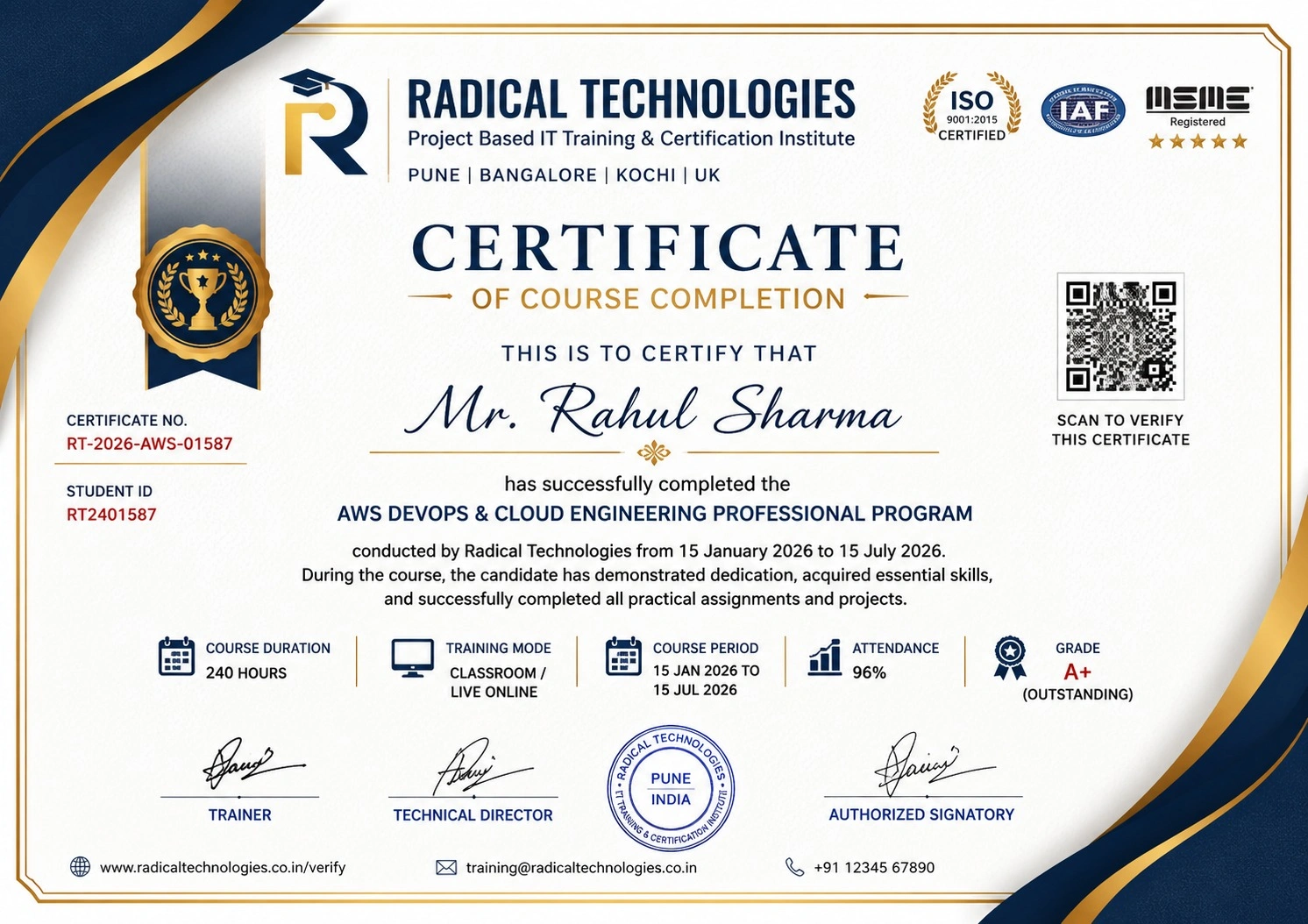
Certificate of Completion

Career Services

At Radical Technologies, we are committed to your success beyond the classroom. Our 100% Job Assistance program ensures that you are not only equipped with industry-relevant skills but also guided through the job placement process. With personalised resume building, interview preparation, and access to our extensive network of hiring partners, we help you take the next step confidently into your IT career.

Career Support

Course Completed? Need next steps?
Need Interview Supports?
Need Job Assistance?
Came from any other Institute?

Join our Brush-up Session & get support until you find a job!

Get Started

Radical Learning Eco-System

Exam Simulator

Cloud SandBox

Hands-on Cloud Lab

Developer Coding Ground

Student Reviews

4.8★
Average learner rating
50K+
Students trained
30+
Hiring companies alumni work at
100%
Placement assistance
4.8
★★★★★

Course Rating

★★★★★
85%
★★★★☆
12%
★★★☆☆
2%
★★☆☆☆
1%
★☆☆☆☆
0%

ANSYS Mechanical FEM Course in Pune

The ANSYS Mechanical FEM course helps learners understand and apply Finite Element Analysis (FEA/FEM) to real engineering problems. With practical training in ANSYS Workbench, meshing, structural and thermal analysis, result interpretation, validation, and optimization, learners build the confidence and skills needed for engineering simulation roles. It is ideal for mechanical engineers, design engineers, CAE professionals, graduates, and students.

Our Alumni Work At

Accenture
Amazon
Avisys Services
Birlasoft
Capgemini
Catchpoint
Cognizant
Darwish Cybertech
DataVision
GiBots
Google
Groots Software
HCL Technologies
IBM
Info Gain
Infosys
ITCube Solutions
KPIT
L&T Infotech
Microsoft
Mphasis
mPhatek
Oracle
Quantbit Technologies
Saina Cloud
TCS
Tech Mahindra
Wipro
YASH Technologies
Zensar Technologies
Accenture
Amazon
Avisys Services
Birlasoft
Capgemini
Catchpoint
Cognizant
Darwish Cybertech
DataVision
GiBots
Google
Groots Software
HCL Technologies
IBM
Info Gain
Infosys
ITCube Solutions
KPIT
L&T Infotech
Microsoft
Mphasis
mPhatek
Oracle
Quantbit Technologies
Saina Cloud
TCS
Tech Mahindra
Wipro
YASH Technologies
Zensar Technologies

Get a Call Back from Our Career Assistance Team

Request Callback