
AZ-700: DESIGNING & IMPLEMENTING MICROSOFT AZURE NETWORKING SOLUTIONS
The AZ-700: Designing & Implementing Microsoft Azure Networking Solutions course helps learners understand how networking works in Microsoft Azure and how to build reliable cloud network environments. The training covers virtual networks, IP addressing, routing, DNS, network security, load balancing, private and hybrid connectivity, monitoring, and troubleshooting with practical examples. Learners get hands-on experience designing and managing Azure networks and solving common networking challenges. This course is suitable for network engineers, Azure administrators, cloud and infrastructure professionals, DevOps engineers, and IT professionals preparing for the AZ-700 certification.
AZ-700: DESIGNING & IMPLEMENTING MICROSOFT AZURE NETWORKING SOLUTIONS
IT Training Programme
100% placement assistance
Enquire Now
Get course fees, batch dates & a callback
What you'll learn
Programme Overview
28 sections covering the complete curriculum — a single, progressive learning arc.
Foundations & Core Concepts
Get hands-on with the fundamentals and architecture — the building blocks for everything that follows.
Hands-On Practical Training
Work through real exercises and assignments designed to mirror what you will do on the job.
Real-World Projects
Apply what you have learned to end-to-end projects that go straight into your portfolio.
Advanced Techniques
Go beyond the basics with advanced concepts, integrations and production-grade practices.
Ecosystem Integration
Understand how this technology connects with the broader tools and platforms used in the industry.
Performance & Interview Prep
Master optimization techniques and prepare for the technical interview questions employers actually ask.
Who is this programme for?
Whether you're already writing code, working with data, or supporting applications today — this programme is built to take you into a MICROSOFT role.
Software Developers
Engineers who want to add this skill set to their toolkit
Analysts & Consultants
Professionals moving into a more technical, hands-on role
IT Professionals
System admins and support engineers upskilling into a new domain
Fresh Graduates
CS/IT graduates aiming for a job-ready technical role
Course Curriculum
28 sections • 374 lessons • 40 hours
Jump to Section
Total Duration
40 hours
100% Practical · Unlimited Doubt Sessions
01 1. Course Overview
enterprise Azure networking solutions.
Learning Approach:
Concepts → Architecture → Hands-On Labs → Assignments → Troubleshooting →
Projects → Interview Preparation
02 2. Prerequisites
03 3. Fundamentals
Azure Networking Fundamentals
04 4. Core Technical Topics – Main Syllabus
05 Module 1: Azure Virtual Networks & IP Addressing
Hands-On
- ›• Create an Azure VNet
- ›• Create multiple subnets
- ›• Configure public/private IPs
- ›• Design a multi-subnet architecture
- ›• Implement subnet segmentation
06 Module 2: Azure DNS & Name Resolution
Hands-On Lab
- ›Build an Azure Enterprise DNS Environment
07 Module 3: VNet Peering & Azure Routing
Hands-On Lab
Multi-VNet Hub-and-Spoke Network with Custom Routing
08 Module 4: Azure Network Connectivity
Site-to-Site VPN
Point-to-Site VPN
Hands-On Labs
- ›Lab 1: Configure Azure Site-to-Site VPN
- ›Lab 2: Configure Point-to-Site VPN
- ›Lab 3: Troubleshoot VPN connectivity
09 Module 5: Azure ExpressRoute
Hands-On Lab
Design a Highly Available Hybrid Azure Connectivity Architecture
10 Module 6: Azure Virtual WAN
Hands-On Lab
Build a Multi-Branch Enterprise Network Using Azure Virtual WAN
11 Module 7: Azure Load Balancing
Azure Load Balancer
Azure Traffic Manager
Hands-On Lab
Deploy a Highly Available Multi-VM Application Using Azure Load Balancer
12 Module 8: Azure Application Gateway
Web Application Firewall
Hands-On Lab
Deploy a Secure Web Application Using Application Gateway + WAF
13 Module 9: Azure Front Door
Hands-On Lab
Build a Globally Distributed Web Application Using Azure Front Door
14 Module 10: Private Access to Azure Services
Azure Private Link & Private Endpoint
Service Endpoints
Hands-On Lab
Secure Azure Storage & Database Access Using Private Endpoints
15 Module 11: Azure Network Security
Hands-On Labs
• NSG-Based Network Security Lab
• Azure Firewall Deployment Lab
• Azure DDoS Protection Lab
• WAF Security Lab
• Secure Hub-and-Spoke Network Lab
16 Module 12: Azure Network Monitoring & Troubleshooting
Hands-On Labs
• Network Watcher Diagnostics Lab
• IP Flow Verify Lab
• Next Hop Troubleshooting Lab
• Packet Capture Lab
• Azure Network Monitoring Dashboard
17 5. Hands-On Labs – Complete Lab List
30. Enterprise Azure Network Architecture – Capstone Lab
18 6. Assignments
Assignment 1 – Azure Network Design
- ›Design an IP addressing and subnet architecture for a medium-sized enterprise.
Assignment 2 – Hub-and-Spoke Network
- ›Create a Hub-and-Spoke architecture with multiple workload VNets.
Assignment 3 – DNS Architecture
- ›Design public and private DNS for an enterprise application.
Assignment 4 – Secure Network
- ›Implement NSGs, ASGs and subnet-level security.
Assignment 5 – Hybrid Connectivity
- ›Design an enterprise Site-to-Site VPN architecture.
Assignment 6 – Application Delivery
- ›Choose between Load Balancer, Application Gateway, Traffic Manager and Front Door for different business requirements.
Assignment 7 – Private PaaS Connectivity
- ›Secure Azure Storage/Database access using Private Endpoints.
Assignment 8 – Network Troubleshooting
- ›Diagnose and resolve intentionally introduced connectivity and routing failures.
19 7. Mini Projects
Mini Project 1
Secure Three-Tier Azure Application Network
Hybrid Enterprise Network
Mini Project 3
Highly Available Web Application
Mini Project 4
Global Application Delivery Platform
20 8. Capstone Projects
Capstone Project 1 – Enterprise Hub-and-Spoke Azure Network
Capstone Project 2 – Hybrid & Secure Enterprise Cloud Network Build an enterprise architecture integrating:
Capstone Project 3 – Global Highly Available Application
Azure Front Door + Application Gateway + WAF + Load Balancer + Private Endpoints + Multi-Region Architecture + Monitoring
21 9. Real-Time Job-Oriented Scenarios
22 10. Troubleshooting Scenarios
23 11. Industry Tools & Technologies
24 12. Best Practices
25 13. Certification
Primary Certification
Microsoft Certified: Azure Network Engineer Associate
Exam: AZ-700 – Designing and Implementing Microsoft Azure Networking Solutions Microsoft’s current certification pathway identifies AZ-700 with the Azure Network Engineer Associate certification.
Optional complementary certifications:
26 14. Mock Interviews
Technical + Scenario-Based Mock Interviews
- ›• Azure networking interview questions
- ›• Architecture-based questions
- ›• Troubleshooting scenarios
- ›• Real-time production scenarios
- ›• AZ-700 technical discussion
- ›• Resume-based technical questions
- ›• HR/behavioral preparation
27 15. Resume Preparation
Build an ATS-friendly Azure Network Engineer Resume
28 16. Placement Assistance
Career Support from Training to Interview
Suggested Course Positioning
AZ-700 Azure Network Engineer – Job-Ready Program
32–40 Hours | Basic to Advanced | 30+ Hands-On Labs | 8 Assignments | 4 Mini Projects | 3 Capstone Projects | Real-Time Troubleshooting | AZ-700 Certification Preparation
Tools & Technologies
Every tool listed here is installed, configured and used in a hands-on lab session.
Hands-On Labs
Practical Environment
Industry-Standard Tools
Real-World Setup
Guided Exercises
Skill Building
Sample Datasets
Practice Material
Mini Projects
Applied Practice
Assignments
Mentor Reviewed
Doubt Sessions
Live Support
Resume Building
Career Support
Mock Interviews
Interview Prep
Certification Prep
Global Recognition
Production Practices
Real-World Ready
Best Practices
Industry Standards
You don't just learn AZ-700: DESIGNING & IMPLEMENTING MICROSOFT AZURE NETWORKING SOLUTIONS. You ship it.
Three major projects, each mirroring how production teams actually work — from guided foundations to a portfolio-ready capstone.
Guided Foundation Project
→Requirement Analysis
→Guided Implementation
→Mentor Review
→Iteration
Apply the fundamentals in a structured, mentor-reviewed project
Take the core concepts from the first half of the curriculum and apply them to a realistic scenario, with guidance and feedback from your mentor at every step.
Applied Practice Project
→Scenario Design
→Independent Build
→Testing & Validation
→Peer Review
Build a more independent project mirroring real production scenarios
Work through a project that combines multiple concepts from the curriculum, closer to how work is actually structured on the job — less hand-holding, more ownership.
Capstone Project
→Planning
→End-to-End Build
→Review & Refinement
→Presentation
Take a project from requirements to a polished, portfolio-ready deliverable
Your final project — plan, build, test and present a complete solution using everything covered in the curriculum, reviewed by mentors before you graduate.
All 3 projects go directly into your portfolio & resume — reviewed by mentors before you graduate.
See Sample Project ReportsUpcoming Batches
Why Radical Technologies
- Highly practical oriented training
- Installation support on your system
- 24/7 Email and Phone support
- 100% Placement Assistance
- Global Certification Preparation
- Trainer-Student Interactive Portal
- Assignments and Projects by Mentors
- Weekend / Weekdays / Morning / Evening batches
- 80:20 Practical and Theory ratio
- Real-life Case Studies
- Easy make-up for missed sessions
- PSI | Kryterion | Redhat Test Centers
- Lifetime Video Classroom Access (coming soon)
- Resume Prep and Mock Interviews
- Learn 300+ courses at your own time
- 50,000+ Satisfied Learners
- Course Completion Certificate
- Practical Labs available
- Mentor Support available
- Doubt Clearing Session available
- 10% Discounted Global Certification
Like the Curriculum? Let's Get Started
Join 50,000+ students already enrolled at Radical Technologies
Global Certification
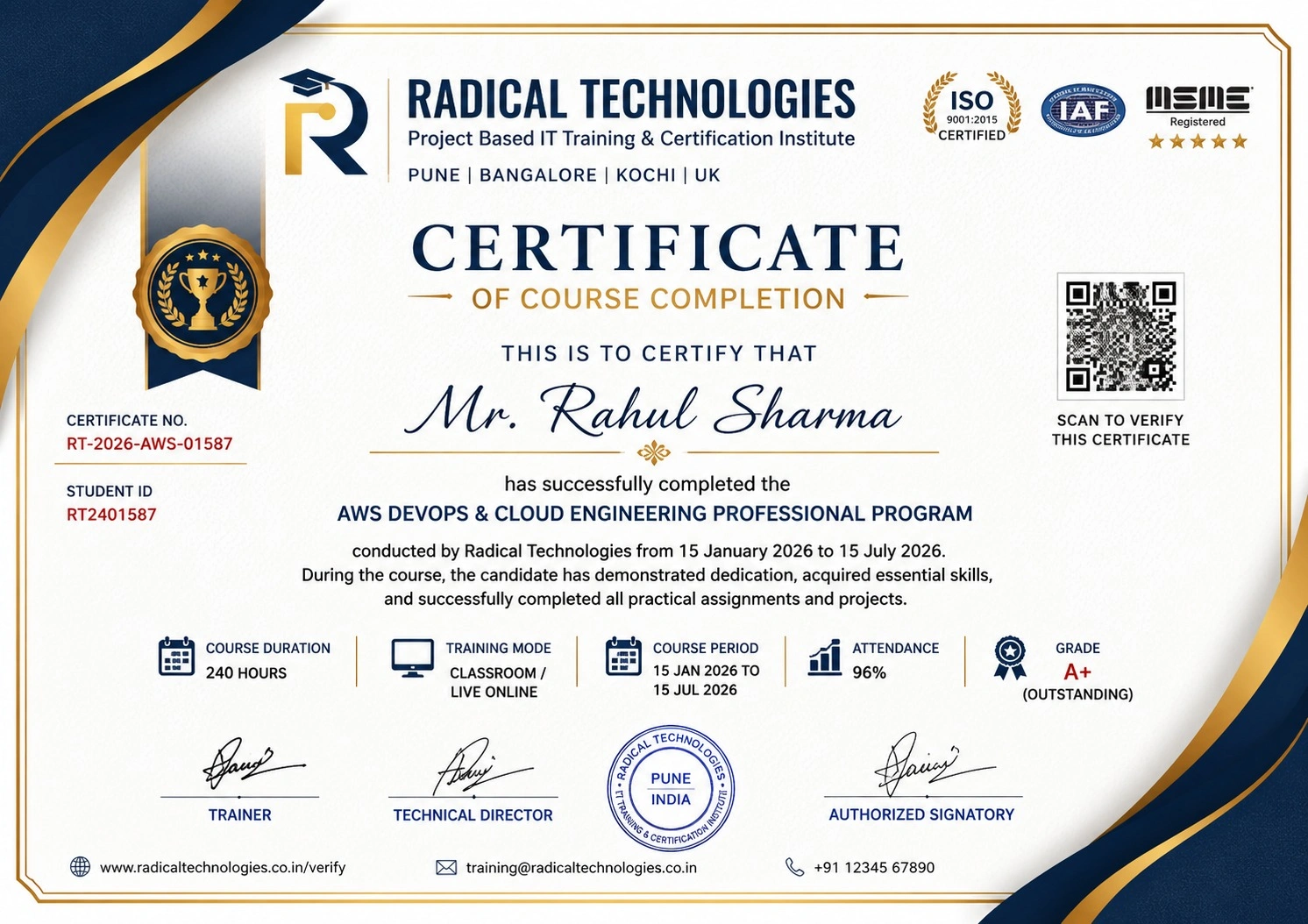
Radical Technologies is the leading IT certification institute in Pune, offering globally recognized certifications across various domains. With expert trainers and comprehensive materials, we ensure students gain in-depth knowledge and hands-on experience to excel in their careers. Our certification programs are tailored to meet industry standards — from cloud technologies to data science — empowering individuals to stay ahead in the ever-evolving tech landscape.
Career Services
At Radical Technologies, we are committed to your success beyond the classroom. Our 100% Job Assistance program ensures that you are not only equipped with industry-relevant skills but also guided through the job placement process. With personalised resume building, interview preparation, and access to our extensive network of hiring partners, we help you take the next step confidently into your IT career.
Career Support
Join our Brush-up Session & get support until you find a job!
Get StartedRadical Learning Eco-System
Exam Simulator
Cloud SandBox
Hands-on Cloud Lab
Developer Coding Ground
Student Reviews
Course Rating
The Designing & Implementing Microsoft Azure AI Solution - AI 102 Course in Bengaluru at Radical Technologies was exceptional. The hands-on sessions helped me gain practical knowledge.
Enrolling in the Designing & Implementing Microsoft Azure AI Solution - AI 102 Training in Bengaluru was the best decision for advancing my career in AI.
I completed the Designing & Implementing Microsoft Azure AI Solution - AI 102 Online Course in Bengaluru, and the flexibility it offered was perfect for my schedule.
The instructors at Radical Technologies made the Designing & Implementing Microsoft Azure AI Solution - AI 102 Classes in Bengaluru interactive and easy to understand.
The Designing & Implementing Microsoft Azure AI Solution - AI 102 Certification in Bengaluru was comprehensive, and the real-world projects boosted my confidence.
Radical Technologies provided excellent Designing & Implementing Microsoft Azure AI Solution - AI 102 Corporate Training in Bengaluru for our team. It was highly impactful.
I highly recommend the Designing & Implementing Microsoft Azure AI Solution - AI 102 Institute in Bengaluru. The course content is industry-oriented and up-to-date.
Thanks to the Designing & Implementing Microsoft Azure AI Solution - AI 102 Online Training in Bengaluru, I secured a job in AI development.
The online mode of the Designing & Implementing Microsoft Azure AI Solution - AI 102 Classes in Bengaluru made it easy to learn without compromising on quality.
The Designing & Implementing Microsoft Azure AI Solution - AI 102 Training in Bengaluru was extremely detailed and included live projects that enriched my learning experience.
Radical Technologies is the best for Designing & Implementing Microsoft Azure AI Solution - AI 102 Corporate Training in Bengaluru. Our team learned valuable skills.
The instructors’ expertise in the Designing & Implementing Microsoft Azure AI Solution - AI 102 Online Certification in Bengaluru was evident. They explained concepts in depth.
After completing the Designing & Implementing Microsoft Azure AI Solution - AI 102 Online Classes in Bengaluru, I feel well-equipped to handle Azure AI projects.
The Designing & Implementing Microsoft Azure AI Solution - AI 102 Institute in Bengaluru provided a great learning environment and excellent support from faculty.
Radical Technologies’ Designing & Implementing Microsoft Azure AI Solution - AI 102 Online Course in Bengaluru offers great value for money with its comprehensive content.
The live projects in the Designing & Implementing Microsoft Azure AI Solution - AI 102 Course in Bengaluru helped me understand real-world AI challenges.
I appreciate the flexibility of the Designing & Implementing Microsoft Azure AI Solution - AI 102 Online Training in Bengaluru. It allowed me to learn at my own pace.
The Designing & Implementing Microsoft Azure AI Solution - AI 102 Classes in Bengaluru were highly interactive, and the instructor ensured everyone was on the same page.
Radical Technologies is undoubtedly the best institute for Designing & Implementing Microsoft Azure AI Solution - AI 102 Training in Bengaluru.
The Designing & Implementing Microsoft Azure AI Solution - AI 102 Certification in Bengaluru from Radical Technologies helped me advance my career in cloud AI solutions.
I found the Designing & Implementing Microsoft Azure AI Solution - AI 102 Online Certification in Bengaluru to be extremely user-friendly and effective.
The Designing & Implementing Microsoft Azure AI Solution - AI 102 Corporate Training in Bengaluru conducted by Radical Technologies exceeded our expectations.
I gained valuable insights from the Designing & Implementing Microsoft Azure AI Solution - AI 102 Institute in Bengaluru, and the instructors were very approachable.
The well-structured syllabus of the Designing & Implementing Microsoft Azure AI Solution - AI 102 Course in Bengaluru helped me master AI concepts.
Radical Technologies’ Designing & Implementing Microsoft Azure AI Solution - AI 102 Online Classes in Bengaluru offered a perfect balance of theory and practice.

AZ-700: DESIGNING & IMPLEMENTING MICROSOFT AZURE NETWORKING SOLUTIONS Interview Questions
10 questions commonly asked in AZ-700: DESIGNING & IMPLEMENTING MICROSOFT AZURE NETWORKING SOLUTIONS interviews.
- 01 What are the key components of Azure Cognitive Services, and how can they be integrated into an AI solution?
- 02 Describe the process of designing a conversational AI solution using Azure Bot Services and its integration with other Azure resources.
- 03 How do you implement a machine learning model on Azure Machine Learning Studio, and what steps are involved in deploying it for production?
- 04 What is the significance of Azure’s Responsible AI principles, and how would you ensure compliance while designing an AI solution?
- 05 Explain how Azure Computer Vision can be used to solve real-world business problems. Provide an example scenario.
- 06 What are the key differences between using pre-built AI models in Azure Cognitive Services and building custom AI models using Azure Machine Learning?
- 07 How do you ensure scalability and performance optimization when deploying AI solutions on Azure?
- 08 What are the common challenges faced while integrating AI solutions into existing business workflows, and how can Azure tools help overcome these challenges?
- 09 Can you explain the steps to implement and manage a knowledge base using Azure QnA Maker?
- 10 How does the Language Understanding Intelligent Service (LUIS) work, and what are its key features in building AI-driven applications?
AZ-700: Designing & Implementing Microsoft Azure Networking Solutions Course Certification With Training In Pune
Welcome to Radical Technologies, the leading institute in Bangalore for Designing & Implementing Microsoft Azure AI Solution – AI 102 Course Training. With a proven track record of excellence, we specialize in equipping professionals with the skills needed to design, build, and implement AI solutions on Microsoft Azure.
Our Designing & Implementing Microsoft Azure AI Solution – AI 102 Certification in Bengaluru is designed to cater to the diverse learning needs of individuals and organizations. Whether you are looking for classroom-based learning or flexible online options, we have the perfect solution for you.
At Radical Technologies, we pride ourselves on offering hands-on, industry-relevant Designing & Implementing Microsoft Azure AI Solution – AI 102 Classes in Bengaluru that empower learners to tackle real-world challenges confidently. As the premier Designing & Implementing Microsoft Azure AI Solution – AI 102 Institute in Bengaluru, our courses are led by certified instructors with extensive industry experience.
For working professionals and corporate teams, we provide customized Designing & Implementing Microsoft Azure AI Solution – AI 102 Corporate Training in Bengaluru to meet specific business goals. Additionally, our Designing & Implementing Microsoft Azure AI Solution – AI 102 Online Training in Bengaluru and Designing & Implementing Microsoft Azure AI Solution – AI 102 Online Classes in Bengaluru ensure seamless learning experiences from the comfort of your home or office.
Our comprehensive curriculum is tailored to help you excel in the Designing & Implementing Microsoft Azure AI Solution – AI 102 Online Course in Bengaluru, preparing you for globally recognized certifications. With our commitment to excellence, we have become the go-to choice for professionals seeking Designing & Implementing Microsoft Azure AI Solution – AI 102 Online Certification in Bengaluru.
Choose Radical Technologies for a transformative learning journey and take the next step toward mastering Azure AI solutions. Join us in Bengaluru and shape your future in AI with confidence!
Our Alumni Work At


















Related Courses

AZ-700: DESIGNING & IMPLEMENTING MICROSOFT AZURE NETWORKING SOLUTIONS Course In Other Cities
Online Batches Available For These Areas
Ambegaon Budruk | Aundh | Baner | Bavdhan Khurd | Bavdhan Budruk | Balewadi | Shivajinagar | Bibvewadi | Bhugaon | Bhukum | Dhankawadi | Dhanori | Dhayari | Erandwane | Fursungi | Ghorpadi | Hadapsar | Hingne Khurd | Karve Nagar | Kalas | Katraj | Khadki | Kharadi | Kondhwa | Koregaon Park | Kothrud | Lohagaon | Manjri | Markal | Mohammed Wadi | Mundhwa | Nanded | Parvati Hill | Panmala | Pashan | Pirangut | Shivane | Sus | Undri | Vishrantwadi | Vitthalwadi | Vadgaon Khurd | Vadgaon Budruk | Vadgaon Sheri | Wagholi | Wanwadi | Warje | Yerwada | Akurdi | Bhosari | Chakan | Charholi Budruk | Chikhli | Chimbali | Chinchwad | Dapodi | Dehu Road | Dighi | Dudulgaon | Hinjawadi | Kalewadi | Kasarwadi | Maan | Moshi | Phugewadi | Pimple Gurav | Pimple Nilakh | Pimple Saudagar | Pimpri | Ravet | Rahatani | Sangvi | Talawade | Tathawade | Thergaon | Wakad
AZ-700: DESIGNING & IMPLEMENTING MICROSOFT AZURE NETWORKING SOLUTIONS
IT Training Programme
100% placement assistance