0
+
Google Reviews
0
+
4.5 (2669 Ratings)
The Cyber Security Expert Program with Cloud, DevSecOps & AI is designed for learners who want to build end-to-end cybersecurity skills for today’s cloud-driven and AI-powered environments. The training covers network security, ethical hacking, cloud security, DevSecOps, identity and access management, security monitoring, vulnerability assessment, threat detection, incident response, AI-assisted security, and security automation. Through hands-on labs, real-world projects, and industry scenarios, students gain practical experience in protecting modern IT infrastructure and applications. This program is ideal for fresh graduates, IT professionals, system administrators, cloud engineers, DevOps engineers, security analysts, and anyone looking to build a successful career in cybersecurity.
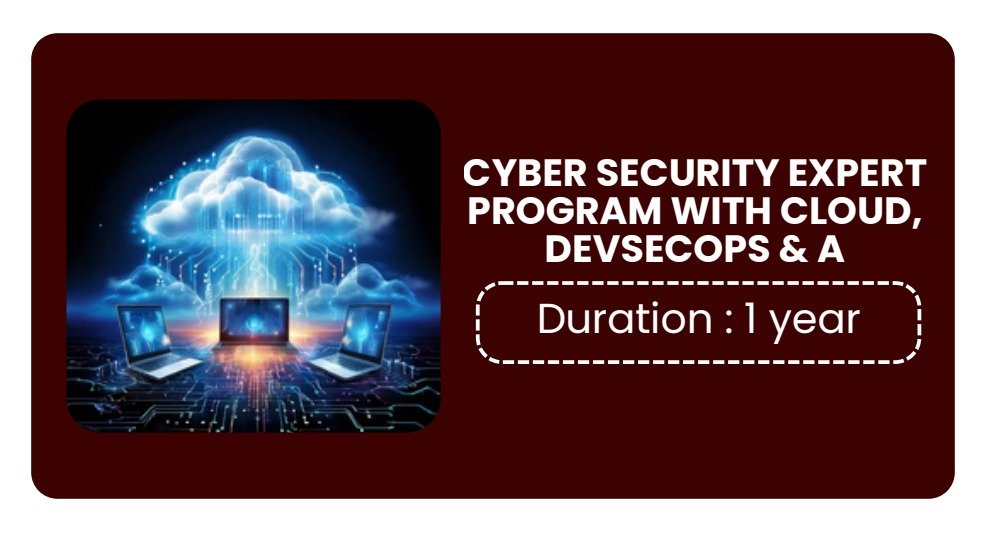
Duration of Training : 1 Year
Batch type : Weekdays/Weekends
Mode of Training : Classroom/Online/Corporate Training
Detailed Syllabus • Hands-on Labs • Assignments • Support-Focused • Implementation
Curriculum Designed by Experts
🚀 Networking + Linux + Windows + Scripting + Programming Basics for Cyber Security Professionals
Introduction to Cyber Security
Cyber Attack Lifecycle
Types of Threats & Vulnerabilities
CIA Triad
Ethical Hacking Concepts
Security Policies & Compliance
Risk Management Basics
Security Operations Center (SOC)
Incident Response Basics
Cyber Security Career Paths
Networking Basics
OSI & TCP/IP Models
IPv4 & IPv6 Addressing
Subnetting Basics
Public vs Private IP
MAC Addressing
DNS, DHCP & NAT
Routing & Switching
VLAN Concepts
Wireless Networking Basics
Network Protocols
HTTP / HTTPS
FTP / SFTP
SSH / Telnet
SMTP / POP3 / IMAP
SNMP
LDAP
SMB / NFS
ICMP
Network Security
Firewalls
IDS & IPS
VPN Technologies
Proxy Servers
Zero Trust Security
NAC Basics
Secure Network Architecture
Networking Tools
Wireshark
Nmap
Tcpdump
Netstat
Ping & Traceroute
Dig & Nslookup
Linux Basics
Linux Architecture
Linux File System
User & Group Management
Linux Permissions
File & Directory Operations
Package Management
Process Management
Linux Administration
SSH Configuration
Service Management
Cron Jobs
Systemctl
Disk & Memory Monitoring
Log Monitoring
Linux Networking
Network Configuration
DNS Settings
Routing Basics
Firewall Configuration
Linux Security
IPTables / Firewalld
SELinux Basics
Fail2Ban
SSH Hardening
Audit Logs
Linux Hardening
Windows Basics
Windows Architecture
File System (NTFS)
User & Group Management
Windows Services
Registry Basics
Event Viewer
Windows Administration
Active Directory Basics
Group Policy Basics
User Access Management
Remote Desktop Configuration
Windows Updates & Patch Management
Windows Security
Windows Defender
BitLocker
Firewall Configuration
Account Policies
Endpoint Protection
PowerShell Security
Windows Networking
IP Configuration
DNS & DHCP Basics
SMB Protocol
Network Troubleshooting
Bash Scripting
Variables & Loops
Conditional Statements
Functions
File Operations
Log Monitoring Scripts
Automation Tasks
PowerShell Scripting
PowerShell Basics
Cmdlets
Windows Automation
User Management Scripts
Event Log Monitoring
Security Automation
Python Basics
Variables & Data Types
Operators
Loops & Conditions
Functions
File Handling
Exception Handling
Python for Security
Socket Programming
Port Scanner Script
Log Parsing
API Requests
Automation Scripts
JSON Processing
Regular Expressions
Pattern Matching
Log Filtering
Input Validation
Authentication & Authorization
Encryption Basics
Hashing Algorithms
SSL/TLS Basics
Multi-Factor Authentication
Password Security
Secure Coding Practices
Kali Linux Introduction
Metasploit Basics
Burp Suite Basics
Nessus Basics
SIEM Overview
Endpoint Security Tools
Vulnerability Scanning Basics
Linux User & Permission Management
Windows User & Policy Configuration
Network Packet Analysis
Port Scanning using Nmap
Linux Firewall Configuration
Windows Security Hardening
Python Automation Scripts
Bash & PowerShell Scripting Tasks
Log Monitoring & Analysis
Project 1: Linux Server HardeningSSH Security
Firewall Rules
User Access Controls
Audit Logging
Project 2: Windows Security Monitoring
Event Log Monitoring
PowerShell Automation
User Activity Tracking
Project 3: Python-Based Security Automation
Port Scanner
Log Analyzer
Basic Threat Detection Script
Project 4: Network Traffic Analysis
Packet Capture
Suspicious Traffic Identification
Security Reporting
SOC Analyst Monitoring Scenarios
Linux Security Troubleshooting
Windows Endpoint Security Incidents
Network Attack Detection
Log Analysis & Threat Hunting
Firewall Troubleshooting
Patch Management Scenarios
Security Alert Investigation
🚀 SOC + Monitoring + SIEM Training Syllabus With Projects, Assignments & Job-Oriented Scenarios
What is SOC?
SOC Team Structure (L1, L2, L3)
Roles & Responsibilities of SOC Analysts
Blue Team vs Red Team
Cyber Kill Chain
MITRE ATT&CK Framework
Threat Landscape Overview
Types of Cyber Attacks
Security Monitoring Basics
SOC Workflow & Incident Lifecycle
Alert Management Process
Incident Response Basics
Security Operations Best Practices
OSI & TCP/IP Models
IPv4 & IPv6
Ports & Protocols
DNS, DHCP, NAT
HTTP / HTTPS
FTP / SSH / SMTP
VPN Basics
Firewalls
IDS & IPS
Proxy Servers
Wireless Security Basics
Packet Flow Analysis
Network Troubleshooting Basics
Linux Basics
Linux File System
User Management
Linux Commands
Process Monitoring
Log Analysis
SSH Security
Linux Networking Commands
Windows Basics
Windows Architecture
Event Viewer
Active Directory Basics
Group Policy Basics
Windows Services
Windows Logs Analysis
PowerShell Basics
Security Monitoring Concepts
Log Collection Methods
Types of Security Logs
Syslog Fundamentals
Windows Event Logs
Application Logs
Cloud Logs
Endpoint Monitoring
Real-Time Monitoring
Alert Prioritization
Baseline Monitoring
Threat Detection Techniques
What is SIEM?
SIEM Architecture
Log Aggregation
Correlation Rules
Event Normalization
Dashboards & Reporting
Incident Correlation
Threat Intelligence Integration
Alert Tuning
Use Case Development
SIEM Best Practices
Splunk
Splunk Architecture
Data Inputs
Indexing
SPL Queries
Dashboards
Alerts & Reports
Correlation Searches
Splunk Enterprise Security Basics
IBM QRadar
QRadar Architecture
Log Sources
Offense Management
Rules & Correlation
Dashboard Analysis
Microsoft Sentinel
Sentinel Basics
Data Connectors
Analytics Rules
Workbooks
Incident Investigation
ELK Stack
Elasticsearch Basics
Logstash Configuration
Kibana Dashboards
Beats Agents
IOC & IOA Concepts
Malware Detection Basics
Brute Force Detection
Phishing Detection
Suspicious Login Monitoring
Privilege Escalation Detection
Data Exfiltration Detection
Ransomware Indicators
Threat Hunting Basics
Incident Escalation Process
Incident Documentation
Endpoint Detection & Response (EDR)
Antivirus Monitoring
Firewall Log Monitoring
IDS/IPS Monitoring
Network Traffic Analysis
Packet Capture Basics
Proxy Log Analysis
VPN Monitoring
Cloud Security Monitoring
AWS Security Monitoring
Azure Security Monitoring
GCP Monitoring Basics
CloudTrail Logs
Azure Monitor
Cloud SIEM Concepts
Cloud Threat Detection
Threat Intelligence Platforms
Open Source Threat Intelligence
MITRE ATT&CK Mapping
SOAR Basics
Automation in SOC
Security Playbooks
Alert Automation
Basic Python for SOC Automation
Python Basics
Variables & Loops
Functions
File Handling
Log Parsing
API Basics
Automation Scripts
PowerShell Basics
Windows Monitoring Scripts
Event Log Monitoring
User Monitoring Scripts
Analyze Windows Event Logs
Configure Syslog Server
Splunk Dashboard Creation
SIEM Alert Configuration
Threat Detection Lab
Firewall Log Monitoring
Linux Log Analysis
Network Packet Analysis using Wireshark
Brute Force Detection Scenario
PowerShell Monitoring Scripts
Threat Hunting Exercises
Project 1: SOC Monitoring Lab
Centralized Log Collection
SIEM Integration
Real-Time Alert Monitoring
Project 2: Splunk Security Monitoring
Dashboard Creation
Correlation Rules
Incident Alerts
Project 3: Threat Detection & Incident Response
Malware Detection
Login Failure Monitoring
Incident Escalation Workflow
Project 4: Cloud Security Monitoring
AWS/Azure Log Monitoring
Cloud Threat Detection
Suspicious Login Detection
Malware Alert Investigation
Ransomware Activity Monitoring
Firewall Traffic Analysis
Insider Threat Detection
Failed Login Monitoring
Privilege Escalation Alerts
VPN Abuse Detection
Endpoint Security Incident Handling
Phishing Investigation
Cloud Security Incident Analysis
Create SIEM Correlation Rules
Build SOC Dashboards
Analyze Security Logs
Configure Alerting Mechanisms
Threat Intelligence Mapping
Security Incident Reporting
Network Traffic Investigation
🚀 Ethical Hacking + Penetration Testing Training Syllabus With Projects, Assignments & Job-Oriented Scenarios
What is Ethical Hacking?
Types of Hackers
Cyber Security Fundamentals
Ethical Hacking Methodology
Cyber Kill Chain
Penetration Testing Lifecycle
Types of Penetration Testing
Vulnerability Assessment vs Penetration Testing
Legal & Compliance Aspects
OWASP Top 10 Overview
Information Security Concepts
Risk, Threat & Vulnerability Management
OSI & TCP/IP Models
IPv4 & IPv6
Subnetting Basics
Ports & Protocols
DNS, DHCP & NAT
Routing & Switching Basics
VLAN Concepts
VPN Technologies
Firewalls
IDS & IPS
Proxy Servers
Wireless Networking Basics
Packet Analysis Fundamentals
Linux File System
User & Permission Management
Linux Networking Commands
File & Process Management
Package Management
SSH Configuration
Service Management
Bash Scripting Basics
Linux Security Hardening
Log Analysis Basics
Windows Architecture
Windows File System
User & Group Management
Active Directory Basics
Windows Services
PowerShell Basics
Event Viewer
Windows Networking
Windows Security Features
Group Policy Basics
Open Source Intelligence (OSINT)
WHOIS Lookup
DNS Enumeration
Google Dorking
Email Enumeration
Social Media Reconnaissance
Website Information Gathering
Subdomain Enumeration
Network Discovery
Banner Grabbing
Tools
Maltego
Recon-ng
Shodan
theHarvester
Netcraft
Network Scanning
Port Scanning
Service Enumeration
Vulnerability Scanning
SMB Enumeration
SNMP Enumeration
LDAP Enumeration
NFS Enumeration
Web Server Enumeration
Tools
Nmap
Nessus
Nikto
Enum4linux
OpenVAS
Vulnerability Management Process
CVE & CVSS Concepts
Risk Prioritization
Patch Management Basics
Vulnerability Reporting
False Positive Analysis
Web Vulnerability Identification
System Vulnerability Assessment
OWASP Top 10
SQL Injection
Cross Site Scripting (XSS)
CSRF
File Upload Vulnerabilities
Directory Traversal
Authentication Bypass
Session Hijacking
Broken Access Control
Command Injection
Tools
Burp Suite
OWASP ZAP
SQLMap
Postman
Exploitation Basics
Service Exploitation
SMB Exploitation
Password Attacks
Brute Force Attacks
Pivoting Concepts
Lateral Movement Basics
Privilege Escalation Basics
Exploit Research
Tools
Metasploit
Hydra
Netcat
CrackMapExec
Wireless Networking Basics
Wi-Fi Security Standards
Wireless Threats
WPA/WPA2 Attacks
Rogue Access Points
Evil Twin Attacks
Wireless Packet Analysis
Tools
Aircrack-ng
Kismet
Wireshark
AWS Security Basics
Azure Security Basics
Cloud Misconfigurations
IAM Security Concepts
S3 Bucket Security
Cloud Monitoring Basics
Cloud Threat Detection
Exploit Development Basics
Reverse Shell Concepts
Privilege Escalation
Persistence Techniques
Password Dumping Basics
Data Exfiltration Concepts
Covering Tracks Basics
Log Analysis
Security Monitoring
SIEM Fundamentals
Splunk Basics
Threat Detection Concepts
Incident Response Basics
Python Basics
Variables & Loops
Functions
File Handling
Socket Programming
API Requests
Automation Scripts
Bash Scripting
Linux Automation Scripts
Enumeration Scripts
PowerShell Basics
Windows Automation
Security Monitoring Scripts
Kali Linux
Metasploit
Burp Suite
Wireshark
Nmap
Nessus
SQLMap
Hydra
John the Ripper
Aircrack-ng
Network Scanning Lab
Vulnerability Assessment Lab
SQL Injection Exploitation
XSS Exploitation
Password Cracking Lab
Wireless Security Lab
Linux Enumeration
Windows Enumeration
Web Application Security Testing
SIEM Log Monitoring
Project 1: Web Application Penetration Testing
Reconnaissance
Vulnerability Scanning
Exploitation
Security Reporting
Project 2: Internal Network Penetration Test
Network Enumeration
Exploitation
Privilege Escalation
Risk Assessment
Project 3: Wireless Security Assessment
Wireless Scanning
WPA2 Testing
Rogue AP Detection
Project 4: Vulnerability Assessment & Reporting
Scan Enterprise Systems
Analyze Vulnerabilities
Generate Professional Reports
Web Server Compromise Investigation
Phishing Simulation Scenario
Internal Network Breach Simulation
SQL Injection Attack Scenario
Ransomware Detection Scenario
Privilege Escalation Investigation
Wireless Attack Investigation
Cloud Misconfiguration Detection
Create Pentesting Reports
Perform OSINT Reconnaissance
Develop Python Automation Scripts
Perform Vulnerability Assessments
Analyze Security Logs
Create Exploitation Documentation
🚀 Threat Hunting + Security Automation Training Syllabus With Projects, Assignments & Job-Oriented Scenarios
What is Threat Hunting?
Threat Hunting Methodology
Proactive vs Reactive Security
Threat Hunting Lifecycle
MITRE ATT&CK Framework
Cyber Kill Chain
Indicators of Compromise (IOC)
Indicators of Attack (IOA)
Threat Intelligence Basics
Threat Hunting Team Roles
Threat Hunting Use Cases
Advanced Persistent Threats (APT)
OSI & TCP/IP Models
IPv4 & IPv6
Ports & Protocols
DNS & DHCP
HTTP / HTTPS Analysis
VPN Concepts
Firewalls & IDS/IPS
Proxy Servers
Packet Flow Analysis
Network Traffic Monitoring
Secure Network Architecture
Networking Tools
Wireshark
Tcpdump
Nmap
Netstat
Zeek Basics
Linux File System
User & Group Management
Linux Process Monitoring
Linux Networking Commands
Log Analysis
SSH Security
Cron Job Monitoring
Service Monitoring
Linux Security Hardening
Linux Malware Indicators
Windows Architecture
Windows Event Logs
PowerShell Basics
Active Directory Basics
User Activity Monitoring
Windows Services Monitoring
Registry Monitoring
Windows Defender
Windows Security Features
Endpoint Monitoring
Hypothesis-Driven Hunting
IOC-Based Hunting
Behavioral Analysis
Threat Modeling
Attack Surface Analysis
Malware Analysis Basics
Threat Hunting Workflow
Threat Prioritization
Threat Validation
Hunting for Persistence Mechanisms
Lateral Movement Detection
Privilege Escalation Detection
SIEM Fundamentals
Log Aggregation
Event Correlation
Dashboards & Alerts
Correlation Rules
Security Analytics
Splunk
SPL Queries
Threat Detection Searches
Dashboard Creation
Alert Tuning
ELK Stack
Elasticsearch Basics
Kibana Dashboards
Logstash Configuration
Microsoft Sentinel
Analytics Rules
Incident Investigation
Threat Detection Workbooks
EDR Concepts
Endpoint Monitoring
Process Analysis
Suspicious Behavior Detection
Malware Detection
Ransomware Indicators
Persistence Detection
Endpoint Telemetry
EDR Tools Overview
Microsoft Defender
CrowdStrike
SentinelOne
Carbon Black
Threat Intelligence Platforms
IOC Feeds
MITRE ATT&CK Mapping
ATT&CK Techniques
Adversary Emulation
Threat Actor Profiling
IOC Enrichment
Threat Intelligence Automation
What is SOAR?
Automation vs Orchestration
Security Playbooks
Incident Automation
Automated Alerting
Workflow Automation
Ticketing Automation
Threat Response Automation
Python Basics
Variables & Data Types
Loops & Conditions
Functions
File Handling
Exception Handling
Python for Threat Hunting
Log Parsing
IOC Matching
API Integration
Threat Intelligence Automation
Alert Automation
Security Reporting
SIEM API Integration
Email Alerting Scripts
PowerShell
Windows Monitoring Scripts
Event Log Analysis
User Monitoring
Process Monitoring
Bash Scripting
Linux Log Monitoring
File Integrity Monitoring
Process Monitoring Scripts
AWS Security Monitoring
Azure Security Monitoring
GCP Monitoring Basics
CloudTrail Analysis
Azure Sentinel Integration
Cloud Threat Detection
Cloud Misconfiguration Hunting
Brute Force Detection
Phishing Detection
DNS Tunneling Detection
Insider Threat Detection
Data Exfiltration Detection
Malware Beaconing Detection
Suspicious Login Detection
Privilege Abuse Detection
Command & Control Detection
Persistence Hunting
Threat Hunting Reports
Incident Documentation
Executive Security Reports
IOC Documentation
Threat Intelligence Reporting
Security Metrics & KPIs
Splunk Threat Hunting Queries
IOC Detection Lab
Threat Intelligence Integration
Windows Event Log Analysis
Linux Log Monitoring
Suspicious Process Detection
Python Automation Scripts
Malware IOC Analysis
Network Traffic Analysis
MITRE ATT&CK Mapping
Project 1: Enterprise Threat Hunting Lab
Log Aggregation
IOC Detection
Alert Investigation
Threat Reporting
Project 2: SIEM-Based Threat Detection
Correlation Rule Creation
Dashboard Development
Automated Alerting
Project 3: Python-Based Security Automation
IOC Matching Tool
Automated Threat Reports
Email Alerting System
Project 4: Cloud Threat Monitoring
AWS/Azure Monitoring
Threat Detection
Incident Response Workflow
Ransomware Threat Hunting
Insider Threat Investigation
Brute Force Detection
Malware Infection Investigation
Data Exfiltration Detection
Phishing Attack Investigation
Lateral Movement Analysis
Cloud Threat Monitoring
Persistence Mechanism Detection
SIEM Alert Tuning
Create Threat Hunting Playbooks
Develop Automation Scripts
Build SIEM Dashboards
Perform IOC-Based Hunting
Analyze Endpoint Telemetry
Create Security Reports
Threat Intelligence Mapping
Threat Hunter
SOC Analyst L2/L3
Security Automation Engineer
SIEM Engineer
Incident Response Analyst
Blue Team Engineer
Cyber Security Analyst
Threat Intelligence Analyst
CompTIA CySA+
Splunk Core Certified
Microsoft SC-200
GCIA
GCIH
CEH
Blue Team Level 1
🚀 DevSecOps Training Syllabus Secure CI/CD | Cloud Security | Container Security | DevOps Security Automation
What is DevSecOps?
DevOps vs DevSecOps
SDLC & Secure SDLC
Shift Left Security
DevSecOps Lifecycle
CI/CD Security Concepts
DevSecOps Culture & Best Practices
Security in Agile & DevOps
Threat Modeling Basics
Risk Management Fundamentals
Compliance & Governance Overview
DevSecOps Roles & Responsibilities
OSI & TCP/IP Models
IP Addressing Basics
DNS, DHCP & NAT
Ports & Protocols
Firewalls
VPN Concepts
IDS & IPS
Reverse Proxy Concepts
Load Balancer Security
Network Segmentation
Zero Trust Security Basics
Linux File System
User & Permission Management
Linux Networking Commands
Process Management
Package Management
SSH Hardening
Linux Firewall Configuration
SELinux Basics
System Monitoring
Linux Security Hardening
Bash Scripting
Variables & Loops
Conditional Statements
Automation Scripts
Log Monitoring Scripts
Python Basics
Variables & Functions
File Handling
API Requests
Security Automation Scripts
Log Parsing Scripts
PowerShell Basics
Windows Automation
Security Monitoring Scripts
Git & GitHub/GitLab
Git Basics
Branching & Merging
Pull Requests
Git Security Best Practices
Secret Management in Git
Secure Coding Practices
OWASP Top 10
Secure Development Guidelines
Code Review Process
Dependency Security
Input Validation
Authentication & Authorization Basics
Jenkins
Jenkins Architecture
Secure Jenkins Configuration
Jenkins Pipeline Security
Credentials Management
Role-Based Access Control
GitHub Actions / GitLab CI
Secure CI/CD Pipelines
Secrets Management
Pipeline Hardening
Build Security
CI/CD Security Best Practices
Artifact Signing
Build Validation
Secure Deployment Pipelines
Docker Fundamentals
Docker Architecture
Container Lifecycle
Dockerfile Best Practices
Container Hardening
Docker Image Security
Vulnerability Scanning
Runtime Security
Secrets Management
Docker Bench Security
Docker Security Tools
Trivy
Clair
Docker Bench
Anchore
Kubernetes Architecture
Cluster Security
RBAC Configuration
Pod Security
Network Policies
Namespace Isolation
Secrets Management
Admission Controllers
Kubernetes Hardening
Secure Deployments
Kubernetes Logging & Monitoring
Kubernetes Security Tools
kube-bench
kube-hunter
Falco
Kyverno
AWS Security
IAM Security
Security Groups
AWS CloudTrail
AWS GuardDuty
S3 Security
Secrets Manager
Azure Security
Azure Security Center
Azure Key Vault
Azure Defender
Azure IAM
GCP Security
IAM Management
Cloud Logging
Cloud Security Basics
SAST (Static Application Security Testing)
SonarQube
Checkmarx Basics
Code Security Analysis
DAST (Dynamic Application Security Testing)
OWASP ZAP
Burp Suite Basics
Dependency Scanning
Snyk
OWASP Dependency Check
Container Scanning
Trivy
Clair
Security Logging Concepts
Centralized Log Management
SIEM Fundamentals
Splunk Basics
ELK Stack Basics
Threat Detection
Security Monitoring Dashboards
Alerting Mechanisms
Security Automation Basics
Incident Response Automation
Security Playbooks
Automated Threat Detection
SOAR Concepts
Python Automation Scripts
API-Based Automation
Terraform Security
Secure Terraform Practices
Secret Management
Terraform Scanning
Security Scanning Tools
Checkov
tfsec
IaC Best Practices
Compliance Validation
Infrastructure Hardening
CIS Benchmarks
NIST Framework
ISO 27001 Basics
PCI-DSS Basics
GDPR Overview
Security Policies
Audit Logging
Compliance Monitoring
Incident Response Lifecycle
Threat Detection
Malware Basics
Ransomware Indicators
Security Alert Investigation
Threat Hunting Basics
Root Cause Analysis
Secure Jenkins Pipeline Setup
Docker Image Hardening
Kubernetes RBAC Configuration
Vulnerability Scanning Labs
Terraform Security Scanning
SIEM Log Monitoring
SonarQube Security Analysis
Trivy Container Scanning
Git Secret Detection
Security Incident Investigation
Project 1: Secure CI/CD Pipeline
GitHub + Jenkins + Security Scanning
Automated Vulnerability Checks
Secure Deployment Workflow
Project 2: Kubernetes Security Implementation
Cluster Hardening
RBAC Policies
Pod Security Controls
Project 3: DevSecOps Automation Platform
Automated Security Testing
Container Scanning
Compliance Validation
Project 4: Cloud DevSecOps Implementation
AWS/Azure Secure Infrastructure
Terraform Security
Monitoring & Logging
Container Vulnerability Investigation
Kubernetes Security Incident
CI/CD Pipeline Misconfiguration
Secret Leakage Detection
Cloud IAM Misconfiguration
Ransomware Detection in Containers
DevOps Security Audit
Infrastructure Compliance Validation
Docker Runtime Threat Detection
DevSecOps Engineer
Cloud Security Engineer
DevOps Security Engineer
Kubernetes Security Engineer
Security Automation Engineer
Infrastructure Security Engineer
Platform Security Engineer
CI/CD Security Specialist
Certified Kubernetes Security Specialist (CKS)
AWS Security Specialty
Microsoft SC-200 / SC-100
CEH
CompTIA Security+
HashiCorp Terraform Associate
Certified DevSecOps Professional
🚀 Cloud Security + AI Security Training Syllabus With Projects, Assignments & Job-Oriented Scenarios
What is Cloud Security?
Cloud Computing Models (IaaS, PaaS, SaaS)
Public, Private & Hybrid Cloud
Shared Responsibility Model
Introduction to AI Security
AI/ML Security Risks
Cloud Threat Landscape
Cyber Security Fundamentals
Security Principles (CIA Triad)
Risk, Threat & Vulnerability Concepts
Compliance & Governance Basics
Cloud Security Best Practices
AWS Security Fundamentals
AWS IAM
Users, Groups & Roles
MFA Implementation
AWS Organizations
SCP Policies
Security Best Practices
AWS Security Services
AWS CloudTrail
AWS GuardDuty
AWS Security Hub
AWS Config
AWS Inspector
AWS WAF & Shield
AWS KMS
AWS Secrets Manager
AWS Network Security
VPC Security
Security Groups
NACLs
VPN Security
Bastion Hosts
Azure Identity & Access Management
Azure AD Security
RBAC
Azure Security Center
Microsoft Defender for Cloud
Azure Key Vault
Azure Sentinel Basics
NSG Security
Azure Firewall
Azure Policies
Conditional Access
Google Cloud IAM
VPC Security
Cloud Logging
Cloud Monitoring
Security Command Center
Encryption Concepts
Google Cloud Security Best Practices
Secure Network Design
Firewalls & IDS/IPS
Zero Trust Security
VPN Security
DNS Security
Load Balancer Security
Reverse Proxy Security
Web Application Firewall (WAF)
Network Segmentation
Secure Remote Access
Docker Security
Container Hardening
Secure Docker Images
Image Vulnerability Scanning
Runtime Security
Secret Management
Kubernetes Security
Kubernetes RBAC
Pod Security
Network Policies
Namespace Isolation
Admission Controllers
Kubernetes Hardening
Kubernetes Threat Detection
Tools
Trivy
Falco
kube-bench
Kyverno
IAM Best Practices
Least Privilege Access
Role-Based Access Control (RBAC)
Multi-Factor Authentication
Privileged Access Management (PAM)
Identity Federation
Single Sign-On (SSO)
Zero Trust Identity Security
SIEM Fundamentals
Security Monitoring
Log Analysis
Threat Detection
Alert Correlation
Cloud Log Monitoring
Threat Intelligence Integration
Tools
Splunk
Microsoft Sentinel
ELK Stack
QRadar Basics
AI Security Fundamentals
AI Threat Landscape
Risks in AI Systems
AI Model Vulnerabilities
Adversarial Attacks
AI Data Poisoning
Prompt Injection Attacks
LLM Security Risks
AI Privacy & Ethics
Responsible AI
LLM Architecture Basics
Secure Prompt Engineering
Prompt Injection Detection
RAG Security Concepts
AI Hallucination Risks
AI Data Leakage Prevention
Secure AI APIs
AI Access Control
AI Governance Frameworks
AI-Powered Threat Detection
ML-Based Anomaly Detection
Security Analytics using AI
AI SOC Automation
Behavioral Threat Detection
AI-Assisted Incident Response
Threat Intelligence Automation
Python Basics
Variables & Functions
File Handling
Exception Handling
API Integration
Python for Security
Log Parsing
Cloud Security Automation
SIEM API Integration
AI Security Scripts
Threat Detection Automation
Secure CI/CD Pipelines
Terraform Security
Infrastructure as Code Security
Secret Management
Automated Security Scanning
Vulnerability Management
Compliance Automation
Tools
Terraform
Checkov
tfsec
GitHub Actions
Jenkins
Cloud Incident Response
AI Threat Hunting
Malware Detection
Ransomware Indicators
Cloud Forensics Basics
Threat Hunting Workflow
MITRE ATT&CK Mapping
Root Cause Analysis
ISO 27001 Basics
GDPR Overview
HIPAA Basics
PCI-DSS Basics
Cloud Compliance Frameworks
AI Governance Policies
Security Auditing
Risk Management
AWS IAM Security Lab
Azure Security Center Monitoring
Kubernetes Hardening
Docker Vulnerability Scanning
Splunk Threat Monitoring
Prompt Injection Detection
AI Security Risk Assessment
CloudTrail Log Analysis
SIEM Alert Investigation
Python Security Automation Scripts
Project 1: Multi-Cloud Security Monitoring
AWS + Azure Security Monitoring
SIEM Integration
Threat Detection Dashboard
Project 2: Kubernetes Security Implementation
Secure Kubernetes Cluster
RBAC & Network Policies
Runtime Threat Detection
Project 3: AI Security Threat Detection
Detect Prompt Injection Attacks
AI Threat Monitoring
Secure LLM Access Controls
Project 4: DevSecOps Security Pipeline
Automated Security Scanning
Terraform Compliance Checks
CI/CD Security Integration
Cloud IAM Misconfiguration Investigation
Prompt Injection Attack Detection
Cloud Data Leakage Scenario
Kubernetes Security Incident
Cloud Malware Investigation
AI Model Abuse Detection
Cloud Threat Hunting
Secure AI Deployment Validation
Ransomware Detection in Cloud
Multi-Cloud Security Monitoring
Build SIEM Dashboards
Configure IAM Policies
Secure Kubernetes Environment
Develop Python Security Scripts
Analyze AI Security Threats
Implement DevSecOps Security Checks
Threat Hunting Exercises
Cloud Security Engineer
AI Security Engineer
DevSecOps Engineer
Security Automation Engineer
SOC Analyst
Threat Hunter
Cloud Security Analyst
Security Operations Engineer
Kubernetes Security Engineer
AWS Security Specialty
Microsoft SC-200 / SC-100
Certified Kubernetes Security Specialist (CKS)
CompTIA Security+
CEH
CCSP
AI Security Certifications
🚀 Gen AI & Agentic AI in Cyber Security Training Syllabus With Projects, Assignments & Job-Oriented Scenarios
Evolution of AI in Cyber Security
What is Generative AI?
What is Agentic AI?
AI vs Traditional Automation
AI Security Landscape
Cyber Security Challenges
AI-Powered Security Operations
AI Use Cases in SOC
AI for Threat Detection
Responsible AI Concepts
AI Risks & Ethics in Security
Future of AI in Cyber Security
Introduction to LLMs
GPT Models Overview
Transformer Architecture Basics
Prompt Engineering Fundamentals
AI Hallucination Concepts
Context Windows & Tokens
AI APIs & Integrations
Open Source LLMs Overview
Retrieval-Augmented Generation (RAG)
AI Knowledge Bases
AI Model Fine-Tuning Basics
What is Agentic AI?
Autonomous AI Agents
AI Decision-Making Concepts
AI Workflow Automation
Multi-Agent Systems
Agent Orchestration
AI Memory Concepts
AI Planning & Reasoning
Human-in-the-Loop Security
AI Security Operations Workflows
Threats, Risks & Vulnerabilities
Cyber Kill Chain
MITRE ATT&CK Framework
SIEM & SOC Basics
Threat Intelligence Basics
Incident Response Lifecycle
Malware Basics
Authentication & Authorization
Cloud Security Basics
Endpoint Security Basics
AI-Based Threat Detection
AI for Log Analysis
AI-Based Alert Correlation
AI for Threat Intelligence Enrichment
AI-Powered Incident Summarization
AI-Based Malware Analysis
AI for IOC Detection
AI Chatbots for SOC Analysts
AI-Driven Security Reporting
AI-Powered Threat Hunting
Splunk + AI
AI-Driven Log Analysis
Splunk AI Assistant Concepts
Threat Pattern Recognition
Microsoft Sentinel + AI
Copilot for Security
AI Incident Investigation
Automated Threat Analysis
ELK + AI Concepts
AI-Based Log Correlation
Intelligent Alerting
Python Fundamentals
Variables & Functions
File Handling
APIs & JSON
Error Handling
Python for Cyber AI
Security Log Parsing
AI API Integration
Threat Intelligence Automation
AI-Powered Alerting
Automated Incident Reporting
AI Chatbot Development Basics
Introduction to RAG
Vector Databases Basics
Security Knowledge Base Creation
AI Search for Security Logs
RAG for Threat Intelligence
AI-Based Documentation Search
Embeddings Concepts
Secure AI Retrieval Systems
Tools & Platforms
LangChain Basics
ChromaDB / Pinecone
OpenAI APIs
Ollama Basics
Security AI Agent Architecture
AI Agents for Incident Response
AI Agents for Threat Hunting
AI-Based Ticketing Automation
Autonomous Threat Detection
Multi-Agent Security Systems
Security Workflow Automation
AI Decision Engines
AI in AWS Security
AI in Azure Security
AI Threat Detection in Cloud
AI-Powered Cloud Monitoring
AI-Based Compliance Monitoring
AI Security Analytics
Cloud SIEM + AI Integration
Prompt Injection Attacks
Jailbreak Attacks
AI Hallucinations
Data Leakage Risks
AI Model Poisoning
Adversarial AI Attacks
Secure Prompt Engineering
AI Access Control
AI Governance Basics
Responsible AI Policies
AI in DevSecOps
AI-Based Vulnerability Scanning
AI for Secure CI/CD
Infrastructure as Code Security
Automated Compliance Validation
AI Security Testing
AI-Powered Code Review
AI-Based Behavioral Analysis
UEBA Concepts
AI Anomaly Detection
AI Threat Correlation
AI Threat Prediction
AI-Powered Threat Intelligence
AI-Driven Root Cause Analysis
SOAR Fundamentals
AI-Based Playbooks
AI Incident Response
AI Ticket Automation
Automated Threat Containment
AI-Driven Escalation Workflows
Security Workflow Orchestration
AI Security Dashboards
Security KPI Monitoring
Executive Reporting
AI Incident Summaries
Automated SOC Reporting
Threat Intelligence Dashboards
AI-Based Log Analysis
Prompt Engineering Labs
Build Security AI Chatbot
AI Threat Detection Scripts
SIEM + AI Integration
RAG-Based Security Knowledge Base
Threat Intelligence Automation
AI-Powered Incident Reports
AI Security Risk Analysis
Prompt Injection Testing
Project 1: AI-Powered SOC Assistant
AI Chatbot for Security Operations
Threat Summarization
Incident Assistance
Project 2: RAG-Based Threat Intelligence Platform
Security Knowledge Base
AI Search & Threat Correlation
Vector Database Integration
Project 3: Agentic AI for Incident Response
Automated Alert Investigation
Threat Prioritization
AI Workflow Automation
Project 4: AI Threat Hunting Platform
Behavioral Threat Detection
AI-Based Anomaly Detection
SIEM Integration
AI-Based Phishing Detection
Prompt Injection Investigation
AI-Assisted Malware Analysis
AI Incident Response Automation
Threat Hunting using AI
Cloud Threat Monitoring with AI
Automated SOC Alert Investigation
AI-Driven Root Cause Analysis
AI Security Governance Scenarios
Create AI Security Playbooks
Develop Python AI Security Scripts
Build RAG Pipelines
Design AI SOC Workflows
Implement Threat Intelligence Automation
Create AI-Based Dashboards
AI Security Engineer
Security Automation Engineer
SOC Analyst with AI Skills
Threat Hunter
Cyber AI Engineer
DevSecOps Engineer
SIEM Engineer
AI SOC Specialist
Security Operations Engineer
Microsoft AI Certifications
AWS AI Practitioner
Google Generative AI Certifications
CEH
CompTIA Security+
SC-200
Splunk Certifications
Kubernetes Security Certifications
🔐 Cyber Security Fundamentals Projects
1. Enterprise Security Monitoring Setup
Configure centralized monitoring environment
Collect logs from Linux & Windows systems
2. Secure Linux Server Hardening
SSH hardening
Firewall implementation
User access restrictions
3. Windows Security Hardening Project
Group policy configuration
Endpoint protection setup
Event log monitoring
4. Network Traffic Analysis Lab
Analyze suspicious traffic using Wireshark
Detect malicious communication
5. Firewall & IDS/IPS Configuration
Configure firewall rules
Intrusion detection monitoring
6. Web Application Penetration Testing
SQL Injection
XSS Testing
Authentication bypass testing
7. Internal Network Pentesting
Network scanning
Service enumeration
Exploitation simulation
8. Vulnerability Assessment Project
Nessus/OpenVAS scanning
Vulnerability reporting
9. Wireless Security Assessment
WPA/WPA2 security testing
Rogue AP detection
10. Active Directory Security Testing
AD enumeration
Privilege escalation simulation
11. API Security Testing
Authentication testing
API vulnerability analysis
12. Red Team Simulation
Simulated attack scenarios
Attack chain execution
13. SOC Monitoring Dashboard
Build Splunk/Kibana dashboards
Real-time alerting
14. SIEM Log Correlation Project
Correlation rule creation
Threat detection alerts
15. Incident Response Workflow
Alert triage
Incident escalation process
16. Threat Intelligence Integration
IOC feed integration
Threat enrichment
17. Windows Event Log Monitoring
Suspicious login detection
PowerShell abuse detection
18. Linux Log Monitoring
SSH brute force detection
Suspicious process monitoring
19. IOC-Based Threat Hunting
Identify malicious indicators
Threat validation workflow
20. Behavioral Threat Detection
Detect unusual user activity
Anomaly detection scenarios
21. Python Security Automation Scripts
Log parser automation
Alert automation scripts
22. Automated Threat Intelligence Platform
IOC automation
Threat feed correlation
23. Malware Activity Hunting
Detect persistence techniques
Registry/process analysis
24. Threat Hunting using MITRE ATT&CK
ATT&CK mapping
TTP analysis
25. Secure CI/CD Pipeline Project
Jenkins security integration
Automated vulnerability scanning
26. Docker Security Hardening
Secure container deployments
Vulnerability scanning
27. Kubernetes Security Implementation
RBAC configuration
Pod security policies
28. Terraform Security Validation
Infrastructure scanning
Compliance validation
29. DevSecOps Automation Platform
Automated security checks
CI/CD security workflows
30. AWS Security Monitoring Project
IAM auditing
CloudTrail monitoring
31. Azure Security Monitoring
Azure Defender implementation
Sentinel monitoring
32. Multi-Cloud Threat Detection
AWS + Azure security monitoring
SIEM integration
33. Kubernetes Threat Detection
Runtime threat monitoring
Container anomaly detection
34. AI Security Risk Assessment
Prompt injection testing
AI data leakage analysis
35. Cloud Incident Response Simulation
Ransomware in cloud environment
Incident recovery workflow
36. AI-Powered SOC Assistant
Security chatbot
AI incident summarization
37. RAG-Based Threat Intelligence System
Security knowledge base
AI-powered search
38. AI Threat Detection Engine
AI anomaly detection
Behavioral monitoring
39. Agentic AI for Incident Response
Automated investigation workflows
AI alert prioritization
40. AI-Based Malware Analysis
Malware behavior summarization
Threat classification
41. AI Security Automation Platform
AI-based SOC workflows
Automated reporting
42. Prompt Injection Detection Framework
AI prompt validation
Security filtering mechanisms
SOC Challenges
Investigate suspicious login attempts
Analyze ransomware alerts
Detect insider threats
Pentesting Challenges
Exploit vulnerable web applications
Perform privilege escalation
Conduct API exploitation
Threat Hunting Challenges
Hunt for malware persistence
Identify command & control traffic
Analyze lateral movement
DevSecOps Challenges
Secure vulnerable CI/CD pipelines
Detect secrets in Git repositories
Harden Kubernetes clusters
Cloud Security Challenges
Detect cloud misconfigurations
Investigate IAM abuse
Analyze cloud attack paths
AI Security Challenges
Detect prompt injection attacks
Secure AI APIs
Investigate AI model misuse
Security Incident Reports
Pentesting Reports
SIEM Dashboards
Threat Hunting Playbooks
DevSecOps Security Pipelines
AI Security Frameworks
Cloud Security Assessment Reports
Automation Scripts & Tools
✅ Ethical Hacking
✅ SOC Operations
✅ SIEM Monitoring
✅ Threat Hunting
✅ Python Security Automation
✅ DevSecOps
✅ Kubernetes Security
✅ Cloud Security
✅ AI Security
✅ GenAI & Agentic AI Security
✅ Incident Response
✅ Security Reporting
✅ Threat Intelligence
✅ Security Automation
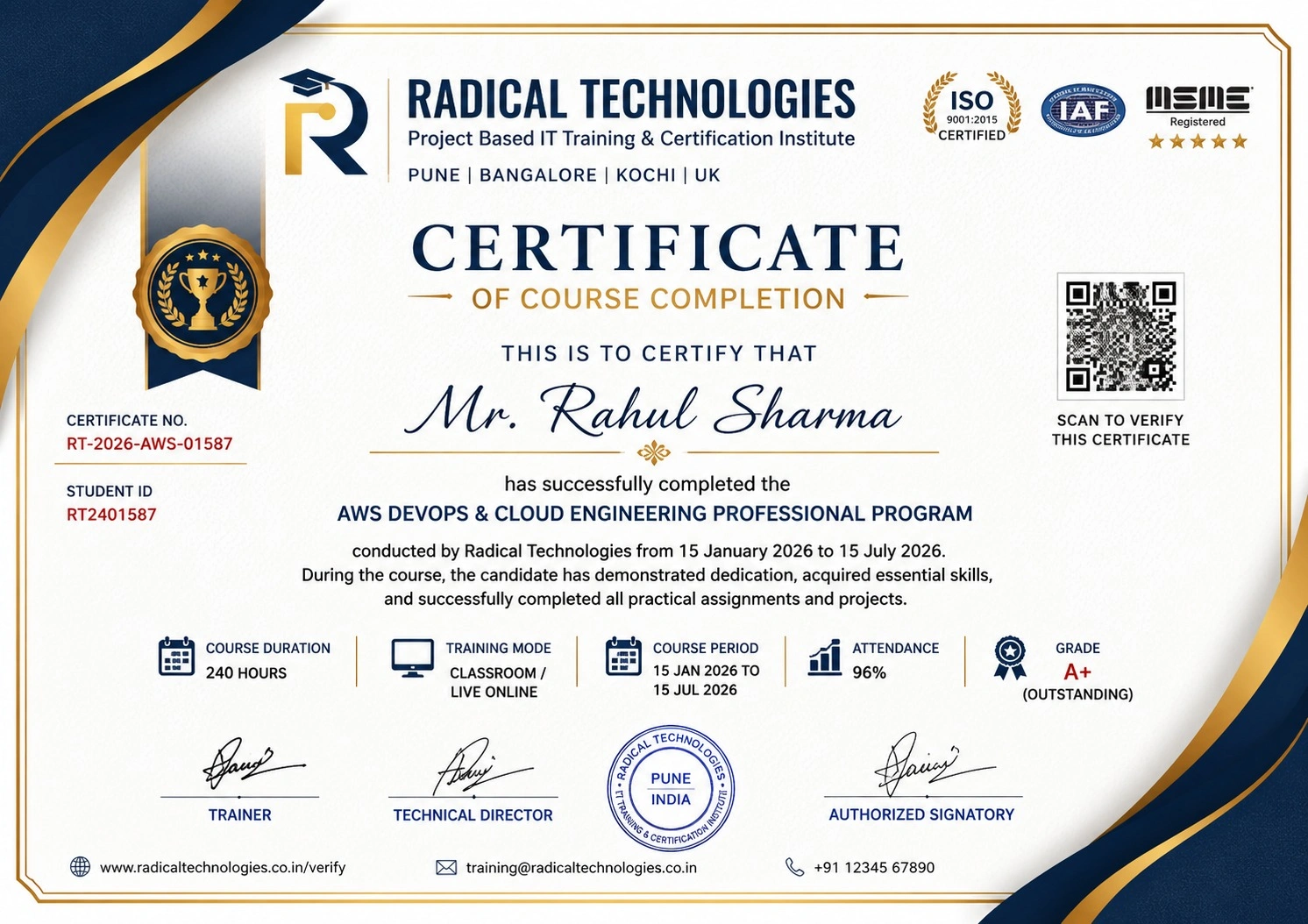
Course completion certificate and Global Certifications are part of our all Master Program
REVIT ARCHITECTURE / REVIT MEP Course Training empowers you with cutting-edge skills in BIM modeling, 3D design, and efficient project coordination. Master the art of creating detailed architectural plans, MEP systems, and collaborative workflows. Enroll today to enhance your expertise, boost your productivity, and advance your career in the ever-growing design and construction industry!
REVIT ARCHITECTURE / REVIT MEP Course Training paves the way for careers in architecture, MEP design, and BIM coordination. Secure roles like BIM expert, draftsman, or project manager in leading firms. Gain expertise in design, analysis, and project execution. Enroll now to thrive in the booming construction industry and unlock endless career possibilities!
REVIT ARCHITECTURE / REVIT MEP Course Training integrates cloud adoption to revolutionize design workflows. With cloud-based BIM, experience seamless collaboration, secure data sharing, and real-time updates. Learn to manage projects remotely, improve productivity, and streamline operations. Enroll now to gain expertise in cloud technology and excel in the dynamic construction and design industry!
Unlock the potential of scalability and flexibility with REVIT ARCHITECTURE / REVIT MEP course training. Learn to design with precision, streamline workflows, and handle complex projects efficiently. Master Revit’s powerful BIM tools, enhance career prospects, and stay ahead in the dynamic AEC industry!
Excel in cost management with REVIT ARCHITECTURE / REVIT MEP course training. Master budgeting, reduce resource waste, and streamline processes using Revit’s advanced BIM tools. Gain hands-on expertise to manage project costs effectively, boost efficiency, and build a competitive edge in your AEC career!
Ensure security and compliance with REVIT ARCHITECTURE / REVIT MEP course training. Learn to manage sensitive project data, adhere to industry standards, and implement best practices in BIM workflows. Gain essential skills to deliver reliable, compliant designs in today’s regulated AEC environment!
Radical Technologies is the leading IT certification institute in Pune, offering a wide range of globally recognized certifications across various domains. With expert trainers and comprehensive course materials, it ensures that students gain in-depth knowledge and hands-on experience to excel in their careers. The institute’s certification programs are tailored to meet industry standards, helping professionals enhance their skillsets and boost their career prospects. From cloud technologies to data science, Radical Technologies covers it all, empowering individuals to stay ahead in the ever-evolving tech landscape. Achieve your professional goals with certifications that matter.
At Radical Technologies, we are committed to your success beyond the classroom. Our 100% Job Assistance program ensures that you are not only equipped with industry-relevant skills but also guided through the job placement process. With personalized resume building, interview preparation, and access to our extensive network of hiring partners, we help you take the next step confidently into your IT career. Join us and let your journey to a successful future begin with the right support.
At Radical Technologies, we ensure you’re ready to shine in any interview. Our comprehensive Interview Preparation program includes mock interviews, expert feedback, and tailored coaching sessions to build your confidence. Learn how to effectively communicate your skills, handle technical questions, and make a lasting impression on potential employers. With our guidance, you’ll walk into your interviews prepared and poised for success.
At Radical Technologies, we believe that a strong professional profile is key to standing out in the competitive IT industry. Our Profile Building services are designed to highlight your unique skills and experiences, crafting a resume and LinkedIn profile that resonate with employers. From tailored advice on showcasing your strengths to tips on optimizing your online presence, we provide the tools you need to make a lasting impression. Let us help you build a profile that opens doors to your dream career.
Infrastructure Provisioning
Implementing automated infrastructure provisioning and configuration management using Ansible. This may include setting up servers, networking devices, and other infrastructure components using playbooks and roles.
Applications Deployment
Automating the deployment and orchestration of applications across development, testing, and production environments. This could involve deploying web servers, databases. middleware, and other application components using Ansible
Continuous Integration
Integrating Ansible into CI/CD pipelines to automate software. build, test, and deployment processes. This may include automating the creation of build artifacts, running tests, and deploying applications to various environments.
The Revit MEP Course in Bengaluru at Radical Technologies was well-structured and highly practical. The hands-on approach helped me gain real-world skills.
Enrolling in the Revit MEP Certification in Bengaluru at Radical Technologies was a game-changer for my career. The instructors are experienced and approachable.
I took the Revit MEP Online Classes in Bengaluru, and the learning experience was seamless. The live sessions and recorded content made it easy to revisit concepts.
Radical Technologies is undoubtedly the best Revit MEP Institute in Bengaluru. Their training methodology is unmatched, and they provide excellent placement support.
The Revit MEP Online Course in Bengaluru offered by Radical Technologies allowed me to learn at my own pace without compromising quality.
If you're looking for Revit MEP Classes in Bengaluru, Radical Technologies is the right choice. Their detailed curriculum and project-based training are very effective.
The Revit MEP Corporate Training in Bengaluru conducted by Radical Technologies helped our team upskill quickly and efficiently. We highly recommend them.
I joined the Revit MEP Online Training in Bengaluru, and it was worth every penny. The trainers clarified all my doubts and provided excellent resources.
Radical Technologies offers the best Revit MEP Training in Bengaluru. Their real-time project work gave me the confidence to handle complex designs.
The Revit MEP Certification in Bengaluru from Radical Technologies added tremendous value to my resume and helped me secure a better job.
The instructors at Radical Technologies make learning easy. The Revit MEP Course in Bengaluru was comprehensive and well-paced.
I was impressed by the quality of the Revit MEP Online Certification in Bengaluru. The content was industry-relevant and up-to-date.
Radical Technologies’ Revit MEP Online Course in Bengaluru is perfect for working professionals. The flexible schedule allowed me to balance work and study.
The Revit MEP Classes in Bengaluru at Radical Technologies are highly interactive. The trainers are supportive and knowledgeable.
I had a great learning experience with the Revit MEP Online Classes in Bengaluru. The trainers ensured we understood the concepts thoroughly.
Radical Technologies is the best Revit MEP Institute in Bengaluru for anyone looking to start a career in building design and modeling.
The Revit MEP Corporate Training in Bengaluru delivered by Radical Technologies exceeded our expectations. The team became much more efficient in using BIM tools.
I joined the Revit MEP Online Training in Bengaluru to upgrade my skills, and it was an excellent decision. The trainers were very patient and knowledgeable.
Thanks to the Revit MEP Course in Bengaluru at Radical Technologies, I was able to complete a live project confidently during my training period.
The Revit MEP Certification in Bengaluru from Radical Technologies opened new career opportunities for me. The placement support was very helpful.
I opted for the Revit MEP Online Course in Bengaluru, and I loved the flexibility it offered. The content delivery was smooth and detailed.
Radical Technologies provides top-notch Revit MEP Training in Bengaluru. The practical sessions gave me the confidence to handle industry challenges.
The Revit MEP Online Certification in Bengaluru I completed at Radical Technologies gave me a competitive edge in my job search.
Radical Technologies offers the best Revit MEP Classes in Bengaluru with an updated syllabus and expert trainers. Highly recommended!
I took the Revit MEP Online Classes in Bengaluru, and the experience was amazing. The trainers are industry professionals who share real-world insights.

Revit MEP (Mechanical, Electrical, and Plumbing) is a Building Information Modeling (BIM) software developed by Autodesk. It is used to design, model, and coordinate mechanical, electrical, and plumbing systems in a building. Revit MEP allows engineers to create detailed 3D models, perform system analysis, and generate accurate documentation for construction projects.
Revit MEP provides a unified platform where mechanical, electrical, and plumbing teams can work on the same model. It integrates with cloud-based tools like Autodesk BIM 360, enabling real-time collaboration, design coordination, and conflict resolution among all project stakeholders.
Key features of Revit MEP include parametric components, clash detection, automated documentation, energy analysis tools, and integrated workflows. These features streamline the design process, enhance accuracy, and reduce errors.
Yes, Revit MEP includes energy analysis tools that allow designers to evaluate energy efficiency and optimize building systems. It supports green building certifications like LEED by enabling simulations for heating, cooling, lighting, and water usage.
Revit MEP is widely used in industries such as construction, architecture, HVAC engineering, electrical design, plumbing, and fire protection. It is also valuable for facility management and sustainability-focused projects.
Revit MEP uses built-in clash detection tools to identify conflicts between different systems (e.g., ducts, pipes, and electrical conduits) within the 3D model. This helps resolve issues during the design phase, reducing costly rework during construction.
Revit Architecture is focused on architectural design, including walls, roofs, and floor plans. Revit MEP, on the other hand, specializes in mechanical, electrical, and plumbing system design, analysis, and coordination. Both tools can work together to create a complete building model.
Yes, Revit MEP integrates seamlessly with other Autodesk products such as AutoCAD, Navisworks, and BIM 360. This integration allows for better workflow management, model collaboration, and project visualization.
Yes, Revit MEP is suitable for projects of all sizes. Its scalability allows it to be used for designing small residential buildings as well as large commercial and industrial complexes
Families in Revit MEP are pre-defined or custom parametric components used to represent system elements such as ducts, pipes, electrical fixtures, and equipment. These families can be modified to meet specific project requirements and reused across projects.
Revit MEP generates schedules, material takeoffs, and construction drawings directly from the 3D model. This automation ensures documentation is accurate, consistent, and updated in real-time as the design evolves.
Yes, Revit MEP is an excellent tool for retrofitting projects. Engineers can use the software to create models of existing systems, analyze their performance, and design upgrades or replacements to improve efficiency.
Revit MEP requires a powerful computer with a multi-core processor, a dedicated graphics card, and at least 16GB of RAM. For optimal performance, Autodesk recommends running the software on Windows 10 with a 64-bit operating system.
Yes, Radical Technologies offers flexible scheduling options for the Redhat Linux Course in Bangalore, including weekday and weekend classes to accommodate different schedules.
Revit MEP generates accurate material takeoffs and schedules, which can be used to estimate project costs. By linking the BIM model to cost estimation software, users can track budgets and make adjustments during the design phase to stay within financial constrain
Ambegaon Budruk | Aundh | Baner | Bavdhan Khurd | Bavdhan Budruk | Balewadi | Shivajinagar | Bibvewadi | Bhugaon | Bhukum | Dhankawadi | Dhanori | Dhayari | Erandwane | Fursungi | Ghorpadi | Hadapsar | Hingne Khurd | Karve Nagar | Kalas | Katraj | Khadki | Kharadi | Kondhwa | Koregaon Park | Kothrud | Lohagaon | Manjri | Markal | Mohammed Wadi | Mundhwa | Nanded | Parvati (Parvati Hill) | Panmala | Pashan | Pirangut | Shivane | Sus | Undri | Vishrantwadi | Vitthalwadi | Vadgaon Khurd | Vadgaon Budruk | Vadgaon Sheri | Wagholi | Wanwadi | Warje | Yerwada | Akurdi | Bhosari | Chakan | Charholi Budruk | Chikhli | Chimbali | Chinchwad | Dapodi | Dehu Road | Dighi | Dudulgaon | Hinjawadi | Kalewadi | Kasarwadi | Maan | Moshi | Phugewadi | Pimple Gurav | Pimple Nilakh | Pimple Saudagar | Pimpri | Ravet | Rahatani | Sangvi | Talawade | Tathawade | Thergaon | Wakad
I had an amazing experience with this service. The team was incredibly supportive and attentive to my needs. The quality of the work exceeded my expectations. I would highly recommend this to anyone looking for reliable and professional service."
Revit MEP (Mechanical, Electrical, and Plumbing) is a robust Building Information Modeling (BIM) software developed by Autodesk. It is specifically designed for engineers, designers, and contractors to streamline the design, documentation, and collaboration processes for building systems. Revit MEP is a cornerstone tool for those looking to create intelligent 3D models that integrate mechanical, electrical, and plumbing systems seamlessly within a building’s architectural framework.
Integrated Design Environment
Revit MEP offers an integrated workspace where mechanical, electrical, and plumbing systems can be designed collaboratively within a single model. This integration ensures that all disciplines are aligned and potential clashes are identified early in the design phase.
Parametric Components
The software enables the use of parametric components, or “families,” which are versatile elements that can be customized. These components allow users to efficiently adapt designs to meet specific project requirements, saving time and effort.
Clash Detection and Coordination
Revit MEP provides advanced clash detection capabilities. By identifying and resolving conflicts between different building systems during the design phase, the software reduces costly rework during construction.
Automated Documentation
With Revit MEP, generating accurate and detailed documentation is automated. Users can create schedules, drawings, and material takeoffs directly from the 3D model, ensuring consistency and accuracy.
Energy Analysis Tools
The software includes tools for performing energy analysis, helping designers create sustainable and energy-efficient systems. Revit MEP supports calculations for heating, cooling, and lighting, which aids in compliance with green building standards.
Collaborative Workflows
Revit MEP supports collaborative workflows through cloud-based integration with Autodesk BIM 360. Teams can share models, review designs, and track changes in real-time, enhancing project efficiency.
Enhanced Productivity
By automating repetitive tasks and reducing manual errors, Revit MEP allows professionals to focus on innovation and quality. The software improves project delivery timelines and lowers overall costs.
Improved Visualization
With its 3D modeling capabilities, Revit MEP provides a detailed view of building systems, making it easier to visualize the final output. This helps stakeholders better understand the design and make informed decisions.
Sustainability Integration
The ability to simulate energy performance and optimize system designs helps in creating eco-friendly buildings. Revit MEP aligns with global sustainability standards, including LEED and BREEAM.
Error Reduction
Through real-time collaboration and advanced coordination tools, Revit MEP minimizes errors and omissions, which can lead to expensive rework during construction.
Flexibility and Scalability
Whether you’re designing a small residential project or a large commercial complex, Revit MEP scales to meet the needs of diverse projects. Its adaptability makes it a preferred choice across industries.
Revit MEP, a specialized Building Information Modeling (BIM) software from Autodesk, is widely used in designing, analyzing, and documenting mechanical, electrical, and plumbing systems in buildings. Its versatile features and capabilities make it a preferred choice for professionals across multiple industries. Below are the key applications of Revit MEP:
1. HVAC System Design
Revit MEP enables detailed design, analysis, and visualization of Heating, Ventilation, and Air Conditioning (HVAC) systems. Engineers can create accurate ductwork layouts, airflow paths, and equipment placements. The software also helps perform load calculations, ensuring optimal system efficiency and compliance with energy standards.
2. Electrical Systems Design
Revit MEP is extensively used for designing electrical layouts, including wiring diagrams, circuit boards, and panel schedules. It allows engineers to plan and simulate power distribution systems, lighting designs, and emergency systems while ensuring compliance with regional electrical codes and safety standards.
3. Plumbing System Design
Plumbing engineers utilize Revit MEP to design and analyze water distribution and drainage systems. The software provides tools to model complex piping networks, calculate flow rates, and ensure proper placement of fixtures like sinks, faucets, and valves. This results in efficient water usage and system reliability.
4. Fire Protection System Design
Designing fire protection systems is a critical application of Revit MEP. Engineers can layout sprinkler systems, design pipe routing, and place fire suppression equipment accurately. Its clash detection feature ensures that fire protection systems do not interfere with other building components.
5. Energy Analysis and Sustainable Design
Revit MEP supports energy simulation and analysis, making it a valuable tool for designing energy-efficient systems. Engineers can evaluate heating and cooling loads, simulate lighting efficiency, and optimize building systems to align with green building certifications like LEED or BREEAM.
6. Clash Detection and Coordination
One of Revit MEP’s standout features is its ability to perform clash detection between mechanical, electrical, and plumbing systems. This ensures that all systems are seamlessly integrated into the building design, reducing errors and avoiding costly rework during construction.
7. Documentation and Scheduling
Revit MEP automates the creation of detailed documentation, such as schedules, material takeoffs, and 2D drawings, directly from the 3D model. This ensures accuracy and consistency while saving time during project planning and execution.
8. Collaboration and Workflow Optimization
Revit MEP supports collaborative workflows, enabling multiple stakeholders—such as architects, structural engineers, and contractors—to work on a unified model. This streamlines communication, ensures coordination, and enhances overall project efficiency.
9. Custom Component Design
The software allows engineers to create custom parametric components or “families,” tailored to specific project needs. This feature is particularly useful for projects that require unique system designs or specialized equipment.
10. Facility Management Integration
Revit MEP models can be integrated into facility management systems for post-construction operations. The detailed data embedded in the BIM model aids in maintenance planning, asset tracking, and lifecycle management of building systems.
Radical Technologies is the leading institute in Bengaluru for comprehensive Revit MEP Training, offering industry-focused courses to help students and professionals excel in the field of Building Information Modeling (BIM). With a proven track record of delivering top-notch training, we are committed to providing unparalleled learning experiences through expert-led sessions and hands-on projects.
Our Revit MEP Course in Bengaluru is designed to equip learners with practical skills and in-depth knowledge of mechanical, electrical, and plumbing systems. We take pride in being the preferred choice for individuals seeking to advance their careers through our Revit MEP Certification in Bengaluru and placement-focused training programs.
Experienced Trainers: Our instructors are industry experts with years of hands-on experience in Revit MEP and BIM projects.
Real-World Projects: We emphasize project-based learning, ensuring our students gain practical expertise.
Placement Support: Our dedicated placement team connects you with top companies, helping you kickstart or advance your career.
Flexible Learning Options: Whether you prefer classroom sessions or online learning, we have options tailored to your needs.
At Radical Technologies, we are more than just a Revit MEP Institute in Bengaluru; we are your partners in professional growth. Join us today and take the first step towards mastering Revit MEP and excelling in the competitive AEC (Architecture, Engineering, and Construction) industry.
For more information on our Revit MEP Training in Bengaluru, contact us today!
(Our Team will call you to discuss the Fees)