
MSBI
MSBI, which stands for Microsoft Business Intelligence, is a suite of data analysis and reporting tools developed by Microsoft. It is designed to help organizations extract valuable insights from their data, make informed business decisions, and create interactive reports and dashboards
MSBI
IT Training Programme
100% placement assistance
Enquire Now
Get course fees, batch dates & a callback
What you'll learn
Programme Overview
17 sections covering the complete curriculum — a single, progressive learning arc.
Foundations & Core Concepts
Get hands-on with the fundamentals and architecture — the building blocks for everything that follows.
Hands-On Practical Training
Work through real exercises and assignments designed to mirror what you will do on the job.
Real-World Projects
Apply what you have learned to end-to-end projects that go straight into your portfolio.
Advanced Techniques
Go beyond the basics with advanced concepts, integrations and production-grade practices.
Ecosystem Integration
Understand how this technology connects with the broader tools and platforms used in the industry.
Performance & Interview Prep
Master optimization techniques and prepare for the technical interview questions employers actually ask.
Who is this programme for?
Whether you're already writing code, working with data, or supporting applications today — this programme is built to take you into a DATA WAREHOUSING | BI role.
Software Developers
Engineers who want to add this skill set to their toolkit
Analysts & Consultants
Professionals moving into a more technical, hands-on role
IT Professionals
System admins and support engineers upskilling into a new domain
Fresh Graduates
CS/IT graduates aiming for a job-ready technical role
Course Curriculum
17 sections • 142 lessons • 50 hours
Jump to Section
Total Duration
50 hours
100% Practical · Unlimited Doubt Sessions
01 Introduction to SQL Server Integration Services
02 Business Intelligence Development Studio
03 Introduction to Control Flow and Data Flow
04 Variables and Configurations
05 Debugging, Error Handling and Logging
06 SSIS Using SQL Server Management Studio
07 Advanced Data Flow
08 Introduction to SSIS scripting
09 SSIS Package Deployment
10 SSIS Package Management
11 Introduction to Microsoft SQL Server Analysis Services
12 OLAP Modeling
13 Understanding the development environment
14 Intermediate SSAS
15 MDX
16 Security
17 Deployment & Processing The Cube
Introduction to SQL Server Reporting Services
Creating Reports
Calculations and Formatting
Grouping and Sorting
Report Parameters
Creating Matrix Reports and Charts
Managing Reporting Services
Reporting Services Security
Programming Reporting Services
Advanced Reporting Services Programming
Snapshots and Subscriptions
Ad-Hoc Reporting with Report Builder
Tools & Technologies
Every tool listed here is installed, configured and used in a hands-on lab session.
Hands-On Labs
Practical Environment
Industry-Standard Tools
Real-World Setup
Guided Exercises
Skill Building
Sample Datasets
Practice Material
Mini Projects
Applied Practice
Assignments
Mentor Reviewed
Doubt Sessions
Live Support
Resume Building
Career Support
Mock Interviews
Interview Prep
Certification Prep
Global Recognition
Production Practices
Real-World Ready
Best Practices
Industry Standards
You don't just learn MSBI. You ship it.
Three major projects, each mirroring how production teams actually work — from guided foundations to a portfolio-ready capstone.
Guided Foundation Project
→Requirement Analysis
→Guided Implementation
→Mentor Review
→Iteration
Apply the fundamentals in a structured, mentor-reviewed project
Take the core concepts from the first half of the curriculum and apply them to a realistic scenario, with guidance and feedback from your mentor at every step.
Applied Practice Project
→Scenario Design
→Independent Build
→Testing & Validation
→Peer Review
Build a more independent project mirroring real production scenarios
Work through a project that combines multiple concepts from the curriculum, closer to how work is actually structured on the job — less hand-holding, more ownership.
Capstone Project
→Planning
→End-to-End Build
→Review & Refinement
→Presentation
Take a project from requirements to a polished, portfolio-ready deliverable
Your final project — plan, build, test and present a complete solution using everything covered in the curriculum, reviewed by mentors before you graduate.
All 3 projects go directly into your portfolio & resume — reviewed by mentors before you graduate.
See Sample Project ReportsUpcoming Batches
Why Radical Technologies
- Highly practical oriented training
- Installation support on your system
- 24/7 Email and Phone support
- 100% Placement Assistance
- Global Certification Preparation
- Trainer-Student Interactive Portal
- Assignments and Projects by Mentors
- Weekend / Weekdays / Morning / Evening batches
- 80:20 Practical and Theory ratio
- Real-life Case Studies
- Easy make-up for missed sessions
- PSI | Kryterion | Redhat Test Centers
- Lifetime Video Classroom Access (coming soon)
- Resume Prep and Mock Interviews
- Learn 300+ courses at your own time
- 50,000+ Satisfied Learners
- Course Completion Certificate
- Practical Labs available
- Mentor Support available
- Doubt Clearing Session available
- 10% Discounted Global Certification
Like the Curriculum? Let's Get Started
Join 50,000+ students already enrolled at Radical Technologies
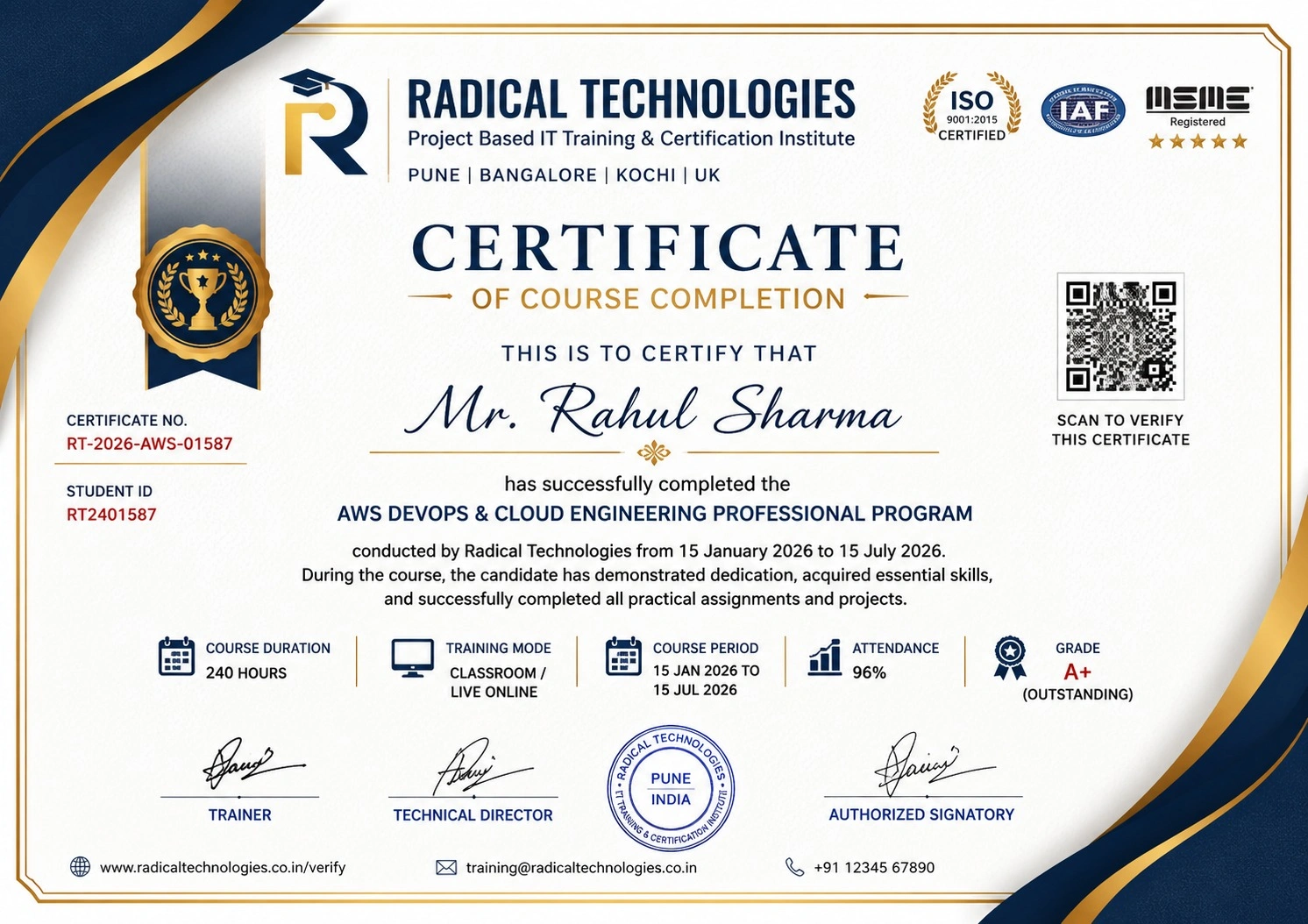
Global Certification
Radical Technologies is the leading IT certification institute in Pune, offering globally recognized certifications across various domains. With expert trainers and comprehensive materials, we ensure students gain in-depth knowledge and hands-on experience to excel in their careers. Our certification programs are tailored to meet industry standards — from cloud technologies to data science — empowering individuals to stay ahead in the ever-evolving tech landscape.
Career Services
At Radical Technologies, we are committed to your success beyond the classroom. Our 100% Job Assistance program ensures that you are not only equipped with industry-relevant skills but also guided through the job placement process. With personalised resume building, interview preparation, and access to our extensive network of hiring partners, we help you take the next step confidently into your IT career.
Career Support
Join our Brush-up Session & get support until you find a job!
Get StartedRadical Learning Eco-System
Exam Simulator
Cloud SandBox
Hands-on Cloud Lab
Developer Coding Ground
Student Reviews
Course Rating
I attended the training for MSBI as well as ABInition Program at Aundh. Both the trainers are good. They cover to the depth of the program. Practicals being taken are really good and very helpful to raise confidence.
I enrolled here for MSBI Training . I would definitely recommend students to go for training here. All sessions are practical based. I would like to thank Mr. Prashant Patil for his wonderful guidance and his enthusiasm.
I have done MSBI class from Kharadi Radical. In demo lecture they told us that they will provide real time scenario, 1000+ practicals, projects, interview preparation, CV preparation. All are fake. Still they do not provide single call for …
I went for BI class, I just had a scratch knowledge about Business Intelligence and thanks to Santosh Prajapati for guiding me and helping me to reach my destination. He has a tremendous knowledge on Qlikview/Tableau, very patient and …
It was good experience for earning MSBI, very helpful.
It was very nice experience with MSBI. I very happy with classes.Our Trainer is awesome, very helpful. Radical is good choice for MSBI training.
Good teaching for MSBI by Anup G
I am planning to do MSBI(SSIS,SSRS,SSAS) from Kharadi Radical institute. But here nobody commented regarding that course. Anybody are here to help ,I heard Aundh institute is good for MSBI. But it is very far for me. Any comments are highly appreciated.
I have done MSBI training. Trainer Anup G has very thorough knowledge of MSBI. He is very patient in resolving each & every query. infrastructure is not much as good.Waiting for job assistance. …
I have taken MSBI coaching class, the trainer Anup G. provided best of his knowledge and real time experience to go through the entire course. But the training institute was not flexible with the timings. So I found it was a blessing in disguise. Will recommend for knowledge based learning.
Joined for MSBI, Experienced Trainer, Hands on experience with issue resolving , Quality Training Material


Frequently Asked Questions
15 questions about the MSBI course.
01 Is the Microsoft Power BI Course suitable for beginners?
02 What are the prerequisites for enrolling in the MSBI Course?
03 Can I attend the Power BI Classes online?
04 How does the MSBI Certification benefit my career?
05 Are hands-on projects included in the MSBI Training curriculum?
06 Do you provide placement assistance after completing the MSBI Course?
07 What is the duration of the Power BI Classes in Pune?
08 Are there any evening or weekend batches available for the MSBI Course?
09 Is financial aid available for the Power BI Training program?
10 Do you cover SSIS, SSRS, and SSAS in the MSBI Course?
11 Can I switch careers to Business Intelligence after completing the MSBI Training?
12 Are the MSBI Training materials provided?
13 Is the MSBI Certification globally recognized?
14 Are there any prerequisites for the MSBI Certification exam?
15 Can I access the MSBI Course Online from outside Pune?
MSBI Interview Questions
10 questions commonly asked in MSBI interviews.
- 01 Can you provide an overview of your experience with Microsoft Business Intelligence (MSBI) tools, including the specific components you've worked with (eg, SQL Server Integration Services, SQL Server Analysis Services, SQL Server Reporting Services)?
- 02 How do you design and develop ETL (Extract, Transform, Load) processes using SQL Server Integration Services (SSIS) to extract data from various sources and load it into a data warehouse or data mart?
- 03 Describe your experience with creating and maintaining SSIS packages for data migration, data cleansing, and data synchronization tasks
- 04 Can you explain your approach to implementing data quality checks and transformations within SSIS packages to ensure data accuracy and consistency?
- 05 Discuss your familiarity with SQL Server Analysis Services (SSAS) and how you've used it to build multidimensional or tabular models for analytical reporting and data analysis
- 06 Have you developed custom MDX queries or DAX expressions in SSAS to retrieve and manipulate data within multidimensional or tabular models? If yes, provide examples
- 07 Describe your experience with building and deploying SSAS cubes or tabular models, including considerations for partitioning, aggregation, and processing
- 08 How do you optimize SSAS cubes or tabular models for query performance and efficient data retrieval, especially when dealing with large volumes of data?
- 09 Discuss your experience with SQL Server Reporting Services (SSRS) and how you've used it to design and develop interactive reports, paginated reports, and mobile reports
- 10 Can you explain your approach to parameterizing and filtering SSRS reports to provide users with customized views of the data based on their requirements?
MSBI Course Certification with Training in Pune
Welcome to Radical Technologies, your premier destination for mastering Microsoft Power BI and MSBI in Pune! Our comprehensive courses and expert training are designed to equip you with the skills and knowledge needed to excel in the field of business intelligence and data warehousing.
Microsoft Power BI Course: Embark on your journey to becoming a Power BI expert with our Microsoft Power BI Course. Learn to leverage the full potential of Power BI for data visualization, analysis, and reporting.
Microsoft Power BI Training: Gain hands-on experience and practical skills through our Microsoft Power BI Training. Our experienced instructors will guide you through the intricacies of Power BI, from basic concepts to advanced techniques.
Microsoft Power BI Classes: Join our Microsoft Power BI Classes for interactive sessions and collaborative learning with industry professionals. Learn in a supportive environment conducive to skill development.
Online Course for Power BI: Access our Online Course for Power BI and learn from anywhere at your convenience. Benefit from flexible scheduling and personalized learning resources.
Power BI Classes in Pune: Enroll in our Power BI Classes in Pune and receive expert guidance from seasoned professionals. Join a vibrant learning community dedicated to mastering Power BI.
Business Intelligence Data Warehouse: Explore the world of Business Intelligence and Data Warehousing with our comprehensive training programs. Learn to design, implement, and optimize data warehouses for business analytics.
MSBI Course: Master the Microsoft Business Intelligence (MSBI) stack with our specialized MSBI Course. Gain proficiency in SQL Server Integration Services (SSIS), SQL Server Reporting Services (SSRS), and SQL Server Analysis Services (SSAS).
MSBI Training: Get hands-on training and practical experience with our MSBI Training programs. Learn to develop and deploy BI solutions using Microsoft’s powerful suite of tools and technologies.
MSBI Certification: Validate your expertise in Microsoft Business Intelligence with our MSBI Certification training. Prepare for Microsoft certification exams and enhance your career prospects.
MSBI Online Training: Access our MSBI Online Training platform for flexible and convenient learning options. Learn from industry experts through virtual classrooms and interactive sessions.
MSBI Full Course: Our MSBI Full Course covers all aspects of Microsoft Business Intelligence, including SSIS, SSRS, SSAS, and more. Gain a comprehensive understanding of BI concepts and tools.
MSBI Classes in Pune: Join our MSBI Classes in Pune for in-depth instruction and practical exercises. Collaborate with peers and instructors to enhance your learning experience.
MSBI Course Online: Participate in our MSBI Course Online and access high-quality training materials and resources from anywhere with an internet connection. Learn at your own pace and convenience.
MSBI Training and Placement: Benefit from our MSBI Training and Placement assistance program, designed to help you secure rewarding career opportunities in the field of Business Intelligence.
MSBI Training Online: Attend our MSBI Training Online sessions for interactive learning experiences and expert guidance from industry professionals. Develop practical skills through hands-on exercises and projects.
MSBI Course Duration: The duration of our MSBI Course varies depending on the program and level of proficiency desired. Contact our admissions team for detailed information on course duration.
MSBI Course Fee: Our MSBI Course Fee is competitive and offers excellent value for the comprehensive training and resources provided. We also offer flexible payment options to suit your budget.
MSBI Developer Course: Enhance your skills as a BI developer with our specialized MSBI Developer Course. Learn to design and implement BI solutions using Microsoft’s powerful tools and technologies.
MSBI Certification Microsoft: Earn your MSBI Certification from Microsoft and demonstrate your expertise in Business Intelligence and Data Warehousing. Our training programs prepare you for certification exams with confidence.
Join us at Radical Technologies and take the first step towards a successful career in Microsoft Power BI and MSBI. With our expert training and job placement assistance, you’ll be well-equipped to excel in the dynamic field of business intelligence and data analytics.
Our Alumni Work At






















Related Courses
MSBI Course In Other Cities
Online Batches Available For These Areas
Ambegaon Budruk | Aundh | Baner | Bavdhan Khurd | Bavdhan Budruk | Balewadi | Shivajinagar | Bibvewadi | Bhugaon | Bhukum | Dhankawadi | Dhanori | Dhayari | Erandwane | Fursungi | Ghorpadi | Hadapsar | Hingne Khurd | Karve Nagar | Kalas | Katraj | Khadki | Kharadi | Kondhwa | Koregaon Park | Kothrud | Lohagaon | Manjri | Markal | Mohammed Wadi | Mundhwa | Nanded | Parvati Hill | Panmala | Pashan | Pirangut | Shivane | Sus | Undri | Vishrantwadi | Vitthalwadi | Vadgaon Khurd | Vadgaon Budruk | Vadgaon Sheri | Wagholi | Wanwadi | Warje | Yerwada | Akurdi | Bhosari | Chakan | Charholi Budruk | Chikhli | Chimbali | Chinchwad | Dapodi | Dehu Road | Dighi | Dudulgaon | Hinjawadi | Kalewadi | Kasarwadi | Maan | Moshi | Phugewadi | Pimple Gurav | Pimple Nilakh | Pimple Saudagar | Pimpri | Ravet | Rahatani | Sangvi | Talawade | Tathawade | Thergaon | Wakad
MSBI
IT Training Programme
100% placement assistance