
ETAP (ELECTRICAL TRANSIENT ANALYSIS PROGRAM)
The ETAP (Electrical Transient Analysis Program) course is designed for professionals and students who want to learn power system analysis, design, and simulation using ETAP software. The training covers electrical network modeling, load flow analysis, short circuit studies, protection coordination, motor starting analysis, arc flash studies, and power system optimization. Through hands-on exercises and practical industry scenarios, learners gain the skills needed to analyze and manage electrical power systems efficiently. This course is ideal for electrical engineers, power system engineers, project engineers, maintenance professionals, and engineering students looking to build expertise in power system design and analysis.
ETAP (ELECTRICAL TRANSIENT ANALYSIS PROGRAM)
IT Training Programme
100% placement assistance
Enquire Now
Get course fees, batch dates & a callback
What you'll learn
Programme Overview
22 sections covering the complete curriculum — a single, progressive learning arc.
Foundations & Core Concepts
Get hands-on with the fundamentals and architecture — the building blocks for everything that follows.
Hands-On Practical Training
Work through real exercises and assignments designed to mirror what you will do on the job.
Real-World Projects
Apply what you have learned to end-to-end projects that go straight into your portfolio.
Advanced Techniques
Go beyond the basics with advanced concepts, integrations and production-grade practices.
Ecosystem Integration
Understand how this technology connects with the broader tools and platforms used in the industry.
Performance & Interview Prep
Master optimization techniques and prepare for the technical interview questions employers actually ask.
Who is this programme for?
Whether you're already writing code, working with data, or supporting applications today — this programme is built to take you into a OTHER role.
Software Developers
Engineers who want to add this skill set to their toolkit
Analysts & Consultants
Professionals moving into a more technical, hands-on role
IT Professionals
System admins and support engineers upskilling into a new domain
Fresh Graduates
CS/IT graduates aiming for a job-ready technical role
Course Curriculum
22 sections • 230 lessons • 50 hours
Jump to Section
Total Duration
50 hours
100% Practical · Unlimited Doubt Sessions
01 ETAP (Electrical Transient Analysis Program) Training Syllabus.
Power System Design, Analysis & Protection Engineering Program
With Projects, Assignments & Real-Time Industry Scenarios
Duration: 40–50 Hours
02 Target Audience
03 🎯 Training Objectives
04 Module 1: Fundamentals of Power Systems & ETAP
Topics
ETAP Overview
ETAP Project Setup
Practical Lab
Assignment
- ›Create Single Line Diagram (SLD) of a Small Industry.
05 Module 2: Single Line Diagram Development
Topics
SLD Concepts
Electrical Equipment Modeling
ETAP Libraries
Assignment
- ›Create Electrical Distribution Network.
Job Scenario
- ›Design electrical network for a new factory.
06 Module 3: Load Flow Analysis
Topics
Load Flow Fundamentals
Load Flow Methods
Load Flow Reports
Voltage Drop Analysis
Practical Lab
Assignment
- ›Identify overloaded equipment.
Job Scenario
- ›Evaluate voltage drops in a manufacturing facility.
07 Module 4: Short Circuit Analysis
Topics
Fault Types
IEC Standards
ANSI Standards
Fault Current
Practical Lab
Assignment
- ›Calculate fault levels for a substation.
Job Scenario
- ›Determine breaker ratings for a new facility.
- ›
08 Module 5: Protective Device Coordination
Topics
Protection Fundamentals
Relays
Circuit Breakers
Fuse Coordination
Time Current Curves (TCC)
Practical Lab
Assignment
- ›Develop Protection Coordination Scheme.
Job Scenario
- ›Resolve nuisance tripping in industrial systems.
09 Module 6: Motor Starting Analysis
Topics
Motor Characteristics
Starting Methods
Voltage Dip Analysis
Dynamic Simulation
Practical Lab
Assignment
- ›Analyze impact of large motor starting.
Job Scenario
- ›Prevent voltage dips during motor startup.
10 Module 7: Harmonic Analysis
Topics
Harmonic Fundamentals
Sources of Harmonics
THD Analysis
Harmonic Filters
IEEE 519 Standards
Practical Lab
Assignment
- ›Reduce harmonics in industrial system.
Job Scenario
- ›Analyze VFD-generated harmonics.
11 Module 8: Arc Flash Analysis
Topics
Arc Flash Fundamentals
Hazard Categories
Incident Energy Calculation
Arc Flash Boundary
PPE Requirements
IEEE 1584 Standards
Practical Lab
Assignment
- ›Prepare Arc Flash Report.
Job Scenario
- ›Conduct safety assessment for electrical panels.
12 Module 9: Cable Sizing & Ampacity Analysis
Topics
Cable Selection
Ampacity Calculations
Voltage Drop Calculations
Cable Derating Factors
Practical Lab
Job Scenario
- ›Optimize cable sizing for cost and safety.
- ›
13 Module 10: Ground Grid System Design
Topics
Earthing Fundamentals
Ground Resistance
Step & Touch Potential
Ground Grid Design
IEEE 80 Standards
Practical Lab
Assignment
- ›Design Grounding System.
Job Scenario
- ›Improve grounding system for electrical safety.
14 Module 11: Renewable Energy Integration
Topics
Solar Power Systems
Wind Power Systems
Battery Energy Storage Systems (BESS)
Grid Integration Studies
Microgrid Concepts
Practical Lab
Assignment
- ›Integrate Solar System with Grid.
Job Scenario
- ›Evaluate renewable energy integration impact.
15 Module 12: Power System Stability Analysis
Topics
Stability Concepts
Transient Stability
Dynamic Stability
Contingency Analysis
Load Shedding
Practical Lab
Assignment
- ›Analyze system response during faults.
Job Scenario
- ›Evaluate network reliability.
- ›
16 Module 13: ETAP Reporting & Documentation
Topics
Report Generation
Project Documentation
Compliance Reports
Client Deliverables
Practical Lab
Assignment
- ›Prepare Final Project Documentation.
17 🚀 Industry Projects
Project 1: Industrial Power System Design
Scope
Deliverables
Project 2: Substation Protection Coordination
Scope
Deliverables
Project 3: Solar Power Plant Integration
Scope
Deliverables
Project 4: Arc Flash Hazard Assessment
Scope
Deliverables
18 📝 Assignments
Assignment 1
- ›Create Industrial SLD
Assignment 2
- ›Perform Load Flow Study
Assignment 3
- ›Conduct Short Circuit Analysis
Assignment 4
- ›Develop Relay Coordination Scheme
Assignment 5
- ›Analyze Motor Starting Impact
Assignment 6
- ›Perform Harmonic Analysis
Assignment 7
- ›Design Ground Grid
Assignment 8
- ›Generate Arc Flash Report
Assignment 9
- ›Integrate Solar Plant
Assignment 10
- ›Prepare Engineering Documentation
19 💼 Real-Time Job-Oriented Scenarios
Scenario 1
- ›Voltage drops occurring in a manufacturing facility.
Task: Perform load flow analysis and recommend corrective actions.
Scenario 2
- ›Frequent breaker trips in a plant.
Task: Conduct protection coordination study.
Scenario 3
- ›Utility requests fault level calculations.
Task: Perform short circuit study.
Scenario 4
- ›Large motor startup affecting production lines.
Task: Analyze motor starting impact.
Scenario 5
- ›Electrical safety audit required.
Task: Conduct arc flash analysis.
Scenario 6
- ›High harmonics due to VFDs.
Task: Perform harmonic mitigation study.
Scenario 7
- ›Solar plant integration project.
Task: Assess grid impact and stability.
Scenario 8
- ›Substation grounding issue.
Task: Design grounding system.
Scenario 9
- ›Expansion of industrial facility.
Task: Evaluate power system capacity.
Scenario 10
- ›Client requires compliance documentation.
Task: Generate ETAP engineering reports.
20 🛠 Industries Using ETAP
21 🎯 Career Opportunities
22 🎓 Recommended Certifications & Skills
Tools & Technologies
Every tool listed here is installed, configured and used in a hands-on lab session.
Hands-On Labs
Practical Environment
Industry-Standard Tools
Real-World Setup
Guided Exercises
Skill Building
Sample Datasets
Practice Material
Mini Projects
Applied Practice
Assignments
Mentor Reviewed
Doubt Sessions
Live Support
Resume Building
Career Support
Mock Interviews
Interview Prep
Certification Prep
Global Recognition
Production Practices
Real-World Ready
Best Practices
Industry Standards
You don't just learn ETAP (ELECTRICAL TRANSIENT ANALYSIS PROGRAM). You ship it.
Three major projects, each mirroring how production teams actually work — from guided foundations to a portfolio-ready capstone.
Guided Foundation Project
→Requirement Analysis
→Guided Implementation
→Mentor Review
→Iteration
Apply the fundamentals in a structured, mentor-reviewed project
Take the core concepts from the first half of the curriculum and apply them to a realistic scenario, with guidance and feedback from your mentor at every step.
Applied Practice Project
→Scenario Design
→Independent Build
→Testing & Validation
→Peer Review
Build a more independent project mirroring real production scenarios
Work through a project that combines multiple concepts from the curriculum, closer to how work is actually structured on the job — less hand-holding, more ownership.
Capstone Project
→Planning
→End-to-End Build
→Review & Refinement
→Presentation
Take a project from requirements to a polished, portfolio-ready deliverable
Your final project — plan, build, test and present a complete solution using everything covered in the curriculum, reviewed by mentors before you graduate.
All 3 projects go directly into your portfolio & resume — reviewed by mentors before you graduate.
See Sample Project ReportsUpcoming Batches
Why Radical Technologies
- Highly practical oriented training
- Installation support on your system
- 24/7 Email and Phone support
- 100% Placement Assistance
- Global Certification Preparation
- Trainer-Student Interactive Portal
- Assignments and Projects by Mentors
- Weekend / Weekdays / Morning / Evening batches
- 80:20 Practical and Theory ratio
- Real-life Case Studies
- Easy make-up for missed sessions
- PSI | Kryterion | Redhat Test Centers
- Lifetime Video Classroom Access (coming soon)
- Resume Prep and Mock Interviews
- Learn 300+ courses at your own time
- 50,000+ Satisfied Learners
- Course Completion Certificate
- Practical Labs available
- Mentor Support available
- Doubt Clearing Session available
- 10% Discounted Global Certification
Like the Curriculum? Let's Get Started
Join 50,000+ students already enrolled at Radical Technologies
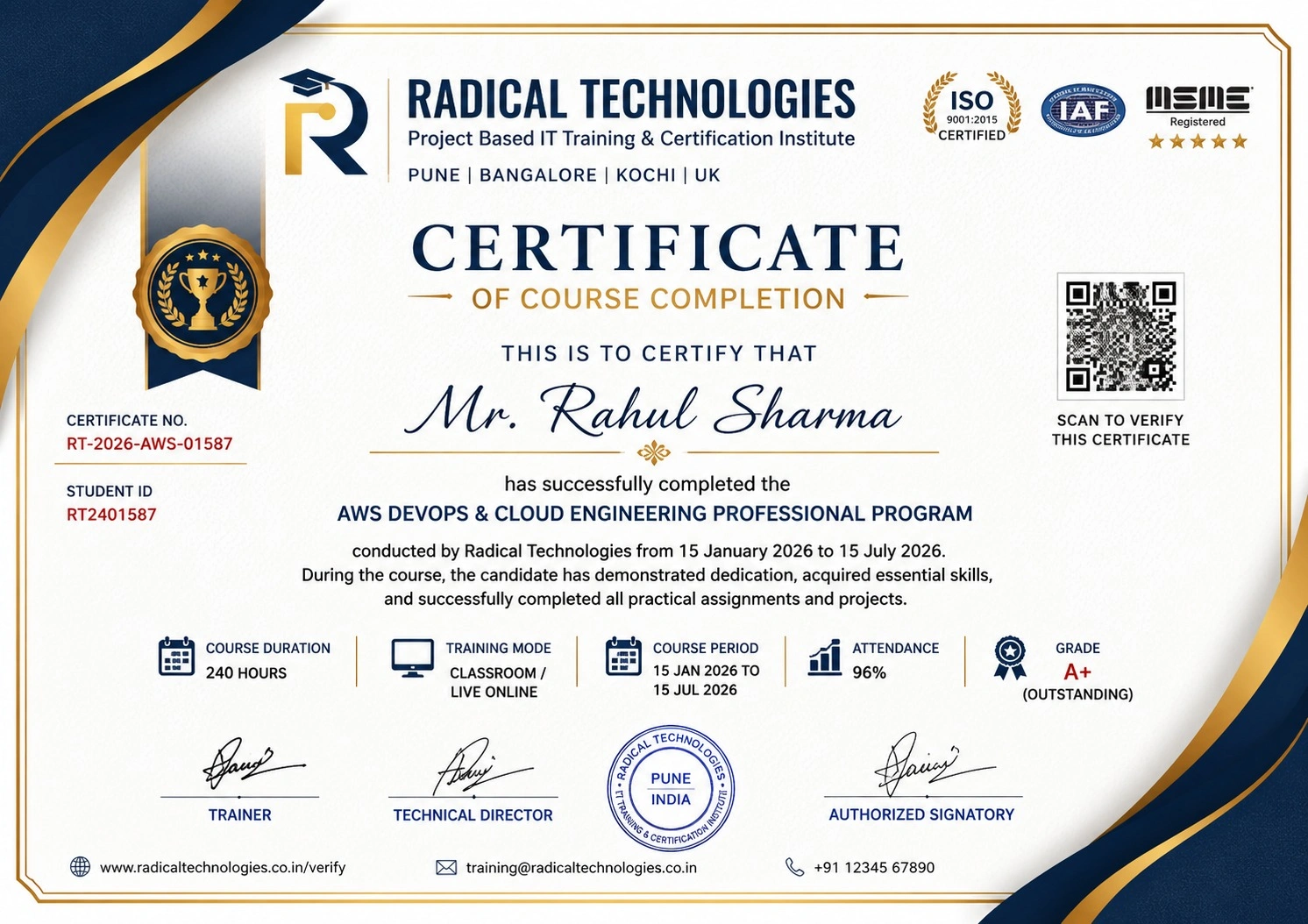
Global Certification
Radical Technologies is the leading IT certification institute in Pune, offering globally recognized certifications across various domains. With expert trainers and comprehensive materials, we ensure students gain in-depth knowledge and hands-on experience to excel in their careers. Our certification programs are tailored to meet industry standards — from cloud technologies to data science — empowering individuals to stay ahead in the ever-evolving tech landscape.
Career Services
At Radical Technologies, we are committed to your success beyond the classroom. Our 100% Job Assistance program ensures that you are not only equipped with industry-relevant skills but also guided through the job placement process. With personalised resume building, interview preparation, and access to our extensive network of hiring partners, we help you take the next step confidently into your IT career.
Career Support
Join our Brush-up Session & get support until you find a job!
Get StartedRadical Learning Eco-System
Exam Simulator
Cloud SandBox
Hands-on Cloud Lab
Developer Coding Ground
Student Reviews
Course Rating
The Revit MEP Course in Bengaluru at Radical Technologies was well-structured and highly practical. The hands-on approach helped me gain real-world skills.
Enrolling in the Revit MEP Certification in Bengaluru at Radical Technologies was a game-changer for my career. The instructors are experienced and approachable.
I took the Revit MEP Online Classes in Bengaluru, and the learning experience was seamless. The live sessions and recorded content made it easy to revisit concepts.
Radical Technologies is undoubtedly the best Revit MEP Institute in Bengaluru. Their training methodology is unmatched, and they provide excellent placement support.
The Revit MEP Online Course in Bengaluru offered by Radical Technologies allowed me to learn at my own pace without compromising quality.
If you're looking for Revit MEP Classes in Bengaluru, Radical Technologies is the right choice. Their detailed curriculum and project-based training are very effective.
The Revit MEP Corporate Training in Bengaluru conducted by Radical Technologies helped our team upskill quickly and efficiently. We highly recommend them.
I joined the Revit MEP Online Training in Bengaluru, and it was worth every penny. The trainers clarified all my doubts and provided excellent resources.
Radical Technologies offers the best Revit MEP Training in Bengaluru. Their real-time project work gave me the confidence to handle complex designs.
The Revit MEP Certification in Bengaluru from Radical Technologies added tremendous value to my resume and helped me secure a better job.
The instructors at Radical Technologies make learning easy. The Revit MEP Course in Bengaluru was comprehensive and well-paced.
I was impressed by the quality of the Revit MEP Online Certification in Bengaluru. The content was industry-relevant and up-to-date.
Radical Technologies’ Revit MEP Online Course in Bengaluru is perfect for working professionals. The flexible schedule allowed me to balance work and study.
The Revit MEP Classes in Bengaluru at Radical Technologies are highly interactive. The trainers are supportive and knowledgeable.
I had a great learning experience with the Revit MEP Online Classes in Bengaluru. The trainers ensured we understood the concepts thoroughly.
Radical Technologies is the best Revit MEP Institute in Bengaluru for anyone looking to start a career in building design and modeling.
The Revit MEP Corporate Training in Bengaluru delivered by Radical Technologies exceeded our expectations. The team became much more efficient in using BIM tools.
I joined the Revit MEP Online Training in Bengaluru to upgrade my skills, and it was an excellent decision. The trainers were very patient and knowledgeable.
Thanks to the Revit MEP Course in Bengaluru at Radical Technologies, I was able to complete a live project confidently during my training period.
The Revit MEP Certification in Bengaluru from Radical Technologies opened new career opportunities for me. The placement support was very helpful.
I opted for the Revit MEP Online Course in Bengaluru, and I loved the flexibility it offered. The content delivery was smooth and detailed.
Radical Technologies provides top-notch Revit MEP Training in Bengaluru. The practical sessions gave me the confidence to handle industry challenges.
The Revit MEP Online Certification in Bengaluru I completed at Radical Technologies gave me a competitive edge in my job search.
Radical Technologies offers the best Revit MEP Classes in Bengaluru with an updated syllabus and expert trainers. Highly recommended!
I took the Revit MEP Online Classes in Bengaluru, and the experience was amazing. The trainers are industry professionals who share real-world insights.






ETAP (ELECTRICAL TRANSIENT ANALYSIS PROGRAM) Interview Questions
10 questions commonly asked in ETAP (ELECTRICAL TRANSIENT ANALYSIS PROGRAM) interviews.
- 01 What are the primary benefits of using Revit MEP in Building Information Modeling (BIM) compared to traditional CAD tools?
- 02 Can you explain the workflow for designing an HVAC system in Revit MEP, including load calculations and duct placement?
- 03 How do you perform clash detection in Revit MEP, and what steps do you take to resolve detected conflicts?
- 04 Describe the process of creating custom parametric components (families) in Revit MEP and provide an example of their practical use.
- 05 What tools in Revit MEP are used for energy analysis, and how can they help in designing sustainable building systems?
- 06 How do you manage collaboration between mechanical, electrical, and plumbing teams within a Revit MEP project?
- 07 What are the best practices for optimizing Revit MEP models to ensure smooth performance, especially in large-scale projects?
- 08 How would you use Revit MEP to design and analyze fire protection systems, including sprinkler layouts and pipe routing?
- 09 What steps would you take to ensure compliance with local building codes and standards when designing electrical systems in Revit MEP?
- 10 Can you explain how schedules and material takeoffs are generated in Revit MEP and their significance in project documentation?
ETAP (Electrical Transient Analysis Program) Course Certification with Training In Pune
Radical Technologies is the leading institute in Bengaluru for comprehensive Revit MEP Training, offering industry-focused courses to help students and professionals excel in the field of Building Information Modeling (BIM). With a proven track record of delivering top-notch training, we are committed to providing unparalleled learning experiences through expert-led sessions and hands-on projects.
Our Revit MEP Course in Bengaluru is designed to equip learners with practical skills and in-depth knowledge of mechanical, electrical, and plumbing systems. We take pride in being the preferred choice for individuals seeking to advance their careers through our Revit MEP Certification in Bengaluru and placement-focused training programs.
Experienced Trainers: Our instructors are industry experts with years of hands-on experience in Revit MEP and BIM projects.
Real-World Projects: We emphasize project-based learning, ensuring our students gain practical expertise.
Placement Support: Our dedicated placement team connects you with top companies, helping you kickstart or advance your career.
Flexible Learning Options: Whether you prefer classroom sessions or online learning, we have options tailored to your needs.
At Radical Technologies, we are more than just a Revit MEP Institute in Bengaluru; we are your partners in professional growth. Join us today and take the first step towards mastering Revit MEP and excelling in the competitive AEC (Architecture, Engineering, and Construction) industry.
For more information on our Revit MEP Training in Bengaluru, contact us today!
Our Alumni Work At


























Related Courses


ETAP (ELECTRICAL TRANSIENT ANALYSIS PROGRAM) Course In Other Cities
Online Batches Available For These Areas
Ambegaon Budruk | Aundh | Baner | Bavdhan Khurd | Bavdhan Budruk | Balewadi | Shivajinagar | Bibvewadi | Bhugaon | Bhukum | Dhankawadi | Dhanori | Dhayari | Erandwane | Fursungi | Ghorpadi | Hadapsar | Hingne Khurd | Karve Nagar | Kalas | Katraj | Khadki | Kharadi | Kondhwa | Koregaon Park | Kothrud | Lohagaon | Manjri | Markal | Mohammed Wadi | Mundhwa | Nanded | Parvati Hill | Panmala | Pashan | Pirangut | Shivane | Sus | Undri | Vishrantwadi | Vitthalwadi | Vadgaon Khurd | Vadgaon Budruk | Vadgaon Sheri | Wagholi | Wanwadi | Warje | Yerwada | Akurdi | Bhosari | Chakan | Charholi Budruk | Chikhli | Chimbali | Chinchwad | Dapodi | Dehu Road | Dighi | Dudulgaon | Hinjawadi | Kalewadi | Kasarwadi | Maan | Moshi | Phugewadi | Pimple Gurav | Pimple Nilakh | Pimple Saudagar | Pimpri | Ravet | Rahatani | Sangvi | Talawade | Tathawade | Thergaon | Wakad
ETAP (ELECTRICAL TRANSIENT ANALYSIS PROGRAM)
IT Training Programme
100% placement assistance