Radical Technologies
DEVOPS
★★★★★
(2,095 ratings)  50,000+ Student

GH-300 – GITHUB COPILOT

GH-300 – GitHub Copilot Training helps you use AI to code faster, debug smarter, write tests, and improve your development workflow. With hands-on projects and real-world scenarios, build practical GitHub Copilot skills and prepare for the GH-300 Certification.

RT
Radical Technologies
50,000+ English 40 Hours Weekdays / Weekends Classroom / Online / Corporate
Online / Classroom

GH-300 – GITHUB COPILOT

IT Training Programme

Duration 40 Hours
Batch Type Weekdays / Weekends
Mode of Training Classroom / Online / Corporate
Locations Pune, Bangalore, Kochi
Language English
Certification Globally Recognized
Call Now

100% placement assistance

Enquire Now

Get course fees, batch dates & a callback

We never share your details.

What you'll learn

Understand core concepts and architecture from the ground up
Get hands-on with the tools used by working professionals
Build real-world projects you can add to your portfolio
Learn industry best practices and coding standards
Practice with real datasets and real-world scenarios
Prepare for certification and technical interviews
Work on collaborative, team-based exercises
Apply performance tuning and optimization techniques
Understand how the technology fits into a larger ecosystem
Complete assignments reviewed by mentors

Programme Overview

17 sections covering the complete curriculum — a single, progressive learning arc.

40 Hours
Training Duration
17
Core Modules
603
Total Lessons
4.7
Average Rating
50K+
Students Trained
01

Foundations & Core Concepts

Get hands-on with the fundamentals and architecture — the building blocks for everything that follows.

Fundamentals Architecture Setup
02

Hands-On Practical Training

Work through real exercises and assignments designed to mirror what you will do on the job.

Practicals Assignments Labs
03

Real-World Projects

Apply what you have learned to end-to-end projects that go straight into your portfolio.

Projects Portfolio Case Studies
04

Advanced Techniques

Go beyond the basics with advanced concepts, integrations and production-grade practices.

Advanced Integration Best Practices
05

Ecosystem Integration

Understand how this technology connects with the broader tools and platforms used in the industry.

Ecosystem Tools Platforms
06

Performance & Interview Prep

Master optimization techniques and prepare for the technical interview questions employers actually ask.

Optimization Interview Prep Certification

Who is this programme for?

Whether you're already writing code, working with data, or supporting applications today — this programme is built to take you into a DEVOPS role.

Software Developers

Engineers who want to add this skill set to their toolkit

Analysts & Consultants

Professionals moving into a more technical, hands-on role

IT Professionals

System admins and support engineers upskilling into a new domain

Fresh Graduates

CS/IT graduates aiming for a job-ready technical role

Course Curriculum

17 sections  •  603 lessons  •  40 Hours

01 COURSE OVERVIEW

This program is designed to take learners from GitHub Copilot fundamentals to advanced, enterprise-level AI-assisted software development.

The training focuses on:

GitHub Copilot fundamentals
AI-assisted coding
Prompt engineering for developers
Code generation and explanation
Code completion and refactoring
Debugging with Copilot
Unit-test generation
Documentation generation
GitHub Copilot Chat
Copilot across IDEs
Copilot for GitHub workflows
Copilot CLI
Secure AI-assisted development
Responsible AI practices
Developer productivity
Enterprise Copilot adoption
Real-world development scenarios
Interview and certification preparation
02 PREREQUISITES

Technical Prerequisites

Basic programming knowledge

• Any one programming language:

Python
Java
JavaScript / TypeScript
C#
C++
Basic Git knowledge
Basic GitHub knowledge
Understanding of source-code repositories
Basic command-line knowledge
Basic software-development lifecycle knowledge

Recommended

VS Code knowledge
Git branching and pull requests
Basic REST API concepts
Basic debugging knowledge

No prior Generative AI expertise is required.

03 FUNDAMENTALS

GitHub Fundamentals

Git vs GitHub
Repository concepts
Branches
Commits
Pull Requests
Issues
Code Reviews
GitHub Actions overview
GitHub organizations
Repository permissions

Generative AI Fundamentals

What is Generative AI?
Large Language Models
Tokens
Context windows
Prompts
AI-generated code
AI-assisted development
Hallucinations
AI limitations
Human-in-the-loop development

GitHub Copilot Fundamentals

What is GitHub Copilot?
How Copilot works
Copilot architecture concepts
Copilot-supported development workflows
Copilot suggestions
Inline code completion
Copilot Chat
Context-aware assistance
Copilot interaction models
04 CORE TECHNICAL TOPICS – OUR MAIN SYLLABUS

MODULE 1 – GitHub Copilot Introduction

GitHub Copilot overview
Copilot capabilities
Copilot product ecosystem
Copilot plans and licensing concepts
Copilot-enabled development
Copilot-supported IDEs
Copilot workflow
Copilot limitations
Responsible usage
Human review of AI-generated code

MODULE 2 – Setting Up GitHub Copilot

GitHub account and organization concepts
Copilot subscription concepts
Enabling Copilot
Installing Copilot extensions
VS Code configuration
JetBrains configuration
Visual Studio configuration
GitHub Codespaces
Copilot settings
Copilot suggestions
Keyboard shortcuts
Copilot Chat interface

MODULE 3 – GitHub Copilot Code Completion

Inline suggestions
Code completion
Function generation
Variable generation
Loops and conditions
Classes
Methods
APIs
SQL queries
Regular expressions
Configuration files
YAML generation
JSON generation

Practical Development

Generate code
Accept suggestions
Reject suggestions
Modify suggestions
Compare alternatives
Validate generated code

MODULE 4 – Prompt Engineering for GitHub Copilot

Prompt Fundamentals

Effective prompts
Context-aware prompts
Role-based prompting
Task-based prompting
Constraint-based prompting
Structured prompts
Iterative prompting

Developer Prompting

Generate code
Explain code
Refactor code
Optimize code
Debug code
Generate tests
Generate documentation
Convert code
Review code

Advanced Prompting

Multi-step prompts
Context management
Providing requirements
Providing technical constraints
Error-driven prompting
Repository-aware prompting

MODULE 5 – GitHub Copilot Chat

Copilot Chat fundamentals
Asking technical questions
Explain code
Fix code
Optimize code
Refactor code
Generate code
Generate documentation
Generate tests
Debugging with Chat
Understanding unfamiliar repositories
Understanding architecture

Developer Productivity

Generate boilerplate
Generate classes
Generate functions
Generate API endpoints
Generate database queries
Generate configuration
Generate scripts

MODULE 6 – Code Explanation & Understanding

Explain existing code
Explain functions
Explain classes
Explain algorithms
Explain dependencies
Explain error messages
Explain stack traces
Explain unfamiliar codebases
Generate technical documentation
Generate README files

Legacy Application Understanding

Analyze legacy code
Identify dependencies
Identify technical debt
Suggest modernization
Generate documentation
Generate test cases

MODULE 7 – Code Generation

Application Development

Python application
Java application
JavaScript application
TypeScript application
C# application
REST APIs
CRUD applications
Authentication modules
Database integration
Microservices

Copilot-Assisted Development

Generate application structure
Generate classes
Generate services
Generate controllers
Generate repositories
Generate API clients
Generate configuration

MODULE 8 – Debugging with GitHub Copilot

Debugging fundamentals
Error analysis
Stack-trace analysis
Runtime errors
Compilation errors
Logical errors
Dependency errors
API errors
Database errors

Copilot Debugging Workflow

Error → Explain → Identify Root Cause → Suggest Fix → Test → Validate

MODULE 9 – Refactoring & Code Optimization

Code refactoring
Clean code
SOLID principles
Design patterns
Duplicate-code detection
Code simplification
Performance optimization
Memory optimization
Query optimization
Maintainability improvement

Practical Exercises

Refactor legacy Python code
Refactor Java application
Optimize JavaScript
Optimize SQL queries
Improve API implementation

MODULE 10 – Testing with GitHub Copilot

Unit testing
Integration testing
API testing
Test case generation
Test-data generation
Edge-case identification
Negative testing
Regression testing

Frameworks

PyTest
JUnit
Jest
NUnit
Playwright

Copilot-Assisted Testing

Generate unit tests
Generate test scenarios
Generate mocks
Generate test data
Increase code coverage
Identify missing test cases

MODULE 11 – Documentation with Copilot

Code comments
Function documentation
API documentation
README generation
Technical documentation
Architecture documentation
Troubleshooting guides
Runbooks
Release notes
Change summaries

MODULE 12 – GitHub Copilot CLI

Copilot CLI concepts
Command-line assistance
Shell command generation
Linux commands
Git commands
File operations
Troubleshooting commands
Automation scripts
Command explanation

Practical

Generate Linux commands
Generate Git commands
Build shell scripts
Troubleshoot command errors
Automate repetitive tasks

MODULE 13 – Copilot for DevOps

CI/CD concepts
GitHub Actions
Workflow YAML
Pipeline generation
Build automation
Deployment automation
Dockerfile generation
Kubernetes YAML
Terraform assistance

Tools

GitHub Actions
Docker
Kubernetes
Terraform
Azure
AWS
GCP

MODULE 14 – Copilot for Cloud Development

Cloud Development

Cloud architecture assistance
Cloud CLI commands
Infrastructure scripts
Terraform configuration
Docker configuration
Kubernetes manifests
CI/CD pipelines
Cloud troubleshooting

Practical

Generate AWS configuration
Generate Azure configuration
Generate GCP configuration
Generate Terraform
Generate Kubernetes manifests

MODULE 15 – Security with GitHub Copilot

Secure coding
Security-aware prompting
Vulnerability identification
Dependency vulnerabilities
Secrets management
Authentication
Authorization
Input validation
SQL injection
XSS
CSRF
Secure APIs

Security Tools

GitHub Code Scanning
Dependabot
Secret scanning
CodeQL

MODULE 16 – Responsible AI & Copilot Governance

AI ethics
Responsible AI
Human review
AI-generated code validation
Privacy considerations
Intellectual-property considerations
Security considerations
Sensitive information handling
Organizational policies
AI governance
Developer accountability

MODULE 17 – Enterprise GitHub Copilot

Enterprise Copilot concepts
Organization management
User management
Policies
Permissions
Licensing
Usage monitoring
Adoption strategies
Developer productivity
Governance
Security
Enterprise rollout

Enterprise Scenario

Organization → Teams → Policies → Copilot → Development → Security →
Monitoring

MODULE 18 – Advanced Copilot Development Workflows

Copilot-assisted architecture
Repository-level context
Large codebase analysis
Legacy modernization
Microservices development
API development
Full-stack development
Test automation
Documentation automation
DevOps automation

MODULE 19 – Copilot for Different Developer Roles

Software Developer

Code generation
Debugging
Refactoring
Testing

DevOps Engineer

YAML
Docker
Kubernetes
Terraform
CI/CD

Cloud Engineer

Cloud CLI
IaC
Automation
Troubleshooting

QA Engineer

Test generation
Automation
Test-data generation

Security Engineer

Secure coding
Code analysis
Security remediation

Data Engineer

SQL
Python
PySpark
ETL scripts
05 HANDS-ON LABS

30+ Practical Labs

GitHub Repository Creation
Copilot Account Configuration
VS Code Copilot Setup
Inline Code Completion
Generate Python Functions
Generate Java Classes
Generate JavaScript Functions
Generate REST API
Generate SQL Queries
Explain Existing Code
Debug Python Application
Debug Java Application
Refactor Legacy Code
Optimize Application Code
Generate Unit Tests
Generate Integration Tests
Generate Test Data
Generate Documentation
Generate README
Generate API Documentation
Copilot Chat Development
Copilot CLI
Generate Shell Scripts
GitHub Actions Workflow
Dockerfile Generation
Kubernetes YAML Generation
Terraform Code Generation
Secure-Code Analysis
Legacy Application Modernization
Enterprise Copilot Workflow
06 ASSIGNMENTS

40+ Job-Oriented Assignments

Create a GitHub repository
Configure Copilot
Generate Python functions
Generate Java classes
Generate REST API
Generate SQL queries
Explain legacy code
Refactor duplicate code
Optimize inefficient code
Generate unit tests
Generate negative test cases
Generate API tests
Generate documentation
Generate README
Create shell scripts
Debug application errors
Analyze stack traces
Fix dependency errors
Create GitHub Actions workflow
Generate Dockerfile
Generate Kubernetes deployment
Generate Terraform configuration
Generate CI/CD pipeline
Generate API authentication
Secure an application
Identify SQL injection
Fix XSS vulnerability
Improve input validation
Generate database scripts
Generate ETL code
Generate Python automation
Generate test automation
Analyze legacy application
Modernize legacy code
Generate microservice
Generate cloud automation
Generate monitoring script
Generate troubleshooting script
Create enterprise development workflow
Prepare Copilot implementation strategy
07 MINI PROJECTS

Mini Project 1 – AI-Assisted Python Automation Platform

Build Python automation scripts using GitHub Copilot for:

File processing
API integration
Logging
Error handling
Unit testing

Mini Project 2 – Copilot-Assisted REST API

Build a REST API with:

Authentication
CRUD
Database
Validation
Testing
Documentation

Mini Project 3 – AI-Assisted DevOps Pipeline

Build:

GitHub → GitHub Actions → Docker → Kubernetes
with Copilot assistance.

Mini Project 4 – Legacy Application Modernization

Analyze legacy code
Identify technical debt
Refactor
Generate tests
Improve documentation

Mini Project 5 – AI-Assisted Test Automation

Build an automated testing framework using:

GitHub Copilot + Playwright + JavaScript/TypeScript
08 CAPSTONE PROJECT

Enterprise AI-Assisted Software Development Platform Using GitHub Copilot

Architecture

Developer → GitHub Copilot → GitHub Repository → GitHub Actions → Build → Test → Security Scan → Docker → Kubernetes → Deployment

Project Components

GitHub repository
Branching strategy
Pull Requests
Copilot-assisted development
Application development
Unit testing
API testing
Code review
GitHub Actions
Docker
Kubernetes
Terraform
Security scanning
Documentation
Monitoring
Production deployment

Capstone Deliverables

Source code
Architecture diagram
CI/CD pipeline
Test suite
Security report
Documentation
Deployment configuration
Troubleshooting guide
Project presentation
09 REAL-TIME JOB-ORIENTED SCENARIOS
Developer needs to understand an unfamiliar codebase.
Generate a new REST API from requirements.
Fix production application errors.
Refactor legacy application code.
Improve application performance.
Generate unit tests for existing code.
Increase test coverage.
Generate API documentation.
Generate GitHub Actions pipeline.
Create Dockerfile.
Generate Kubernetes manifests.
Generate Terraform infrastructure.
Troubleshoot CI/CD failures.
Analyze stack traces.
Convert code from one language to another.
Generate SQL queries.
Optimize SQL queries.
Identify security vulnerabilities.
Fix insecure authentication.
Modernize legacy applications.
Generate automation scripts.
Create cloud deployment scripts.
Generate monitoring scripts.
Analyze pull-request changes.
Create developer documentation.
10 TROUBLESHOOTING SCENARIOS
Copilot suggestions not appearing
Copilot authentication issues
IDE extension problems
Incorrect code generation
Hallucinated APIs
Incorrect library usage
Generated code compilation failure
Dependency conflicts
Runtime errors
Unit-test failures
Incorrect test assumptions
GitHub Actions failures
Docker build failures
Kubernetes deployment errors
Terraform errors
API authentication failures
SQL query errors
Security vulnerabilities in generated code
Excessive or irrelevant suggestions
Copilot context limitations
11 INDUSTRY TOOLS

Development

GitHub
Git
GitHub Copilot
GitHub Copilot Chat
GitHub Copilot CLI
VS Code
Visual Studio
JetBrains IDEs
GitHub Codespaces

Programming

Python
Java
JavaScript
TypeScript
C#
C++

DevOps

GitHub Actions
Docker
Kubernetes
Terraform

Testing

Playwright
PyTest
JUnit
Jest
NUnit

Security

CodeQL
Dependabot
GitHub Code Scanning
GitHub Secret Scanning
12 BEST PRACTICES
Always review AI-generated code.
Never blindly accept Copilot suggestions.
Validate generated APIs and libraries.
Follow secure coding standards.
Never expose credentials or secrets.
Use meaningful prompts.
Provide sufficient context.
Write tests for generated code.
Perform code reviews.
Validate performance.
Follow organizational AI policies.
Use least-privilege access.
Maintain documentation.
Use Git branching strategies.
Integrate security into CI/CD.
Keep humans accountable for production decisions.
13 CERTIFICATION

Primary Certification

GitHub Copilot Certification – GH-300

Related Certification

GitHub Foundations – GH-900

GitHub Foundations – GH-900

GitHub Actions / DevOps-related credentials
Cloud certifications
Kubernetes certifications
Terraform certifications
Security certifications

Target Certification: GH-300 – GitHub Copilot

14 MOCK INTERVIEWS

5+ Mock Interviews

GitHub Copilot fundamentals
Copilot Chat
Prompt engineering
AI-assisted coding
Debugging
Testing
Security
DevOps
Real-time scenarios
HR interview
15 RESUME PREPARATION
ATS-friendly resume
GitHub Copilot skills
AI-assisted development projects
GitHub portfolio
Project descriptions
Technical keywords
LinkedIn profile optimization
Certification positioning
16 PLACEMENT ASSISTANCE
Job-oriented preparation
Interview question bank
Technical interview preparation
Scenario-based interviews
Mock interviews
Resume preparation
LinkedIn optimization
Job application guidance
Employer-specific preparation
Placement assistance
17 TARGET JOB ROLES

After completing GH-300 GitHub Copilot training, learners can position themselves for roles such as:

AI-Assisted Software Developer
Software Developer
Full Stack Developer
Python Developer
Java Developer
.NET Developer
DevOps Engineer
Cloud Engineer
Platform Engineer
DevSecOps Engineer
QA Automation Engineer
AI-Assisted Test Automation Engineer
Developer Productivity Engineer
GitHub Administrator
GitHub/DevOps Engineer
Software Engineering Productivity Specialis

Tools & Technologies

Every tool listed here is installed, configured and used in a hands-on lab session.

Core Tools

Hands-On Labs

Practical Environment

Industry-Standard Tools

Real-World Setup

Guided Exercises

Skill Building

Sample Datasets

Practice Material

Practice & Projects

Mini Projects

Applied Practice

Assignments

Mentor Reviewed

Doubt Sessions

Live Support

Career Readiness

Resume Building

Career Support

Mock Interviews

Interview Prep

Certification Prep

Global Recognition

Deployment & Delivery

Production Practices

Real-World Ready

Best Practices

Industry Standards

603+
Hands-On Lessons
17
Core Modules
40 Hours
Training Duration
100%
Practical Training

You don't just learn GH-300 – GITHUB COPILOT. You ship it.

Three major projects, each mirroring how production teams actually work — from guided foundations to a portfolio-ready capstone.

PROJECT // 01

Guided Foundation Project

Requirement Analysis

Guided Implementation

Mentor Review

Iteration

Foundation Beginner

Apply the fundamentals in a structured, mentor-reviewed project

Take the core concepts from the first half of the curriculum and apply them to a realistic scenario, with guidance and feedback from your mentor at every step.

Structured project brief
Step-by-step implementation
Mentor feedback and review
Documented outcome
Stack Core Concepts Best Practices
PROJECT // 02

Applied Practice Project

Scenario Design

Independent Build

Testing & Validation

Peer Review

Applied Intermediate

Build a more independent project mirroring real production scenarios

Work through a project that combines multiple concepts from the curriculum, closer to how work is actually structured on the job — less hand-holding, more ownership.

End-to-end implementation
Testing and validation
Documentation
Peer/mentor review
Stack Applied Skills Testing
PROJECT // 03

Capstone Project

Planning

End-to-End Build

Review & Refinement

Presentation

Capstone Advanced

Take a project from requirements to a polished, portfolio-ready deliverable

Your final project — plan, build, test and present a complete solution using everything covered in the curriculum, reviewed by mentors before you graduate.

Complete working solution
Presentation-ready documentation
Mentor sign-off
Portfolio-ready deliverable
Stack Full Curriculum Portfolio

All 3 projects go directly into your portfolio & resume — reviewed by mentors before you graduate.

See Sample Project Reports

Upcoming Batches

No upcoming batches scheduled right now. Enquire to get notified.

Why Radical Technologies

Live Online Training
  • Highly practical oriented training
  • Installation support on your system
  • 24/7 Email and Phone support
  • 100% Placement Assistance
  • Global Certification Preparation
  • Trainer-Student Interactive Portal
  • Assignments and Projects by Mentors
Live Classroom Training
  • Weekend / Weekdays / Morning / Evening batches
  • 80:20 Practical and Theory ratio
  • Real-life Case Studies
  • Easy make-up for missed sessions
  • PSI | Kryterion | Redhat Test Centers
  • Lifetime Video Classroom Access (coming soon)
  • Resume Prep and Mock Interviews
Self-Paced Training
  • Learn 300+ courses at your own time
  • 50,000+ Satisfied Learners
  • Course Completion Certificate
  • Practical Labs available
  • Mentor Support available
  • Doubt Clearing Session available
  • 10% Discounted Global Certification

Like the Curriculum? Let's Get Started

Join 50,000+ students already enrolled at Radical Technologies

Enroll Now

Global Certification

Radical Technologies is the leading IT certification institute in Pune, offering globally recognized certifications across various domains. With expert trainers and comprehensive materials, we ensure students gain in-depth knowledge and hands-on experience to excel in their careers. Our certification programs are tailored to meet industry standards — from cloud technologies to data science — empowering individuals to stay ahead in the ever-evolving tech landscape.
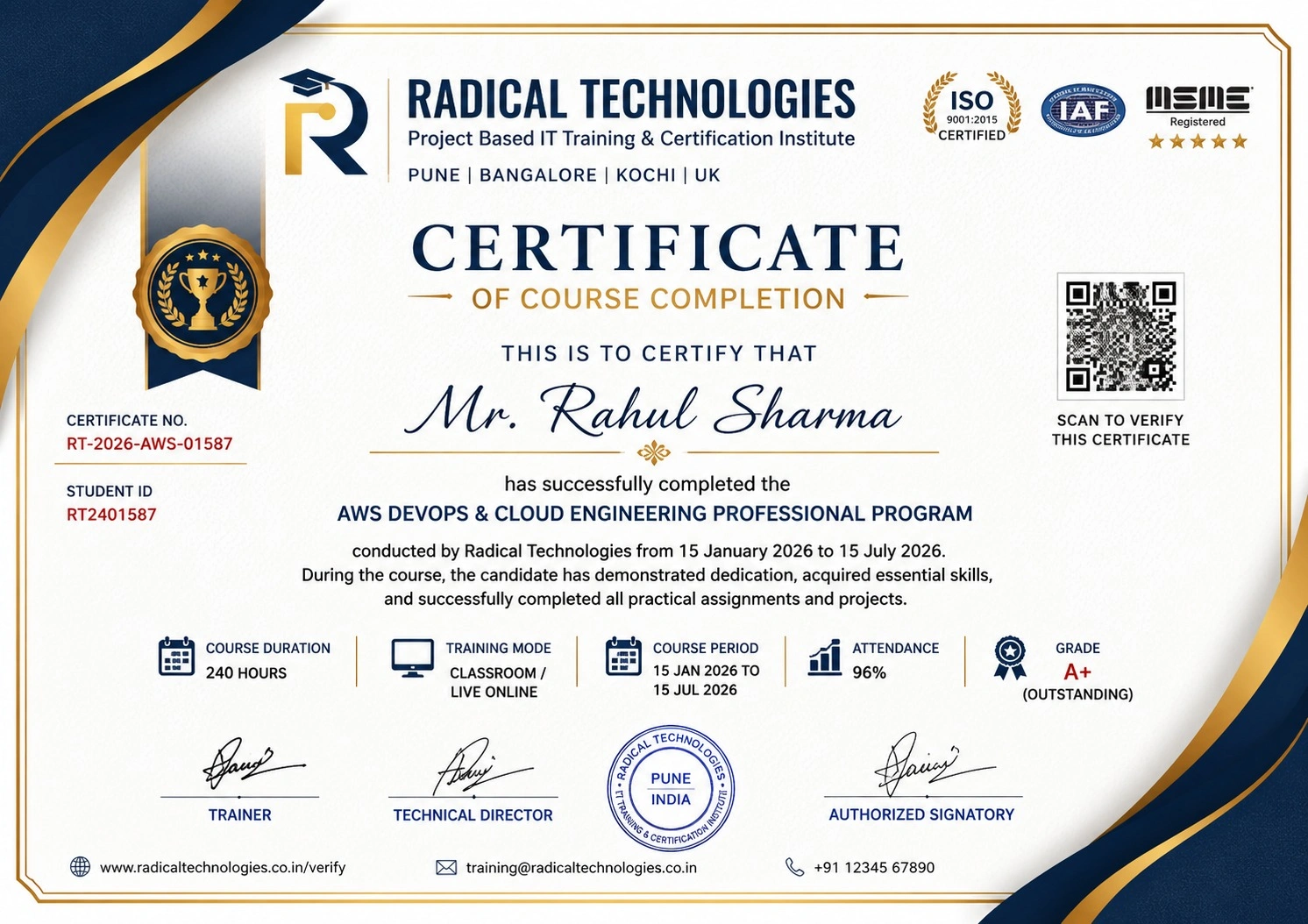
Certificate of Completion

Career Services

At Radical Technologies, we are committed to your success beyond the classroom. Our 100% Job Assistance program ensures that you are not only equipped with industry-relevant skills but also guided through the job placement process. With personalised resume building, interview preparation, and access to our extensive network of hiring partners, we help you take the next step confidently into your IT career.

Career Support

Course Completed? Need next steps?
Need Interview Supports?
Need Job Assistance?
Came from any other Institute?

Join our Brush-up Session & get support until you find a job!

Get Started

Radical Learning Eco-System

Exam Simulator

Cloud SandBox

Hands-on Cloud Lab

Developer Coding Ground

Student Reviews

4.7★
Average learner rating
50K+
Students trained
30+
Hiring companies alumni work at
100%
Placement assistance
4.7
★★★★★

Course Rating

★★★★★
79%
★★★★☆
16%
★★★☆☆
3%
★★☆☆☆
1%
★☆☆☆☆
1%

GH-300 – GITHUB COPILOT TRAINING PROGRAM

GH-300 – GitHub Copilot Training helps you use AI to code faster, debug smarter, write tests, and improve your development workflow. With hands-on projects and real-world scenarios, build practical GitHub Copilot skills and prepare for the GH-300 Certification. <B> Duration of Training : 40 Hours Batch type : Weekdays/Weekends Mode of Training : Classroom/Online/Corporate Training Detailed Syllabus • Hands-on Labs • Assignments • Support-Focused • Implementation </B>

Our Alumni Work At
Accenture
Amazon
Avisys Services
Birlasoft
Capgemini
Catchpoint
Cognizant
Darwish Cybertech
DataVision
GiBots
Google
Groots Software
HCL Technologies
IBM
Info Gain
Infosys
ITCube Solutions
KPIT
L&T Infotech
Microsoft
Mphasis
mPhatek
Oracle
Quantbit Technologies
Saina Cloud
TCS
Tech Mahindra
Wipro
YASH Technologies
Zensar Technologies
Accenture
Amazon
Avisys Services
Birlasoft
Capgemini
Catchpoint
Cognizant
Darwish Cybertech
DataVision
GiBots
Google
Groots Software
HCL Technologies
IBM
Info Gain
Infosys
ITCube Solutions
KPIT
L&T Infotech
Microsoft
Mphasis
mPhatek
Oracle
Quantbit Technologies
Saina Cloud
TCS
Tech Mahindra
Wipro
YASH Technologies
Zensar Technologies

Get a Call Back from Our Career Assistance Team

Request Callback