Radical Technologies
CAD/CAM/CAE
★★★★★
(2,095 ratings)  50,000+ Student

MATLAB & SIMULINK

MATLAB & Simulink – Training focuses on modeling, simulation & analysis for real-world engineering applications using MATLAB and Simulink tools. It is important as it helps professionals design, test & optimize systems in domains like control, signal processing & embedded systems. This training is ideal for engineers, researchers & students seeking hands-on expertise in simulation & system design.

RT
Radical Technologies
50,000+ English 50 hours Weekdays / Weekends Classroom / Online / Corporate
Online / Classroom

MATLAB & SIMULINK

IT Training Programme

Duration 50 hours
Batch Type Weekdays / Weekends
Mode of Training Classroom / Online / Corporate
Locations Pune, Bangalore, Kochi
Language English
Certification Globally Recognized
Call Now

100% placement assistance

Enquire Now

Get course fees, batch dates & a callback

We never share your details.

What you'll learn

Understand core concepts and architecture from the ground up
Get hands-on with the tools used by working professionals
Build real-world projects you can add to your portfolio
Learn industry best practices and coding standards
Practice with real datasets and real-world scenarios
Prepare for certification and technical interviews
Work on collaborative, team-based exercises
Apply performance tuning and optimization techniques
Understand how the technology fits into a larger ecosystem
Complete assignments reviewed by mentors

Programme Overview

14 sections covering the complete curriculum — a single, progressive learning arc.

50 hours
Training Duration
14
Core Modules
101
Total Lessons
4.8
Average Rating
50K+
Students Trained
01

Foundations & Core Concepts

Get hands-on with the fundamentals and architecture — the building blocks for everything that follows.

Fundamentals Architecture Setup
02

Hands-On Practical Training

Work through real exercises and assignments designed to mirror what you will do on the job.

Practicals Assignments Labs
03

Real-World Projects

Apply what you have learned to end-to-end projects that go straight into your portfolio.

Projects Portfolio Case Studies
04

Advanced Techniques

Go beyond the basics with advanced concepts, integrations and production-grade practices.

Advanced Integration Best Practices
05

Ecosystem Integration

Understand how this technology connects with the broader tools and platforms used in the industry.

Ecosystem Tools Platforms
06

Performance & Interview Prep

Master optimization techniques and prepare for the technical interview questions employers actually ask.

Optimization Interview Prep Certification

Who is this programme for?

Whether you're already writing code, working with data, or supporting applications today — this programme is built to take you into a CAD/CAM/CAE role.

Software Developers

Engineers who want to add this skill set to their toolkit

Analysts & Consultants

Professionals moving into a more technical, hands-on role

IT Professionals

System admins and support engineers upskilling into a new domain

Fresh Graduates

CS/IT graduates aiming for a job-ready technical role

Course Curriculum

14 sections  •  101 lessons  •  50 hours

01 Module 1: Introduction to MATLAB Environment (3 Hours)
• Overview of MATLAB Interface and Workflow
• MATLAB Desktop, Editor, Command Window, and Help Browser
• Working with Variables, Arrays, and Matrices
• Scripts, Functions, and M-files
• Data Types and Basic Mathematical Operations
• Importing and Exporting Data (Excel, CSV, Text Files)

Assignment:

  • • Write MATLAB scripts for matrix operations and data plotting.
  • • Create a custom function to calculate basic statistics.
02 Module 2: Data Visualization and Programming Concepts (4 Hours)
• 2D and 3D Plotting (line, bar, surface, mesh)
• Conditional Statements and Loops
• Creating Functions and Subfunctions
• File Input/Output Operations
• Debugging and Error Handling
• MATLAB App Designer Introduction

Assignment:

  • • Develop a MATLAB app to visualize 2D datasets.

Project Scenario:

  • • Build a simple “Data Trend Analyzer” tool using MATLAB UI.
03 Module 3: Introduction to Simulink (4 Hours)
• What is Simulink?
• Simulink Environment and Libraries
• Model-Based Design Concepts
• Blocks, Signals, and Parameters
• Building and Running Basic Simulink Models
• Simulation Settings, Solver Configuration, and Time Steps

Assignment:

  • • Create a Simulink model for a basic mathematical operation (e.g., y=mx+cy = mx+ cy=mx+c).

Project Scenario:

  • • Model and simulate a simple DC motor system in Simulink.
04 Module 4: Control System Design using MATLAB & Simulink (6 Hours)
• Transfer Function and State-Space Representation
• Step Response and System Stability
• PID Controller Design and Tuning
• Root Locus, Bode Plot, and Frequency Analysis
• Closed-loop vs Open-loop System Simulations
• Simulink Control Design Toolbox

Assignment:

  • • Simulate a PID controller for a first-order system.

Project Scenario:

  • • Design and simulate a Speed Control System for a DC Motor using PID tuning.
05 Module 5: Signal Processing and Filter Design (5 Hours)
• Introduction to Digital Signal Processing (DSP) in MATLAB
• Fourier Transform, FFT, and Spectral Analysis
• Designing FIR and IIR Filters using MATLAB
• Implementing Filters in Simulink
• Signal Visualization and Noise Reduction Techniques

Assignment:

  • • Design a low-pass FIR filter and test with noisy audio data.

Project Scenario:

  • • Build a Noise Cancellation System using real-time audio signals in MATLAB.
06 Module 6: Simulink for Electrical & Mechanical Systems (5 Hours)
• Modeling Electrical Circuits (RLC, Motors, Transformers)
• Simscape and SimElectronics Overview
• Modeling Mechanical and Thermal Systems
• Parameter Sweeps and System Optimization
• Multi-domain Simulation (Electromechanical System)

Assignment:

  • • Model an RLC circuit using Simulink and analyze its transient response.

Project Scenario:

  • • Develop and simulate a Hybrid Energy Storage System (Battery +
  • Supercapacitor).
07 Module 7: MATLAB for Machine Learning and Data Analytics (5 Hours)
• Introduction to Machine Learning in MATLAB
• Data Preprocessing and Feature Engineering
• Regression, Classification, and Clustering Models
• Model Evaluation and Visualization
• Integration with Simulink for Predictive Control

Assignment:

  • • Train and test a linear regression model for predictive analysis.

Project Scenario:

  • • Predict Vehicle Fuel Efficiency using MATLAB Machine Learning Toolbox
08 Module 8: Embedded System Design & Code Generation (5 Hours)
• Embedded Coder Overview
• Simulink Code Generation for Microcontrollers
• Hardware-in-the-Loop (HIL) Simulation Basics
• Arduino and Raspberry Pi Integration
• Real-Time Workshop and Deployment

Assignment:

  • • Generate C code for a Simulink model using Embedded Coder.

Project Scenario:

  • • Implement a Temperature Control System using Arduino + Simulink Model.
09 Module 9: Modeling and Simulation Optimization (3 Hours)
• Simulation Data Inspector and Performance Analysis
• Parameter Tuning & Sensitivity Analysis
• Monte Carlo Simulation
• Optimization Toolbox in MATLAB
• Integrating MATLAB Scripts with Simulink Models

Assignment:

  • • Perform parameter optimization for a second-order control system.
10 Module 10: Capstone Projects (6–8 Hours)

Project 1: DC Motor Speed Control System

• Use Simulink and Control Toolbox to design a PID controller.
• Compare manual vs. auto-tuning results.

Project 2: Real-Time TraWic Signal Control

• Develop a Simulink model that simulates real-time tramic light operations using logical blocks.

Project 3: Signal Processing and Audio Filtering

• Design and test a real-time audio equalizer using MATLAB DSP Toolbox.

Project 4: Machine Learning Integration with Simulink

• Build a predictive maintenance model and deploy it in a Simulink control loop.
11 Duration: 40–50 Hours

SectionHours

MATLAB Fundamentals & Visualization
7
Simulink Modeling
8
Control Systems & Signal Processing
10
Machine Learning & Embedded Systems
10
Optimization & Projects
8–10
12 Tools & Toolboxes Covered
• MATLAB Core Environment
• Simulink
• Control System Toolbox
• Signal Processing Toolbox
• Simscape / SimElectronics
• Machine Learning Toolbox
• Embedded Coder
• Optimization Toolbox
13 🎯 Learning Outcomes
After completing this course, participants will be able to:
✅ Build MATLAB scripts and functions for data analysis and visualization.
✅ Design and simulate dynamic systems using Simulink.
✅ Implement control systems, DSP algorithms, and predictive models.
✅ Deploy MATLAB-Simulink models to embedded hardware.
✅ Solve real-world engineering problems through simulation and data analysis.
14 💼 Ideal for
• Electrical / Electronics / Mechanical Engineers
• Control System Engineers
• Automotive / Aerospace Simulation Engineers
• Embedded Systems Developers
• Research Scholars & Data Analysts

Tools & Technologies

Every tool listed here is installed, configured and used in a hands-on lab session.

Core Tools

Hands-On Labs

Practical Environment

Industry-Standard Tools

Real-World Setup

Guided Exercises

Skill Building

Sample Datasets

Practice Material

Practice & Projects

Mini Projects

Applied Practice

Assignments

Mentor Reviewed

Doubt Sessions

Live Support

Career Readiness

Resume Building

Career Support

Mock Interviews

Interview Prep

Certification Prep

Global Recognition

Deployment & Delivery

Production Practices

Real-World Ready

Best Practices

Industry Standards

101+
Hands-On Lessons
14
Core Modules
50 hours
Training Duration
100%
Practical Training

You don't just learn MATLAB & SIMULINK. You ship it.

Three major projects, each mirroring how production teams actually work — from guided foundations to a portfolio-ready capstone.

PROJECT // 01

Guided Foundation Project

Requirement Analysis

Guided Implementation

Mentor Review

Iteration

Foundation Beginner

Apply the fundamentals in a structured, mentor-reviewed project

Take the core concepts from the first half of the curriculum and apply them to a realistic scenario, with guidance and feedback from your mentor at every step.

Structured project brief
Step-by-step implementation
Mentor feedback and review
Documented outcome
Stack Core Concepts Best Practices
PROJECT // 02

Applied Practice Project

Scenario Design

Independent Build

Testing & Validation

Peer Review

Applied Intermediate

Build a more independent project mirroring real production scenarios

Work through a project that combines multiple concepts from the curriculum, closer to how work is actually structured on the job — less hand-holding, more ownership.

End-to-end implementation
Testing and validation
Documentation
Peer/mentor review
Stack Applied Skills Testing
PROJECT // 03

Capstone Project

Planning

End-to-End Build

Review & Refinement

Presentation

Capstone Advanced

Take a project from requirements to a polished, portfolio-ready deliverable

Your final project — plan, build, test and present a complete solution using everything covered in the curriculum, reviewed by mentors before you graduate.

Complete working solution
Presentation-ready documentation
Mentor sign-off
Portfolio-ready deliverable
Stack Full Curriculum Portfolio

All 3 projects go directly into your portfolio & resume — reviewed by mentors before you graduate.

See Sample Project Reports

Upcoming Batches

No upcoming batches scheduled right now. Enquire to get notified.

Why Radical Technologies

Live Online Training
  • Highly practical oriented training
  • Installation support on your system
  • 24/7 Email and Phone support
  • 100% Placement Assistance
  • Global Certification Preparation
  • Trainer-Student Interactive Portal
  • Assignments and Projects by Mentors
Live Classroom Training
  • Weekend / Weekdays / Morning / Evening batches
  • 80:20 Practical and Theory ratio
  • Real-life Case Studies
  • Easy make-up for missed sessions
  • PSI | Kryterion | Redhat Test Centers
  • Lifetime Video Classroom Access (coming soon)
  • Resume Prep and Mock Interviews
Self-Paced Training
  • Learn 300+ courses at your own time
  • 50,000+ Satisfied Learners
  • Course Completion Certificate
  • Practical Labs available
  • Mentor Support available
  • Doubt Clearing Session available
  • 10% Discounted Global Certification

Like the Curriculum? Let's Get Started

Join 50,000+ students already enrolled at Radical Technologies

Enroll Now

Global Certification

Radical Technologies is the leading IT certification institute in Pune, offering globally recognized certifications across various domains. With expert trainers and comprehensive materials, we ensure students gain in-depth knowledge and hands-on experience to excel in their careers. Our certification programs are tailored to meet industry standards — from cloud technologies to data science — empowering individuals to stay ahead in the ever-evolving tech landscape.
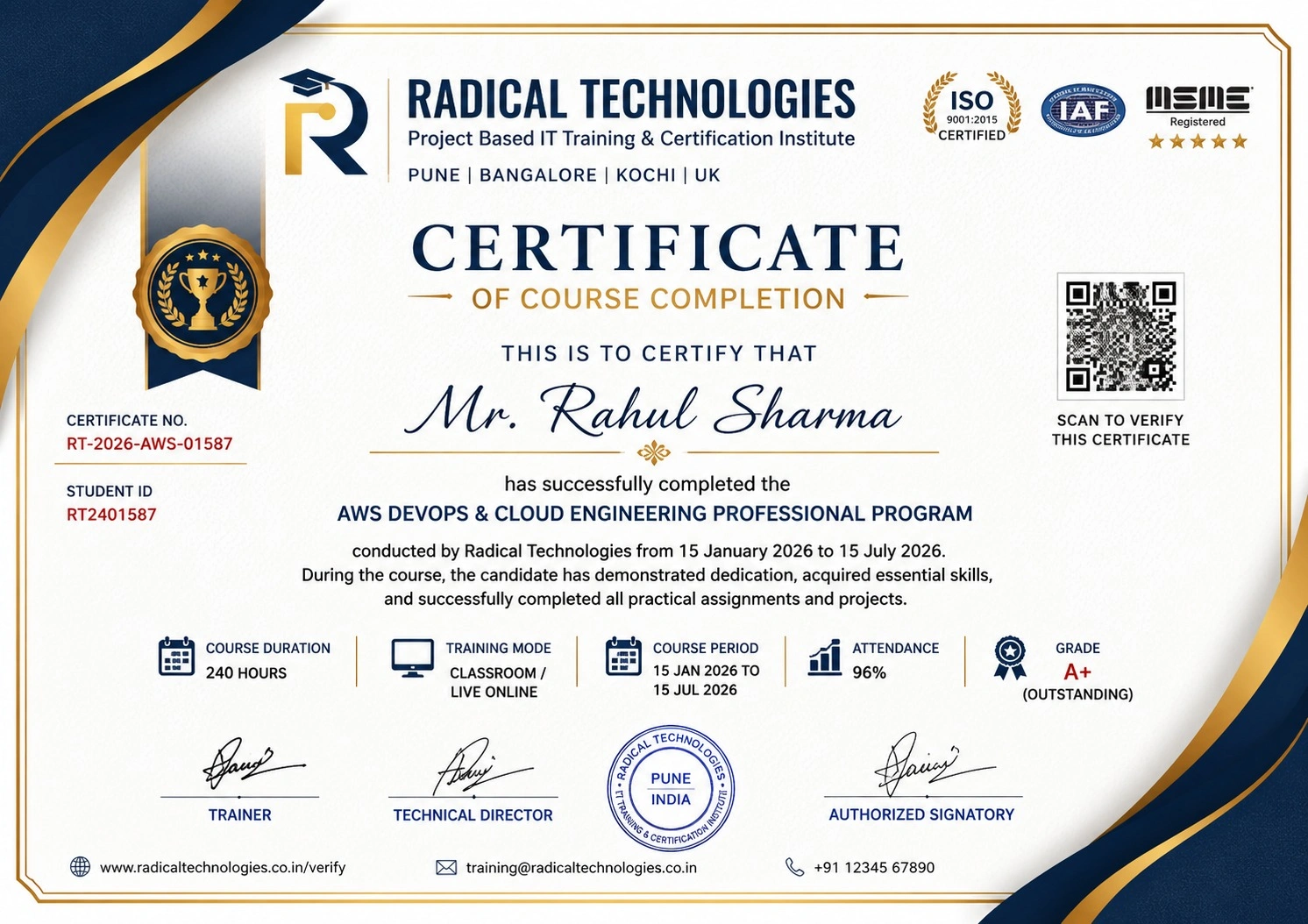
Certificate of Completion

Career Services

At Radical Technologies, we are committed to your success beyond the classroom. Our 100% Job Assistance program ensures that you are not only equipped with industry-relevant skills but also guided through the job placement process. With personalised resume building, interview preparation, and access to our extensive network of hiring partners, we help you take the next step confidently into your IT career.

Career Support

Course Completed? Need next steps?
Need Interview Supports?
Need Job Assistance?
Came from any other Institute?

Join our Brush-up Session & get support until you find a job!

Get Started

Radical Learning Eco-System

Exam Simulator

Cloud SandBox

Hands-on Cloud Lab

Developer Coding Ground

Student Reviews

4.8★
Average learner rating
50K+
Students trained
30+
Hiring companies alumni work at
100%
Placement assistance
4.8
★★★★★

Course Rating

★★★★★
85%
★★★★☆
12%
★★★☆☆
2%
★★☆☆☆
1%
★☆☆☆☆
0%
The Revit MEP Course in Bengaluru at Radical Technologies was well-structured and highly practical. The hands-on approach helped me gain real-world skills.
S Satisfied Student
Enrolling in the Revit MEP Certification in Bengaluru at Radical Technologies was a game-changer for my career. The instructors are experienced and approachable.
S Satisfied Student
I took the Revit MEP Online Classes in Bengaluru, and the learning experience was seamless. The live sessions and recorded content made it easy to revisit concepts.
S Satisfied Student
Radical Technologies is undoubtedly the best Revit MEP Institute in Bengaluru. Their training methodology is unmatched, and they provide excellent placement support.
S Satisfied Student
The Revit MEP Online Course in Bengaluru offered by Radical Technologies allowed me to learn at my own pace without compromising quality.
S Satisfied Student
If you're looking for Revit MEP Classes in Bengaluru, Radical Technologies is the right choice. Their detailed curriculum and project-based training are very effective.
S Satisfied Student
The Revit MEP Corporate Training in Bengaluru conducted by Radical Technologies helped our team upskill quickly and efficiently. We highly recommend them.
S Satisfied Student
I joined the Revit MEP Online Training in Bengaluru, and it was worth every penny. The trainers clarified all my doubts and provided excellent resources.
S Satisfied Student
Radical Technologies offers the best Revit MEP Training in Bengaluru. Their real-time project work gave me the confidence to handle complex designs.
S Satisfied Student
The Revit MEP Certification in Bengaluru from Radical Technologies added tremendous value to my resume and helped me secure a better job.
S Satisfied Student
The instructors at Radical Technologies make learning easy. The Revit MEP Course in Bengaluru was comprehensive and well-paced.
S Satisfied Student
I was impressed by the quality of the Revit MEP Online Certification in Bengaluru. The content was industry-relevant and up-to-date.
S Satisfied Student
Radical Technologies’ Revit MEP Online Course in Bengaluru is perfect for working professionals. The flexible schedule allowed me to balance work and study.
S Satisfied Student
The Revit MEP Classes in Bengaluru at Radical Technologies are highly interactive. The trainers are supportive and knowledgeable.
S Satisfied Student
I had a great learning experience with the Revit MEP Online Classes in Bengaluru. The trainers ensured we understood the concepts thoroughly.
S Satisfied Student
Radical Technologies is the best Revit MEP Institute in Bengaluru for anyone looking to start a career in building design and modeling.
S Satisfied Student
The Revit MEP Corporate Training in Bengaluru delivered by Radical Technologies exceeded our expectations. The team became much more efficient in using BIM tools.
S Satisfied Student
I joined the Revit MEP Online Training in Bengaluru to upgrade my skills, and it was an excellent decision. The trainers were very patient and knowledgeable.
S Satisfied Student
Thanks to the Revit MEP Course in Bengaluru at Radical Technologies, I was able to complete a live project confidently during my training period.
S Satisfied Student
The Revit MEP Certification in Bengaluru from Radical Technologies opened new career opportunities for me. The placement support was very helpful.
S Satisfied Student
I opted for the Revit MEP Online Course in Bengaluru, and I loved the flexibility it offered. The content delivery was smooth and detailed.
S Satisfied Student
Radical Technologies provides top-notch Revit MEP Training in Bengaluru. The practical sessions gave me the confidence to handle industry challenges.
S Satisfied Student
The Revit MEP Online Certification in Bengaluru I completed at Radical Technologies gave me a competitive edge in my job search.
S Satisfied Student
Radical Technologies offers the best Revit MEP Classes in Bengaluru with an updated syllabus and expert trainers. Highly recommended!
S Satisfied Student
I took the Revit MEP Online Classes in Bengaluru, and the experience was amazing. The trainers are industry professionals who share real-world insights.
S Satisfied Student

MATLAB & SIMULINK Interview Questions

10 questions commonly asked in MATLAB & SIMULINK interviews.

  1. 01 What are the primary benefits of using Revit MEP in Building Information Modeling (BIM) compared to traditional CAD tools?
  2. 02 Can you explain the workflow for designing an HVAC system in Revit MEP, including load calculations and duct placement?
  3. 03 How do you perform clash detection in Revit MEP, and what steps do you take to resolve detected conflicts?
  4. 04 Describe the process of creating custom parametric components (families) in Revit MEP and provide an example of their practical use.
  5. 05 What tools in Revit MEP are used for energy analysis, and how can they help in designing sustainable building systems?
  6. 06 How do you manage collaboration between mechanical, electrical, and plumbing teams within a Revit MEP project?
  7. 07 What are the best practices for optimizing Revit MEP models to ensure smooth performance, especially in large-scale projects?
  8. 08 How would you use Revit MEP to design and analyze fire protection systems, including sprinkler layouts and pipe routing?
  9. 09 What steps would you take to ensure compliance with local building codes and standards when designing electrical systems in Revit MEP?
  10. 10 Can you explain how schedules and material takeoffs are generated in Revit MEP and their significance in project documentation?

Matlab & Simulink Course Certification with Training In Pune

Radical Technologies is the leading institute in Bengaluru for comprehensive Revit MEP Training, offering industry-focused courses to help students and professionals excel in the field of Building Information Modeling (BIM). With a proven track record of delivering top-notch training, we are committed to providing unparalleled learning experiences through expert-led sessions and hands-on projects.

Our Revit MEP Course in Bengaluru is designed to equip learners with practical skills and in-depth knowledge of mechanical, electrical, and plumbing systems. We take pride in being the preferred choice for individuals seeking to advance their careers through our Revit MEP Certification in Bengaluru and placement-focused training programs.

Experienced Trainers: Our instructors are industry experts with years of hands-on experience in Revit MEP and BIM projects.

Real-World Projects: We emphasize project-based learning, ensuring our students gain practical expertise.

Placement Support: Our dedicated placement team connects you with top companies, helping you kickstart or advance your career.

Flexible Learning Options: Whether you prefer classroom sessions or online learning, we have options tailored to your needs.

At Radical Technologies, we are more than just a Revit MEP Institute in Bengaluru; we are your partners in professional growth. Join us today and take the first step towards mastering Revit MEP and excelling in the competitive AEC (Architecture, Engineering, and Construction) industry.

For more information on our Revit MEP Training in Bengaluru, contact us today!

Our Alumni Work At

Accenture
Amazon
Avisys Services
Birlasoft
Capgemini
Catchpoint
Cognizant
Darwish Cybertech
DataVision
GiBots
Google
Groots Software
HCL Technologies
IBM
Info Gain
Infosys
ITCube Solutions
KPIT
L&T Infotech
Microsoft
Mphasis
mPhatek
Oracle
Quantbit Technologies
Saina Cloud
TCS
Tech Mahindra
Wipro
YASH Technologies
Zensar Technologies
Accenture
Amazon
Avisys Services
Birlasoft
Capgemini
Catchpoint
Cognizant
Darwish Cybertech
DataVision
GiBots
Google
Groots Software
HCL Technologies
IBM
Info Gain
Infosys
ITCube Solutions
KPIT
L&T Infotech
Microsoft
Mphasis
mPhatek
Oracle
Quantbit Technologies
Saina Cloud
TCS
Tech Mahindra
Wipro
YASH Technologies
Zensar Technologies

Get a Call Back from Our Career Assistance Team

Request Callback